Two RAM Sticks vs. Four: Which Memory Configuration Should You Choose?

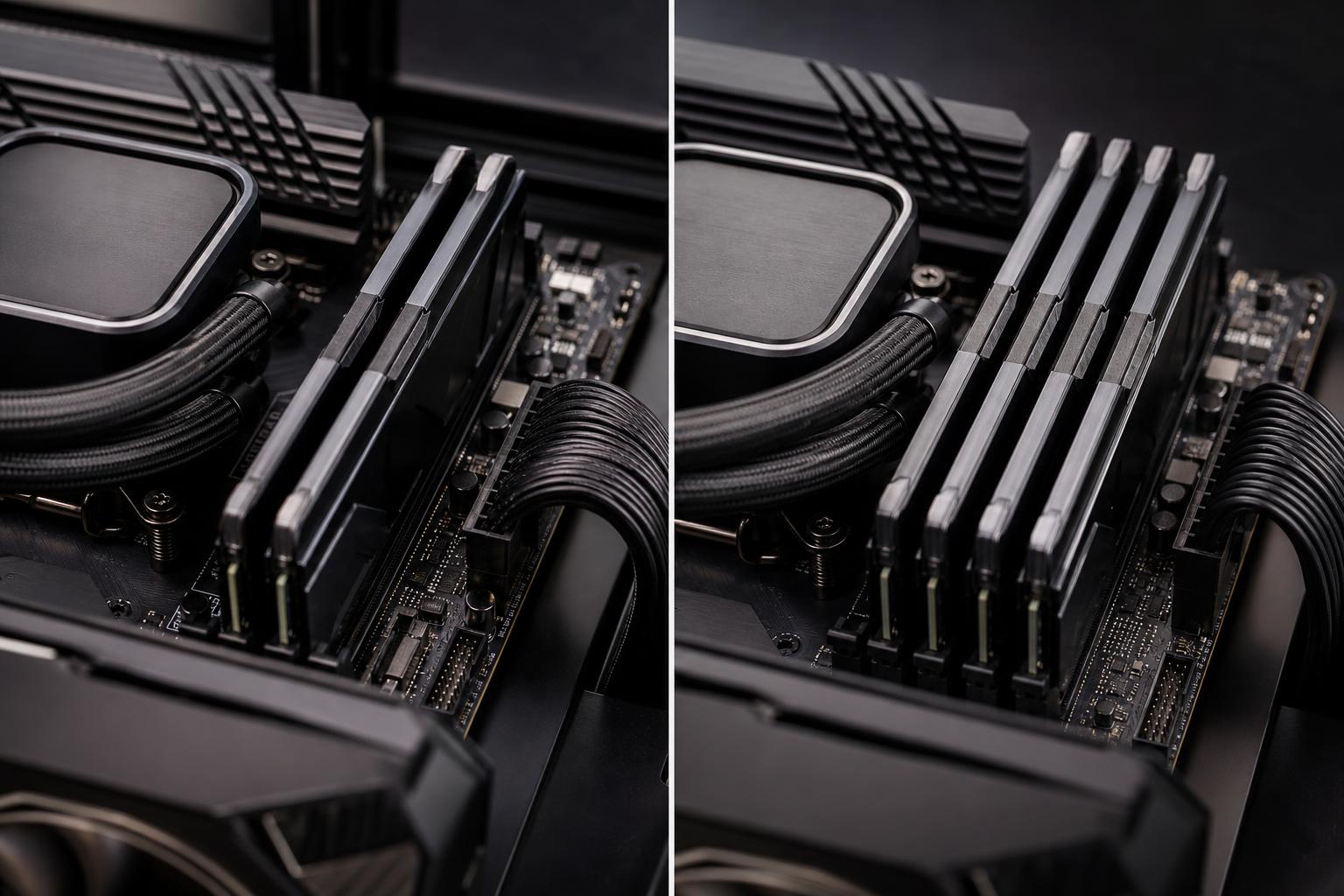
When configuring a new PC, it is easy to focus on total memory capacity: 32GB, 64GB, or 128GB. That number matters most, but the number of RAM sticks used to reach it matters too.
For most modern gaming PCs and workstations, two RAM sticks are the sensible default. A two-stick kit is generally easier for the motherboard and CPU memory controller to run at its rated speed, leaves room for upgrades, and provides dual-channel bandwidth. Four sticks can still be the right choice when a system needs a large amount of memory, but it deserves a little more planning—especially with DDR5.
Consumer desktop platforms normally use dual-channel memory. In plain English, the CPU can access two memory channels at once when the RAM is installed correctly. This gives the processor more memory bandwidth than one stick alone.
That is why a 2 x 16GB kit is usually better than one 32GB stick. Both provide 32GB of capacity, but the two-stick kit can run in dual-channel mode. In games and many productivity applications, this improves performance. Systems with integrated graphics benefit even more because the graphics processor uses system memory as its video memory.
For the same reason, four sticks can also operate in dual-channel mode. Four sticks do not turn a mainstream desktop into a four-channel system. They are still divided across two channels, usually with two modules assigned to each channel.
Always buy a single matched kit when possible. A kit has been validated to work together at its advertised settings. Mixing separate kits—even two kits with the same brand, model number, and speed—can work, but it is not guaranteed. Memory manufacturers may use different chips or internal layouts between production runs.
With DDR4 or DDR5, installing one module per memory channel places less electrical load on the motherboard and CPU memory controller than installing two modules per channel. That makes it easier to run memory at faster rated speeds with stable settings.
For a new system, two sticks offer several practical advantages:
For most gaming computers, we recommend starting with a 2 x 16GB kit for 32GB or a 2 x 32GB kit for 64GB. This is a balanced approach that avoids buying memory capacity that will sit unused while preserving a reasonable path to expand.
For professional systems expected to handle large projects soon, it can be smarter to install the final capacity as two larger modules from the beginning. For example, someone who knows their photogrammetry, simulation, or virtual machine workload needs 128GB should generally choose 2 x 64GB rather than filling all four slots with 32GB modules—provided the motherboard supports that capacity and memory configuration well.
DDR5 brought higher memory speeds and larger capacities, but it also made four-DIMM configurations more demanding. This is not a defect in a particular motherboard brand. It is a normal electrical challenge: more modules mean more connections, traces, and signals for the memory controller to manage.
A motherboard may have four physical memory slots, yet its highest advertised memory speeds often apply only when two slots are populated. With four sticks installed, the stable speed may need to be reduced. A memory profile that is effortless with two modules may require lower frequency, looser timings, or manual tuning with four.
This does not mean four DDR5 sticks are automatically a bad idea. It means the buyer should prioritize capacity and stable operation over chasing the highest number printed on a RAM box. A stable 128GB workstation is far more useful than a theoretically faster configuration that crashes during a long render.
Before buying four modules, check the motherboard’s memory support list and documentation for its supported capacity and speed with all slots populated. BIOS updates can improve memory compatibility, but they should not be treated as a promise that any four-stick combination will run at any advertised overclocked speed.
Four modules can be a sensible choice in a few situations.
If a system needs 128GB, 192GB, or more, four modules may be the practical or cost-effective route on a mainstream desktop platform. This is common for large engineering datasets, extensive Adobe projects, complex 3D scenes, local virtual machines, and data-heavy development work.
In these cases, choose a memory kit sold and validated as a four-stick kit. Confirm the motherboard supports the intended total capacity. Then use realistic memory speed expectations rather than assuming the board will run four DIMMs at the same extreme settings marketed for a two-DIMM kit.
Adding another matching kit can be worthwhile if budget is limited and the system genuinely needs more capacity. First, update the BIOS if appropriate, install the modules in the slots specified by the motherboard manual, and test stability thoroughly. Be prepared to run the memory at a more conservative setting if the system is unstable.
This is a reasonable upgrade path, not the ideal plan for a brand-new build. If buying all memory today, one matched two-stick or four-stick kit remains the safer choice.
Four illuminated RAM modules can look excellent in a windowed PC. There is nothing wrong with building for appearance, as long as the buyer understands the possible speed trade-off and does not sacrifice needed capacity or reliability for lighting. PCs are tools, but they are also allowed to look good on a desk.
Memory shopping gets simpler when priorities are in the right order:
For a typical gaming PC, 32GB in two sticks is the current comfortable baseline. For gaming plus streaming, heavy browser use, content creation, or development tools, 64GB in two sticks is often a better long-term choice. Workstations should be sized around the actual projects and applications rather than a generic gaming recommendation.
Not by themselves. Two properly installed sticks already provide dual-channel operation. Four sticks may sometimes offer a small performance difference due to memory rank organization, but this is not a reliable reason to fill every slot. The result varies by memory modules, platform, application, and the speed the system can maintain.
In practice, the performance difference between a good two-stick configuration and a good four-stick configuration is usually less important than capacity, memory settings, CPU and GPU selection, and cooling. Do not spend extra simply to populate empty slots.
For most new DDR5 gaming PCs and mainstream workstations, choose two sticks sized for the memory capacity you expect to need over the next few years. A 2 x 16GB kit suits many gaming builds. A 2 x 32GB kit is an excellent fit for demanding multitasking, creative work, and buyers who want more headroom. Choose a validated four-stick kit when your required capacity makes it necessary, and favor dependable settings over headline memory speed.
Memory configuration is one of those small decisions that can save a great deal of frustration later. If you are planning a system and are unsure whether your workload calls for 32GB, 64GB, 128GB, or more, contact Overclock Computers. We can help configure a balanced system around the applications, project sizes, and upgrade plans that actually matter to you.