When Is a High-End Workstation Worth the Investment?

A high-end workstation is not automatically the right answer for professional work. Plenty of CAD users, developers, editors, and designers can do excellent work on a well-chosen mainstream desktop. But once project files become larger, processing jobs run longer, or a computer starts holding up paid work, buying only the minimum specification becomes an expensive kind of false economy.
The useful question is not, “What is the most powerful workstation PC available?” It is, “Which part of this workload is slow enough, often enough, that better hardware will make a meaningful difference?”
That distinction matters. A 32-core processor will not transform a lightly threaded drafting workflow. Conversely, a fast consumer desktop with 32GB of memory can be a poor fit for a point-cloud technician who regularly works with datasets that consume most of that capacity. A good professional workstation is balanced around real applications, typical project sizes, and the way people actually work between exports, meetings, file transfers, and revisions.
A higher budget is usually worthwhile when the current computer creates repeatable delays during productive work, not merely because it is a few years old. Common signs include:
A one-time task that takes an extra hour may not justify an extreme system. A task that costs an employee 15 or 20 minutes several times every day is different. Faster hardware can reduce waiting, but the larger benefit is often better workflow: less interruption, more responsive models, and fewer reasons to postpone a processing job until overnight.
Most workstation overspending comes from buying the wrong type of performance. Before specifying hardware, identify the slowest part of the workflow. Application documentation, task-manager monitoring, and a clear description of the painful tasks are more useful than a generic “I need a powerful PC” request.
Many design and CAD tasks feel best on a CPU with strong single-core performance. Viewport interaction, sketching, parts of model regeneration, and general application responsiveness may use only a few cores effectively. For these users, a fast mainstream processor can outperform a much more expensive high-core-count platform in the tasks they notice most.
More cores earn their place when the software can use them. CPU rendering, video encoding, simulation, code compilation, photogrammetry stages, data analysis, and running several heavy jobs at once are typical examples. A high-core-count workstation platform also brings more memory capacity and expansion in many configurations. That is valuable when the whole workflow needs it, not simply because a larger CPU looks more professional on a specification sheet.
For GPU rendering, real-time visualization, video effects, AI, and many compute workloads, the graphics card may be the most important component. In these cases, GPU performance and available VRAM directly affect what can be processed efficiently or loaded at all.
For conventional 2D drafting and modest 3D models, buying an extremely powerful GPU usually does little for daily productivity. The money may be better spent on more system memory, fast storage, or a CPU better suited to the application.
Professional GPUs can make sense where certified drivers, specific application support, large VRAM capacity, specialized display requirements, or enterprise deployment considerations matter. They are not inherently faster in every application. A consumer GPU can offer excellent value for GPU rendering, video work, visualization, and some technical workloads, provided its VRAM capacity, drivers, physical size, and power needs fit the system and software.
RAM does not generally make a light workload finish faster once there is enough of it. It does prevent performance from collapsing when active projects, cached data, and background applications exceed available capacity. When that happens, the operating system moves data to storage, which is far slower than system memory.
For many professional desktop workflows, 32GB is now a sensible floor rather than a generous allocation. 64GB is a strong practical target for serious CAD, editing, development, and moderate 3D work. 128GB becomes reasonable for large models, heavy multitasking, substantial point-cloud work, complex scenes, and data-intensive tasks. Capacities beyond that should be based on observed dataset size, application guidance, or a clear plan to run memory-hungry jobs—not on guesswork.
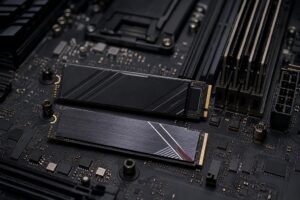
Storage affects booting and launching applications, but its bigger workstation role is handling project files, source footage, caches, scratch data, and active datasets. A fast NVMe SSD for the operating system and applications is standard. A second fast SSD for active projects, cache, or scratch data can prevent one busy drive from handling every read and write at once.
High-capacity local storage remains useful for active archives and large media libraries, but it is not a substitute for a proper backup plan. For teams, network storage and 10GbE can be more valuable than another increment of local CPU performance when projects must move quickly between workstations and shared storage.
This tier suits users working in CAD, BIM, GIS, software development, 4K editing, and moderate 3D applications without unusually large datasets. Priorities are a fast CPU, a capable GPU matched to the software, 32GB to 64GB of RAM, and at least one fast NVMe drive with enough working space.
It is the right place to stop when files are manageable, processing runs are occasional, and the user does not need unusual expansion. Spending beyond this tier may produce impressive benchmark results without changing the workday much.
This tier is for professionals who process large files routinely, render or encode frequently, work with demanding 3D scenes, or need multiple applications open without compromise. It commonly benefits from 64GB to 128GB of memory, a stronger GPU with adequate VRAM, multiple NVMe drives, and cooling designed for sustained loads rather than short benchmark runs.
This is where premium component selection pays off. A quality power supply, case airflow, cooler, motherboard connectivity, and sensible drive layout are not cosmetic details. They support reliable daily performance and leave room for future upgrades.
A workstation-class CPU platform is justified for users who need very large memory capacities, substantial PCIe expansion, multiple GPUs, many high-speed drives, or heavy multi-threaded processing. Examples include complex simulation, large-scale reality capture, high-resolution finishing, intensive CPU rendering, advanced data processing, and certain AI workloads.
These systems should be specified carefully. More hardware also means more power, heat, physical space, and configuration complexity. A multi-GPU build, for example, needs software that can actually use multiple GPUs, enough PCIe connectivity, proper airflow between cards, and a power supply with appropriate capacity and connectors. It is not a universal shortcut to double the performance.
Be skeptical of upgrades that solve no known problem. More CPU cores will not fix a slow network share. A top-tier GPU will not compensate for insufficient RAM. A massive NVMe array may not improve an application limited by single-threaded CPU work.
Likewise, do not confuse a workstation with an expensive gaming PC. Both may use fast processors and powerful GPUs, but a professional workstation may need greater memory capacity, quieter sustained cooling, storage arranged around active projects and caches, higher networking capability, expansion, and component choices suited to long production loads. The right configuration comes from the work, not the label.
For several employees, avoid issuing identical systems solely because it simplifies purchasing. Standardizing on a few sensible profiles is better: for example, a design workstation, a processing and rendering workstation, and a general technical desktop. Each profile can use consistent cases, power supplies, storage layouts, and supportable components while still matching the role.
Ask staff which applications run together, how large their typical and largest projects are, where files live, and which task causes the most waiting. Also consider monitor count and resolution, network infrastructure, backup practices, and future expansion. A workstation that is correct on delivery but cannot accept more storage, memory, or a needed expansion card may be less economical than a slightly better planned system.
A high-end workstation is worth the investment when it removes a real constraint: insufficient memory, GPU VRAM limits, long processing queues, poor sustained performance, inadequate storage, or lack of expansion. It is not worth buying simply to own the biggest specification available.
Overclock Computers designs custom workstation PCs around the applications you use, the size of the projects you handle, your storage and networking needs, expected upgrade path, and budget. If you are replacing an aging professional system or planning workstations for a team, contact Overclock Computers with your software list and a description of a typical project. That is enough to begin building a configuration that earns its place on the desk.