Best Gaming PC Under $1,500 in 2026: Where to Spend for Real Performance

A well-configured gaming PC under $1,500 should be built for excellent 1440p gaming, not compromised 4K gaming. At this budget, the graphics card deserves the largest share of the money, followed by a current six- or eight-core CPU, 32GB of DDR5 memory, and a 1TB NVMe SSD.
That combination handles modern games at high settings, supports high-refresh-rate 1080p gaming very well, and gives you a sensible foundation for future GPU upgrades. It is also where many mass-market prebuilts get the balance wrong: a flashy processor or excessive RGB lighting paired with too little graphics performance, memory, storage, cooling, or power supply quality.
Prices and individual component availability move constantly, so it is smarter to shop for the right performance class than chase one exact model. Here is what we recommend prioritizing.
For a tower-only budget near $1,500, aim for these broad specifications:
If the budget includes a monitor, keyboard, mouse, Windows license, or tax and shipping, the tower itself may need to land closer to $1,200 to $1,350. That can still make an excellent 1080p or entry-level 1440p machine, but it changes the GPU class you can afford. Be clear about what your budget includes before comparing systems.
For most gaming PCs under $1,500, the GPU determines the experience more than any other part. It has the biggest effect on resolution, visual settings, ray tracing performance, and frame rate in demanding games.
At this budget, we would generally rather see a slightly less expensive CPU paired with a stronger GPU than the reverse. A premium processor cannot make up for a graphics card that runs out of performance or VRAM at 1440p.
Your target should be strong 1440p gaming in current titles using high settings, with sensible use of upscaling when a game supports it. For competitive games such as Valorant, Counter-Strike 2, Rocket League, or Overwatch, this class of system can also make good use of a high-refresh 1080p or 1440p monitor.
VRAM matters because games use it for textures, geometry, frame buffers, and other graphical data. A card with 12GB is a reasonable minimum target for a new $1,500 build intended for 1440p. More is welcome when it fits without sacrificing too much GPU performance. Do not choose a slower card solely because it has a larger VRAM figure, but do not dismiss memory capacity as a meaningless specification either.
Ray tracing is worth treating realistically. It can look excellent, but it is demanding. A $1,500 PC should offer the option to use ray-traced effects in many games, especially with upscaling, rather than being purchased exclusively around maximum ray-tracing settings.
A modern six-core CPU is enough for a gaming-focused build, and a good eight-core model is useful if you also stream, edit video, compile code, run virtual machines, or keep a truly unreasonable number of browser tabs open. What you usually do not need at this price is a flagship CPU.
At 1440p, the graphics card often becomes the limiting factor in visually demanding games. Spending several hundred extra dollars on a high-end processor may produce little visible benefit while forcing a downgrade in the graphics card. That is poor budget allocation.
There are two cases where spending a little more on the CPU is justified:
Even then, keep the system balanced. A fast CPU paired with an entry-level GPU is a familiar and avoidable prebuilt mistake.
For a new gaming PC in this class, 32GB of memory is the right call. It gives modern games comfortable headroom while leaving room for Discord, a browser, game launchers, recording software, and background applications. A 16GB system still works for lighter use, but it is not where we would choose to save money in a $1,500 new build.
Use two matched memory sticks rather than one. Modern desktop platforms benefit from dual-channel memory operation, and a single-stick configuration can leave performance on the table.
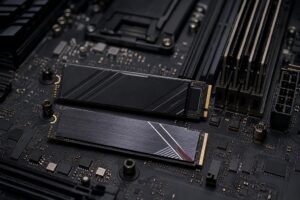
A 1TB NVMe SSD is also the practical minimum for most buyers. Game installs are large, and a 500GB drive becomes cramped surprisingly quickly after Windows, several major games, and routine applications. You do not need the most expensive flagship SSD for gaming; capacity, reliability, and a second M.2 slot for expansion matter more than chasing small benchmark differences.
Component lists often make the GPU and CPU easy to compare, while hiding the parts that affect noise, temperatures, stability, and future upgrades. A good custom gaming PC pays attention to the less glamorous hardware too.
Good cooling is not about making a PC look like a laboratory experiment. It is about helping the CPU and GPU sustain their intended performance without excessive fan noise. A quality tower air cooler is often the best value in this budget range. Liquid cooling can make sense for certain processors or a particular look, but it should not come at the cost of a weaker GPU.
Choose a case with a ventilated front panel, sensible fan placement, and enough physical room for the graphics card and future upgrades. A sealed glass box with too few fans is not a premium gaming experience, regardless of how many lights it has.
A power supply should provide sufficient capacity for the selected parts with room for normal transient power demands and modest future upgrades. More importantly, it should be a quality unit with the correct modern connectors and protections. Buying the largest wattage rating available is unnecessary; buying an unknown bargain unit to protect expensive components is worse.
For the motherboard, prioritize the features you will use: enough M.2 storage slots, adequate USB ports, reliable networking, Wi-Fi if needed, and BIOS support for the chosen CPU. You can safely skip expensive boards built around extreme overclocking features if you will never use them.
This is the best fit for most buyers. Put the largest practical share of the budget into the GPU, use a strong mainstream six- or eight-core CPU, install 32GB of RAM and a 1TB SSD, then support it with quality cooling and power delivery. Pair it with a 1440p high-refresh monitor for the most balanced experience.
If you mainly play esports titles and care more about fast, consistent frame rates than ultra settings, shift a little budget toward CPU performance and choose a fast 1080p or 1440p monitor. You still need a capable GPU, but it does not need to be selected around 4K-quality visuals.
If you stream, capture gameplay, edit videos, or work with creative applications, retain 32GB of RAM and consider expanding storage sooner. A GPU with a capable hardware video encoder can also be valuable. Do not automatically jump to 64GB of RAM unless your editing projects or other software genuinely exhaust 32GB; that money may be better spent on the graphics card or a second SSD.
The best gaming PC under $1,500 is not one generic parts list. It is a balanced system built around the games you play and the display you own or plan to buy. A 240Hz competitive monitor, a 1440p single-player setup, and a flight-simulator-focused system all benefit from slightly different choices.
Overclock Computers can help narrow those choices down before the parts are selected. Tell us your budget, monitor resolution and refresh rate, favorite games, streaming or productivity needs, preferred appearance, and upgrade plans, and we can design a system that puts the money where you will actually feel it.