ECC Memory Explained: Do You Need Error-Correcting RAM in Your PC?

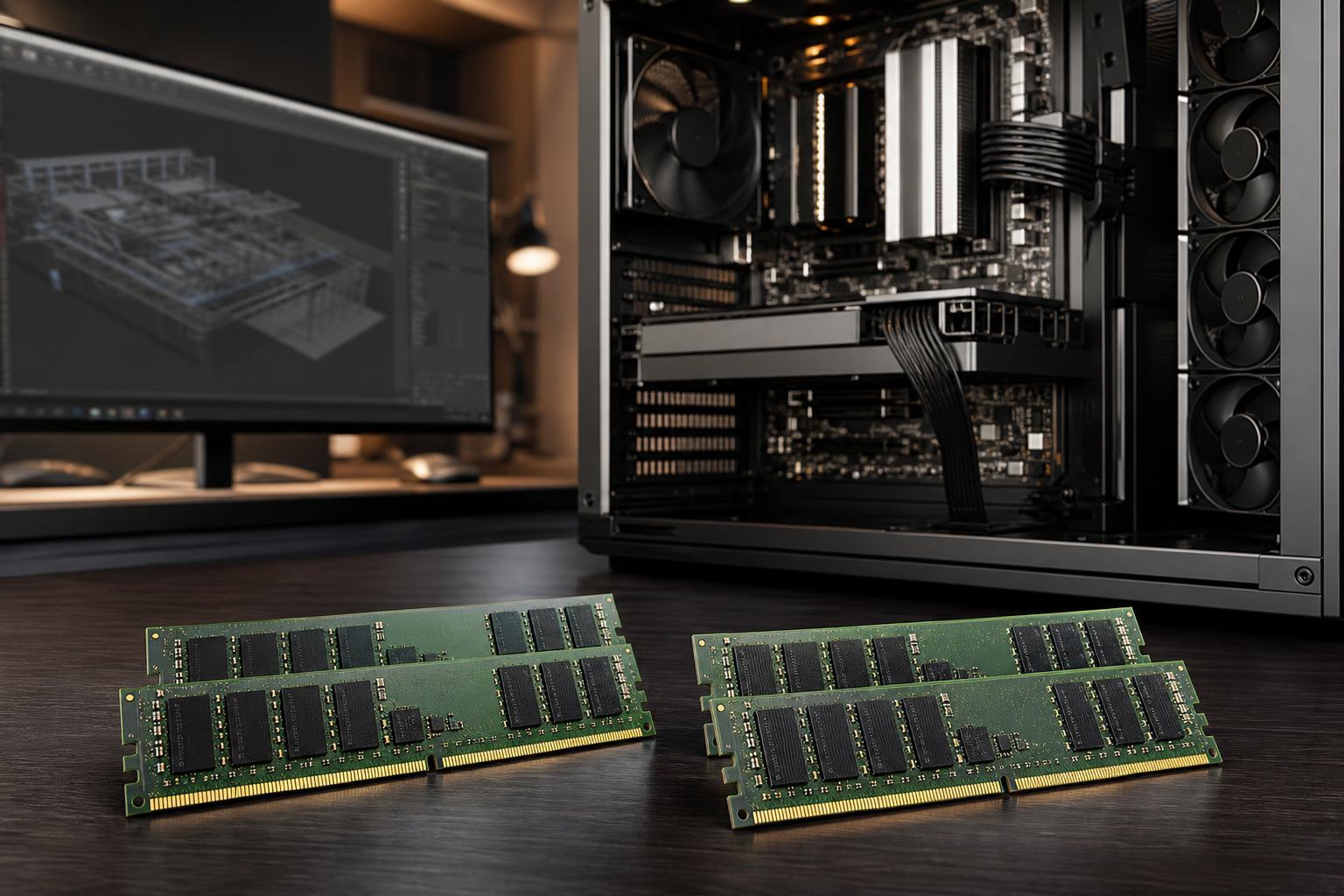
Most PC buyers should focus first on getting enough memory capacity: 32GB for many modern gaming and general-purpose systems, 64GB or more for heavier professional work. But for some workstations, the type of memory matters too. That is where ECC RAM enters the conversation.
ECC, short for error-correcting code, is memory designed to detect and correct certain data errors while the system is running. It is not a performance upgrade in the usual sense. You will not get higher frame rates or shorter boot times. Its value is quieter and more important in the right machine: protecting long-running work from rare memory errors that might otherwise cause a crash, a bad calculation, or corrupted data.
For a typical gaming PC, standard non-ECC RAM is the sensible choice. For a workstation processing valuable data for hours or days at a time, ECC can be a very reasonable investment. The key is knowing which side of that line your work falls on.
RAM holds the data that your CPU is actively using: open projects, program instructions, operating system processes, cached files, and the frames being prepared for a render. A memory error occurs when one or more bits in that data change unexpectedly.
These errors can come from electrical interference, component wear, heat, cosmic radiation, or a marginal memory configuration. They are uncommon in a healthy, properly built PC, but “uncommon” looks different when a computer runs around the clock or processes millions of calculations.
Standard memory generally has no way to verify that every value it reads is exactly the value that was written. ECC memory stores additional check information alongside the normal data. In the most common implementation, it can:
Think of it as a spell-checker for data in active memory, except it works automatically and at hardware speed. It cannot make a bad file good, protect against malware, or replace backups. It only helps ensure that data is not silently altered while it is sitting in or moving through system memory.
A single memory error may produce no visible result. It might affect an unused part of memory and disappear when the PC restarts. Or it might cause an application to close unexpectedly.
The harder cases are silent errors. A bit flip during a scientific calculation, a database operation, a financial model, or a long render may create an incorrect result without an obvious warning. If the output then gets saved, copied, or used as the basis for later work, finding the source can be nearly impossible.
ECC does not eliminate every failure mode, but it changes many correctable memory errors from an invisible problem into a corrected event. It can also reveal a degrading RAM module before it becomes a more serious reliability issue.
ECC is most compelling when a system runs sustained workloads and the results matter beyond the screen in front of you. Good examples include engineering analysis, scientific computing, CAD datasets, point-cloud processing, photogrammetry, software compilation farms, and databases.
If a workstation takes eight hours to process a dataset, or if a calculation informs a costly business decision, a modest premium for better error protection is easier to justify. The same applies to systems used for virtual machines, development environments, or business services that remain on for long periods.
ECC can make sense for render nodes and production workstations, particularly those that run unattended overnight. It is not mandatory for every editor or 3D artist, however. A freelancer working primarily in short projects may get more practical benefit from spending the budget on additional RAM capacity, faster storage, or a stronger GPU.
For a studio where missed deadlines, failed overnight renders, or project corruption affect several people, ECC becomes more attractive. Reliability is part of the workflow, not an optional extra.
Home lab servers, business servers, network-attached storage systems, and virtualization hosts are classic ECC use cases. These machines often run continuously and may hold data that other devices depend on. ECC is not a substitute for a proper backup strategy, redundant storage where appropriate, or a quality power supply, but it is one useful layer in a reliability-focused design.
For local AI systems, ECC system memory is most useful when the machine handles large datasets, preprocessing, virtual machines, or lengthy CPU-based tasks. In GPU-heavy AI work, GPU memory capacity is often the larger practical limitation. Some professional GPUs offer ECC protection on their own VRAM, while consumer graphics cards commonly do not. The right choice depends on where the data lives and which part of the workflow is most costly to repeat.
Most gaming PCs do not need ECC RAM. Modern non-ECC desktop memory from reputable manufacturers is reliable, and gamers will see more benefit from putting the budget toward the graphics card, monitor, storage capacity, or simply more memory.
The same is generally true for everyday home use, web browsing, office work, and mainstream streaming. If your PC is used for occasional photo editing or video projects, ECC is nice to have, not a requirement. Buying 64GB of standard RAM is often a better decision than buying 32GB of ECC RAM just to have the feature.
There is also a middle ground: a developer, designer, or enthusiast may choose ECC because they value reliability and their platform supports it. That is a perfectly valid preference. Just do not treat ECC as a magical stability button. A carefully selected motherboard, conservative memory settings, adequate cooling, clean power, and proper testing still matter.
You cannot simply install ECC RAM in any desktop and expect error correction to work. The CPU, motherboard, firmware, and memory modules must all support ECC in a compatible configuration.
Some systems may boot with ECC-capable DIMMs installed but operate without ECC correction enabled. Others will not support those modules at all. Platform documentation must be checked carefully, especially with consumer-class hardware.
There are also multiple types of ECC memory. The most common distinction is between unbuffered ECC memory, often used in compatible workstation-class desktops, and registered or buffered ECC memory, commonly used in server platforms. Registered DIMMs are not interchangeable with ordinary desktop RAM. Mixing memory types is a reliable way to turn an otherwise pleasant build day into an afternoon of troubleshooting.
For a professional workstation, we recommend treating ECC compatibility as a platform-level decision from the start. Choose the processor and motherboard around the reliability requirement, then select validated memory. Do not build the entire system around a consumer platform and assume ECC can be added later.
This point causes plenty of confusion. DDR5 memory includes on-die error correction within the memory chips themselves. That feature helps the memory chip operate reliably at modern capacities and speeds, but it is not the same as end-to-end system ECC.
On-die ECC does not give the CPU and operating system the same ability to detect, correct, and report memory errors across the full memory path. If you need the protection discussed in this article, look specifically for platform-supported ECC memory, not just a DDR5 kit with on-die ECC.
In most real-world workstation use, the performance difference is small. ECC memory can have slightly different timings or operating characteristics than an aggressively tuned gaming memory kit, but that is rarely the deciding factor for a reliability-oriented machine.
A bigger concern is platform selection. The hardware that supports ECC may offer different CPU choices, memory speeds, expansion options, or costs than a consumer gaming platform. That tradeoff should be evaluated against the actual workload. A workstation should not sacrifice the GPU performance, storage layout, or memory capacity needed to do its job just to check an ECC box.
Choose ECC RAM when your system is an always-on server, handles critical business data, runs long computational jobs, or produces results that are expensive to recreate. In those cases, build on a platform that explicitly supports ECC and use compatible, validated memory.
Choose standard non-ECC RAM for gaming, everyday productivity, and most individual creator PCs. Put the savings into enough RAM capacity, a well-cooled CPU and GPU, fast project storage, and a quality power supply. Those decisions will usually have a larger effect on your day-to-day experience.
If your workload sits in between, consider the cost of a bad result or a lost overnight job. That is the real ECC question. It is not about buying the most specialized hardware; it is about building a machine whose reliability matches the value of the work it performs.
If you are planning a workstation, server, or high-performance desktop and are unsure whether ECC belongs in the configuration, contact Overclock Computers. We can help match the platform, memory capacity, graphics hardware, cooling, and storage to the work you actually need the system to do.