Prebuilt vs. Custom PC: Which Is the Better Buy in 2026?

The prebuilt vs. custom PC decision is not simply about price. It is about who chooses the parts, how transparent those choices are, how well the system is assembled, and what happens when you need support or an upgrade.
A good mass-market prebuilt can be a sensible shortcut. A carefully planned DIY PC can offer excellent value. And a boutique custom PC can be the strongest option when you want a machine configured around specific games, creative applications, engineering software, noise goals, or upgrade plans without taking on the assembly and troubleshooting yourself.
The right choice comes down to how much control you need, how comfortable you are working on hardware, and whether the system’s less glamorous components are being treated as seriously as its CPU and graphics card.
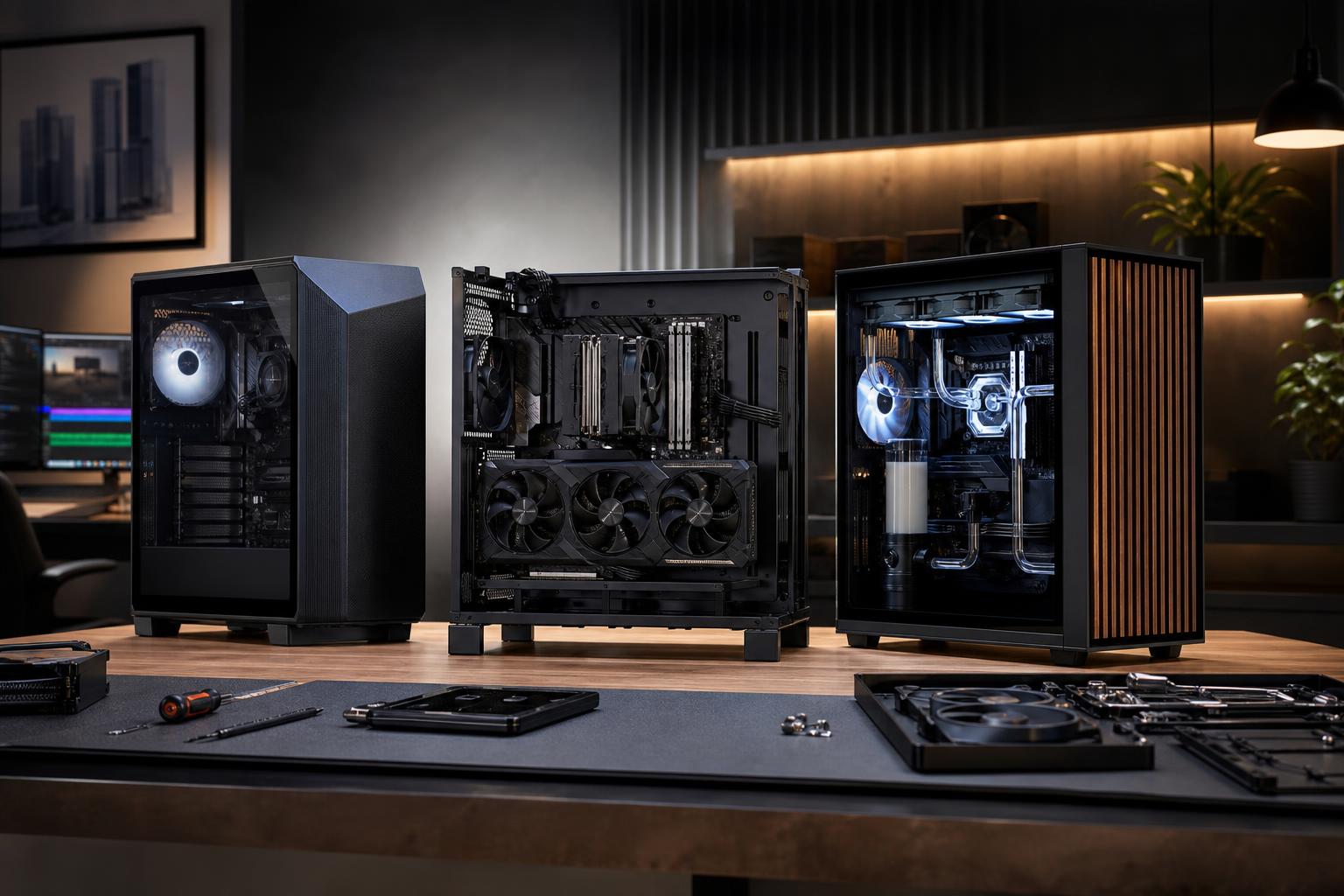
These terms get used loosely, so it helps to separate three common options.
These are systems sold in standard configurations through large manufacturers and major retailers. They are ready to ship, usually include a single system warranty, and may be competitively priced during a sale. The trade-off is that the parts list can be vague. You may know the processor and graphics card but not the power supply model, motherboard features, SSD brand, memory speed, or cooler.
A DIY build is one you select, buy, assemble, and support yourself. This gives you full control over every component and can be rewarding if you enjoy PC hardware. It also puts compatibility checks, cable routing, operating-system installation, BIOS setup, driver issues, and warranty claims on your shoulders.
A boutique builder uses standard retail-grade components but selects and assembles them around your requirements. The goal should not be to load every system with expensive parts. It should be to make sensible choices throughout the machine: a capable graphics card, an appropriate CPU, enough memory and storage, a reliable power supply, effective cooling, and a case with room to work in later.
A conventional prebuilt is a reasonable purchase when the configuration is fully disclosed, the price is genuinely attractive, and your needs are straightforward. For example, someone playing lighter esports titles at 1080p may not need a highly tailored system or an elaborate cooling setup.
It can also make sense when you need a computer immediately and a known configuration is in stock. The best prebuilt deals tend to be systems where the major components are well balanced and the builder has not obviously cut corners elsewhere.
Before buying, look beyond the headline CPU and GPU. Ask for or find the answers to these questions:
If the seller cannot tell you, that does not automatically make the PC bad. It does mean you should assume those details were selected to meet a price target rather than long-term performance, noise, or upgradeability goals.
Every PC has a budget. The concern is not that compromises exist; it is whether they affect the experience you are paying for.
A graphics card may look excellent on a product page, while the rest of the system is less convincing. Common areas include a low-capacity SSD, one stick of RAM instead of two, a basic stock cooler, limited intake airflow, or a power supply with little overhead for a future GPU upgrade.
Proprietary parts deserve special attention. Some large-brand desktops use unique motherboard shapes, unusual power connectors, restricted BIOS settings, or cases that cannot accept standard upgrades. This can be fine if you plan to use the PC as sold for several years. It is much less appealing if you expect to add storage, replace the graphics card, or move components into a new case.
Another issue is thermals. A fast processor or GPU cannot perform at its best if it is repeatedly reaching temperature or power limits in a poorly ventilated case. In practical terms, that can mean more fan noise, less sustained performance in long gaming sessions or renders, and less comfortable component temperatures over time.
A well-designed custom gaming PC is not automatically faster than every prebuilt with similar headline specifications. Its value comes from making the entire configuration work together.
For gaming, that might mean putting more of the budget into the GPU for 1440p or 4K, instead of overspending on CPU cores that will not improve frame rates. For a video-editing workstation, it may mean more RAM, a fast project drive, ample bulk storage, and a CPU chosen for the codecs and export tasks you actually use. For CAD, rendering, or software development, the priorities can change again.
Thoughtful customization also allows for choices that spec sheets rarely communicate well:
These choices rarely produce a flashy line item in an advertisement. They do make a difference in daily use.
Building your own PC can save money, especially when you are comfortable researching parts and waiting for sales. You also get the satisfaction of knowing exactly what is inside. For many enthusiasts, that is reason enough.
But the parts cost is not the whole cost. A first build can take several hours, and the difficult part is not usually installing the CPU or graphics card. It is resolving the unexpected problem: a memory profile that is unstable, a front-panel connector in the wrong header, a BIOS that needs updating, a cooler mounted unevenly, or a system that does not boot on the first try.
DIY makes the most sense for people who enjoy that process and are prepared to handle individual component warranties. A boutique custom build makes more sense if you want retail-grade parts and a tailored configuration but would rather receive a tested, cleanly assembled, ready-to-use computer with a clear point of contact for system-level support.
A well-priced prebuilt can be enough if its specifications are transparent and it uses standard components. Prioritize a balanced CPU and GPU, 16GB to 32GB of dual-channel RAM, and at least a 1TB SSD if your game library is not tiny. Do not pay a premium for an extravagant cooler or motherboard if it forces you into a weaker GPU.
This is where a custom gaming PC often becomes easier to justify. The GPU is the main performance driver at higher resolutions, but power delivery, cooling, memory capacity, and case airflow matter more as total system power rises. Streaming, heavy multitasking, and demanding modern games also make 32GB of RAM a sensible baseline for many buyers.
Choose hardware around the applications, not a generic “workstation” label. Video editing may need fast storage and media-engine support. CPU rendering may reward many cores. GPU rendering and local AI workloads can be constrained by VRAM. Large CAD assemblies, point clouds, and simulation projects may need substantial system memory. A builder should ask what software you use, how large your files are, and where time is currently being lost.
Buy a mass-market prebuilt when it has a transparent parts list, the price is strong, and its limitations fit your plans. Build it yourself when you want maximum control and enjoy taking responsibility for the build. Choose a boutique custom PC when you want a system designed around your real workload, with quality components selected beyond the headline specifications.
Whichever route you take, avoid buying based on the CPU and graphics card alone. A high-performance PC is a complete system, and the power supply, cooling, motherboard, memory, storage, and case determine how pleasant that system is to own after the excitement of unboxing wears off.
Overclock Computers can help you sort through the trade-offs and design a custom desktop around your games, applications, resolution or project requirements, performance goals, and budget. The result should be a balanced machine with the hardware you need now and a sensible path for the future—not a parts list inflated for its own sake.