How Much Storage Do You Need for a Gaming PC or Workstation?

Storage is one of the easiest PC components to underestimate. A new system can feel incredibly fast with almost any decent NVMe SSD, but capacity and drive layout determine how pleasant that system is to live with six months or two years later.
The question is not simply, “How much storage can I afford?” It is, “What files need fast access, how quickly will they grow, and how much free space should remain?” A gaming library, 4K video footage, CAD project archive, local AI model collection, and family photo backup all make very different demands on a PC.
For most new performance PCs, we recommend starting with at least a 1TB NVMe SSD. For many buyers, 2TB is the more sensible baseline. Workstations that handle media, 3D assets, scan data, or large datasets often need multiple drives from the beginning.
Modern PCs generally use solid-state drives rather than old-style hard disk drives for the operating system, programs, games, and active projects. SSDs are dramatically faster at the small, scattered reads and writes that make Windows feel responsive. They also have no moving parts, which means less noise and better resistance to bumps.
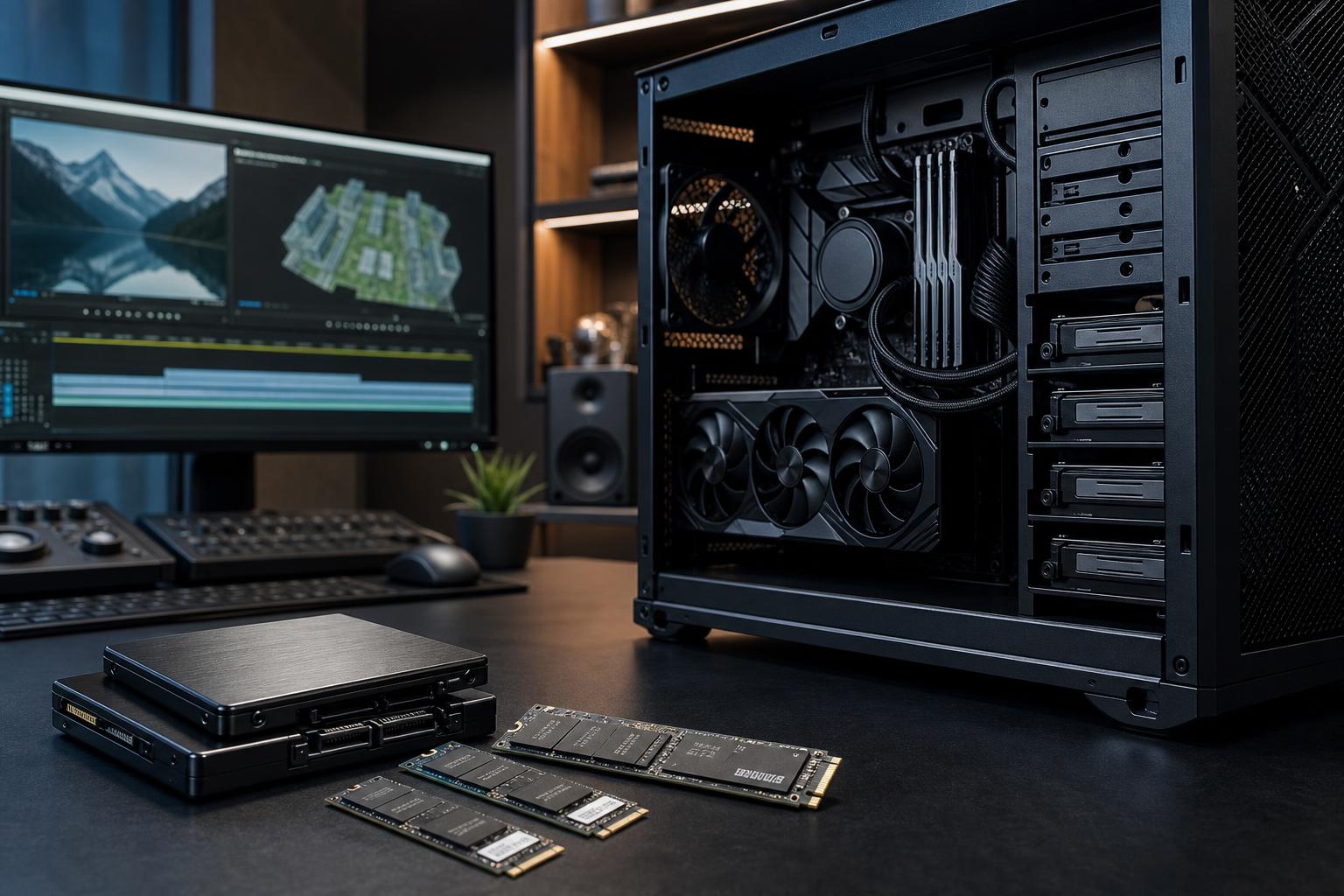
An NVMe SSD connects through the motherboard’s M.2 slots and is the normal choice for a new custom PC. SATA SSDs are still useful for adding affordable capacity, especially when M.2 slots are already occupied, but they are slower. Mechanical hard drives still have a place for large, inexpensive archives and backups. They are not a good primary drive for a high-performance PC in 2026.
Do not choose solely by the large sequential speed number printed on a product page. A fast PCIe 5.0 drive can be useful in a very specific workstation, but it does not make Windows or most games feel twice as quick as a good PCIe 4.0 drive. Capacity, reliability, sustained write behavior, cooling, and warranty matter more for most people.
A 1TB drive is workable if you play a modest rotating selection of games and do not keep extensive raw recordings on the PC. After Windows, applications, recovery space, and updates, a “1TB” SSD offers roughly 900GB of usable formatted space. Several modern AAA games can consume 100GB or more each, and game installs have not developed a sense of restraint.
For most gaming builds, a 2TB NVMe SSD is the comfortable choice. It leaves room for a healthy game library, captures, mods, and the ordinary clutter that accumulates on any active PC. It is usually better value than buying a small drive now and replacing it soon after.
Consider 4TB if you regularly keep many large games installed, record high-bitrate gameplay, work with mod-heavy titles, or want one large, simple drive without managing installs. Beyond that point, a second drive is often more practical than paying a premium for one enormous primary SSD.
Streaming itself does not require much storage, but recording does. A few hours of high-quality local footage can take hundreds of gigabytes, depending on resolution, frame rate, codec, and bitrate. Video editing creates additional cache files, proxies, exports, and project copies.
A sensible starting layout is a 2TB primary NVMe drive for Windows, applications, games, and current work, plus a second 2TB or 4TB SSD for recordings and active media. This keeps large write jobs from competing as heavily with the operating system and makes project organization easier.
Professional software itself is rarely the storage problem. The files are. An architectural model, a 4K editing project, a texture library, a point-cloud scan, or an AI dataset can grow much faster than the application that opens it.
For CAD, software development, general design, and many 3D workflows, begin with a 2TB NVMe system drive. Add a separate 2TB to 4TB NVMe drive for active projects when files are large or when the application uses heavy cache and scratch storage.
For video production, photogrammetry, point-cloud processing, large-scale rendering, and data-intensive AI work, storage should be designed as part of the workstation rather than added as an afterthought. These systems commonly benefit from:
Not every workstation needs all five. A developer working with source code and virtual machines has very different needs from a video editor handling camera originals. The key is to identify the working set: the files that must be available quickly right now.
Filling an SSD to the last few gigabytes is a bad habit. Windows needs room for updates, temporary files, hibernation, restore points, and application caches. SSDs also need unused space to manage data efficiently. A nearly full drive may slow down during large writes and can become annoyingly difficult to maintain.
Aim to keep roughly 15% to 20% of a frequently used SSD free when possible. This is not a hard rule that turns a drive into a pumpkin at 81% full. It is a practical buffer that makes updates, large game patches, exports, and everyday housekeeping much less stressful.
That headroom is especially valuable for QLC-based drives, which can slow substantially when sustained writes exceed their faster cache. QLC is not automatically a bad choice; it can offer excellent value for game storage or less demanding bulk capacity. For a drive used every day for editing, recording, project files, or heavy transfers, we generally favor a quality TLC NVMe SSD with a suitable endurance rating.
One large SSD is simple. It is easy to manage, avoids questions about where each application belongs, and leaves room for flexible growth. For a typical gaming PC, a single quality 2TB NVMe drive is often the best answer.
Multiple drives make more sense when they serve a clear job. Separating an active video project drive from the system drive can improve organization and reduce storage contention during heavy transfers or cache activity. A dedicated archive drive also makes it easier to keep completed work out of the way without deleting it.
Do not add drives just to create a complicated-looking specification sheet. Two 1TB drives are not automatically better than one 2TB drive. More drives mean more decisions, more cables in some cases, and more potential points of failure. Use separate drives when the workflow benefits, not because the motherboard happens to have empty slots.
A second internal drive is useful, but it is not a backup if it stays in the same computer. A power event, theft, liquid damage, malware, or a failed power supply can affect everything in the case.
For important work, keep at least one additional copy on an external drive, a NAS, a managed cloud service, or another location. Ideally, use a backup process that runs automatically. The best backup strategy is the one that still happens when the deadline gets busy.
If you want a straightforward answer, choose a quality 2TB PCIe 4.0 NVMe SSD for most gaming PCs and general high-performance desktops. It delivers plenty of speed and enough space to stay comfortable for a long time.
Choose 4TB, or add a second SSD, if you keep a large game library, record content, edit media, use virtual machines, or handle large project files. For serious professional workflows, map out system, active-project, archive, and backup storage separately before choosing the case and motherboard.
At Overclock Computers, we can help turn your actual file sizes, applications, and retention needs into a storage layout that is fast now and sensible to expand later. Contact us when you are planning a custom PC or workstation, and we will help you avoid both the too-small-drive headache and the unnecessary-expense version of it.