7 Mistakes to Avoid When Buying a Gaming PC

A good gaming PC is not simply the one with the longest specification list or the most expensive processor. It is the one that delivers the frame rates, image quality, noise level, and reliability you expect for the games and monitor you actually use.
That sounds obvious, but many buyers still end up with an unbalanced system: a powerful graphics card paired with a weak CPU, a high-end processor paired with an entry-level GPU, too little storage, or a case that chokes airflow. These gaming PC buying mistakes can cost real money and are often difficult to correct later.
Here are the problems we see most often, along with practical ways to avoid them.
Your monitor is the target your PC needs to hit. Resolution and refresh rate have a major effect on which components make sense.
Also consider the games you play. A PC for esports titles such as Counter-Strike 2, Valorant, or Fortnite has different priorities than a PC for cinematic single-player games with ray tracing enabled. “Best gaming PC” is not one fixed configuration.
For most gaming-focused builds, the graphics card has the largest effect on visual settings and average frame rate. This is especially true at 1440p and 4K.
A premium CPU can be worthwhile for high-refresh competitive gaming, simulation games, strategy titles, heavy background workloads, or a PC that will also handle video editing and software development. But pairing a top-tier CPU with a modest GPU often produces a system that looks impressive on paper while leaving gaming performance on the table.
A better approach is to select the graphics card for your monitor first, then choose a CPU that can support it properly. Keep enough budget for memory, storage, cooling, a quality power supply, and the case. A fast GPU cannot compensate for a system that overheats, stutters because it runs out of memory, or has no room for games.
Memory is not as glamorous as a graphics card, but insufficient RAM causes very real problems: hitching while moving through large game worlds, slow alt-tabbing, browser tabs reloading, and poor multitasking while streaming or running voice chat and recording software.
For a new gaming PC, 32GB is the sensible baseline for most buyers. It gives modern games room to breathe and supports normal multitasking without making memory the first upgrade. A 16GB system can still run many games, but it is increasingly a compromise in a premium new build.
Consider 64GB if you routinely run demanding mods, host game servers, edit video, work with large creative projects, or keep many professional applications open alongside games. More than that is rarely useful for gaming alone.
Speed and configuration matter as well. Use a matched memory kit, typically two modules, rather than mixing random sticks later. The right memory settings and platform-compatible kit can improve consistency, particularly in CPU-limited games.
Game installations are large, and a drive that looks generous on a store page can fill surprisingly fast after Windows, applications, a few major games, recorded clips, and updates.
For most gaming PCs, we recommend starting with at least a 1TB NVMe SSD. A 2TB drive is often the more comfortable choice if you keep a larger library installed or play several large open-world games. It reduces the constant cycle of uninstalling and redownloading titles you may want next week.
You do not need the fastest available SSD solely for better game frame rates; the difference there is usually small. However, a good NVMe drive improves general responsiveness and game loading, while enough capacity improves daily life far more than a specification-sheet speed contest.
Component temperatures affect more than comfort. When a CPU or GPU reaches its thermal limit, it may reduce clock speeds to protect itself. Poor cooling can turn a capable PC into a loud, inconsistent one during long gaming sessions.
Good thermal performance comes from the whole system, not one expensive cooler. Look for:
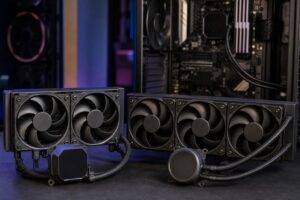
Liquid cooling is not automatically superior, and it is not required for every gaming PC. A quality air cooler is often quieter, simpler, and more than adequate for many processors. A larger liquid cooler can make sense for high-power CPUs or when a particular case layout benefits from it. The important point is choosing a cooling solution that fits the hardware and the case.
A power supply does not add frames per second, so it is tempting to choose the least expensive unit with a large wattage number. That is a mistake.
The power supply is responsible for delivering stable power to every component, including the most expensive ones. Quality, protections, connector support, warranty coverage, electrical performance, and appropriate capacity all matter. Wattage alone does not tell the full story.
Choose a reputable, properly sized unit with room for normal power spikes and future upgrades. This is particularly important with powerful graphics cards. Avoid using a pile of adapters when a power supply with the correct native connectors is available. A clean, well-planned power setup is safer and easier to service.
Some forward planning is smart. Buying a case that fits a larger GPU, a quality power supply with headroom, 32GB of RAM, and a motherboard with the connectivity you need are sensible decisions.
But there is a point where future-proofing becomes overspending. Paying substantially more for CPU cores you will never use, a motherboard full of unused expansion features, or an extreme cooling setup for a modest processor may not improve your experience at all.
Technology moves quickly, and no PC remains top-tier forever. The practical goal is not to predict every future game. It is to buy a well-balanced platform with sensible upgrade paths and enough performance to enjoy your current workload for years.
Before placing an order, make sure you can answer these questions:
If a configuration cannot answer those questions clearly, it may be a collection of parts rather than a well-designed gaming PC.
The best custom gaming PC is not necessarily the most expensive one. It is the machine that puts your budget into the components that affect your games and avoids weak links in cooling, power delivery, storage, and overall build quality.
Overclock Computers can help design and build a system around your games, monitor, performance goals, other applications, and budget. A short conversation about how you actually use your PC is often enough to avoid the costly compromises that generic configurations miss.