How to Choose a Power Supply for a Gaming PC or Workstation

A power supply is one of the least glamorous parts of a custom PC. It doesn’t raise your frame rate, shorten a render directly, or add RGB lighting to the room. It does, however, provide stable power to every component that does those things. A poor unit can cause crashes, excess noise, upgrade limitations, and, in the worst cases, damaged hardware.
The right answer is not simply “buy the highest wattage power supply you can afford.” A well-chosen power supply should have enough capacity for your hardware, room for short power spikes, the right connectors, and a proven-quality design. It should also fit your case and make future upgrades reasonable without turning the build into an expensive exercise in unnecessary capacity.
Power supply wattage is its maximum rated output, not the amount of electricity the PC constantly consumes. A 1,000-watt unit does not force a computer to use 1,000 watts. The system draws what it needs.
For a useful estimate, begin with the graphics card. In most gaming systems and many GPU-accelerated workstations, it is the largest power draw by a wide margin. Then account for the CPU, motherboard, memory, storage, fans, USB devices, and cooling pump if the system uses liquid cooling.
Manufacturer recommendations are a worthwhile starting point, but they are often deliberately broad. They need to cover many CPU choices and allow for lower-quality units that may not perform as their label suggests. A balanced system with a midrange graphics card may be perfectly comfortable on a quality 650-watt or 750-watt power supply. A high-end GPU paired with a power-hungry CPU needs more room.
These ranges assume a quality power supply. Wattage alone does not make one unit equivalent to another. A reputable 750W model is a better foundation than an unknown 1,000W unit with vague specifications and a suspiciously low price.
Modern graphics cards do not draw the exact same amount of power every millisecond. Their demand changes rapidly with workload. Brief spikes, often called transient spikes, can be much higher than the card’s typical sustained draw.
A good modern power supply is designed to handle these events. Still, selecting a unit with reasonable headroom reduces the chance of instability and avoids running the supply near its limit during a long gaming session, render, compile, or simulation.
As a practical rule, aim for a power supply whose capacity is roughly 25% to 40% above the system’s expected sustained maximum draw. This is not a law of physics; it is a useful purchasing guideline. A PC expected to pull around 550W under a demanding combined CPU-and-GPU load is well served by a quality 750W or 850W unit. The 850W choice makes more sense if the system has a high-end GPU, an aggressively tuned CPU, or an upgrade is likely.
Oversizing has limits. Installing a 1,600W supply in a modest 600W gaming PC is rarely useful. It costs more, may be physically larger, and does not improve performance. Buy enough headroom, not a small power station.
Current high-performance graphics cards may use either traditional 8-pin PCIe power connectors or the newer 16-pin connector commonly called 12V-2×6. Earlier versions of the 16-pin standard are often referred to as 12VHPWR. The connector name can be confusing, but the buying advice is straightforward: if your graphics card uses a 16-pin connector, choose a modern power supply with a native cable designed for it.
ATX 3.x power supplies are built around newer power-delivery requirements, including better tolerance for the brief load changes associated with modern GPUs. They are especially sensible for a new build using a high-end graphics card.
Some graphics cards include an adapter that converts several 8-pin PCIe connectors into a 16-pin plug. These adapters can work properly when installed correctly, but a native cable is cleaner and eliminates extra connection points. If you do use an adapter, use separate PCIe cables from the power supply as instructed by the GPU manufacturer. Do not assume one daisy-chained cable is adequate just because the plugs fit.
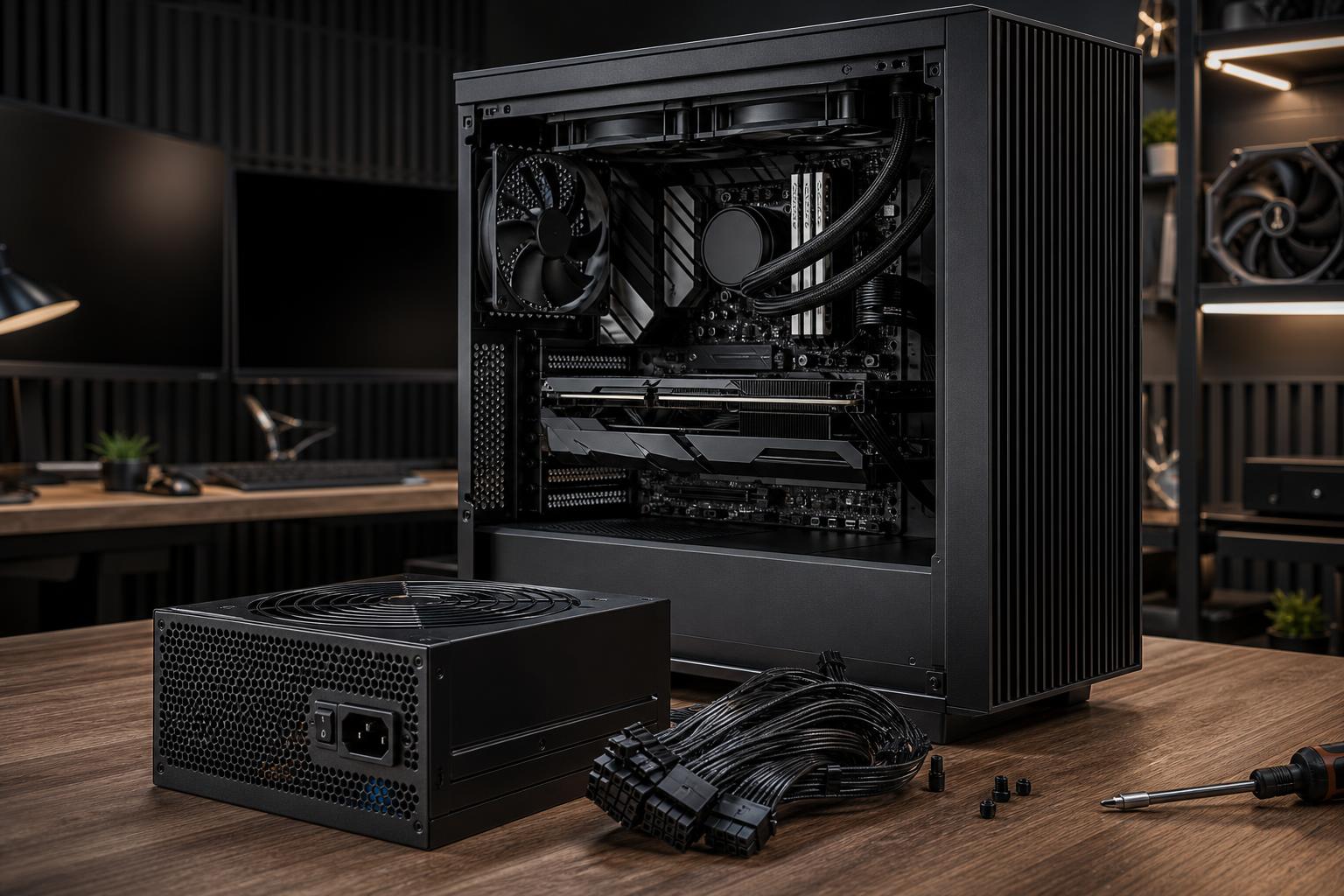
This deserves a bold warning: modular cables are not universally interchangeable. The component-end connector may look familiar, but the wiring at the power-supply end can differ between brands and even between product lines. Reusing cables from an old modular unit can damage drives, the motherboard, graphics card, or the new power supply.
Use only the cables supplied with that exact power supply model, or replacement cables explicitly confirmed by the manufacturer for that exact model.
Power supplies are commonly rated 80 Plus Bronze, Gold, Platinum, or Titanium. These ratings describe efficiency: how much power from the wall becomes usable DC power for the PC, rather than becoming heat inside the power supply.
A more efficient unit generally wastes less energy and has less heat to remove. That can help fan noise, especially during sustained workloads. But efficiency certification is not a complete quality score. It does not, by itself, tell you how well a unit regulates voltage, responds to rapid load changes, protects against faults, or performs over years of use.
For most premium gaming PCs and workstations, 80 Plus Gold is the practical target. It usually offers a strong balance of efficiency, price, and selection. Platinum and Titanium units can make sense for systems that run hard for many hours a day, noise-sensitive builds, or buyers who value maximum efficiency. They are not required for a reliable, excellent PC.
A fully modular supply lets you connect only the cables your build needs. This makes cable routing cleaner and can improve airflow around the power supply shroud. It also makes future storage or GPU changes less annoying. Semi-modular units are still perfectly functional, but fully modular is a welcome quality-of-life feature in a premium custom build.
Power supply noise is often overlooked. Look for a unit with a well-regarded fan profile or a semi-passive mode, where the fan stays off at low loads. That said, silence should not come from poor cooling. A well-designed unit should increase fan speed gradually when the system is under sustained load.
A quality power supply should include protections against problems such as over-current, over-voltage, under-voltage, short circuits, overheating, and overload. These features are the electrical equivalent of seat belts: you hope they never need to act, but they are not optional on a system containing expensive hardware.
Most desktop power supplies follow the ATX form factor, but their length varies. Compact cases can have tight limits, particularly when large graphics cards and front-mounted radiators are involved. Check the case clearance before choosing an extra-long high-wattage unit. Small-form-factor systems may require an SFX or SFX-L power supply instead.
For many high-performance gaming PCs, a quality 750W or 850W, 80 Plus Gold, fully modular ATX 3.x power supply is the sensible middle ground. It supports modern hardware, provides upgrade flexibility, and avoids paying for capacity that will sit unused.
Move to 1,000W or more when the configuration justifies it: a top-end graphics card, a high-draw CPU, professional workloads that stress both processors at once, or a clear plan for a more demanding future GPU. For a modest system, 650W from a reputable platform may be all that is needed.
The power supply should be selected as part of the whole system, not added at the end because it is the last unchecked box in a configurator. At Overclock Computers, we balance power delivery, cooling, connectors, and upgrade paths around the hardware you actually plan to use. If you are planning a gaming PC or workstation and want a second set of experienced eyes on the configuration, contact our team to discuss the build.