How Many Case Fans Do You Need? A Practical PC Airflow Guide

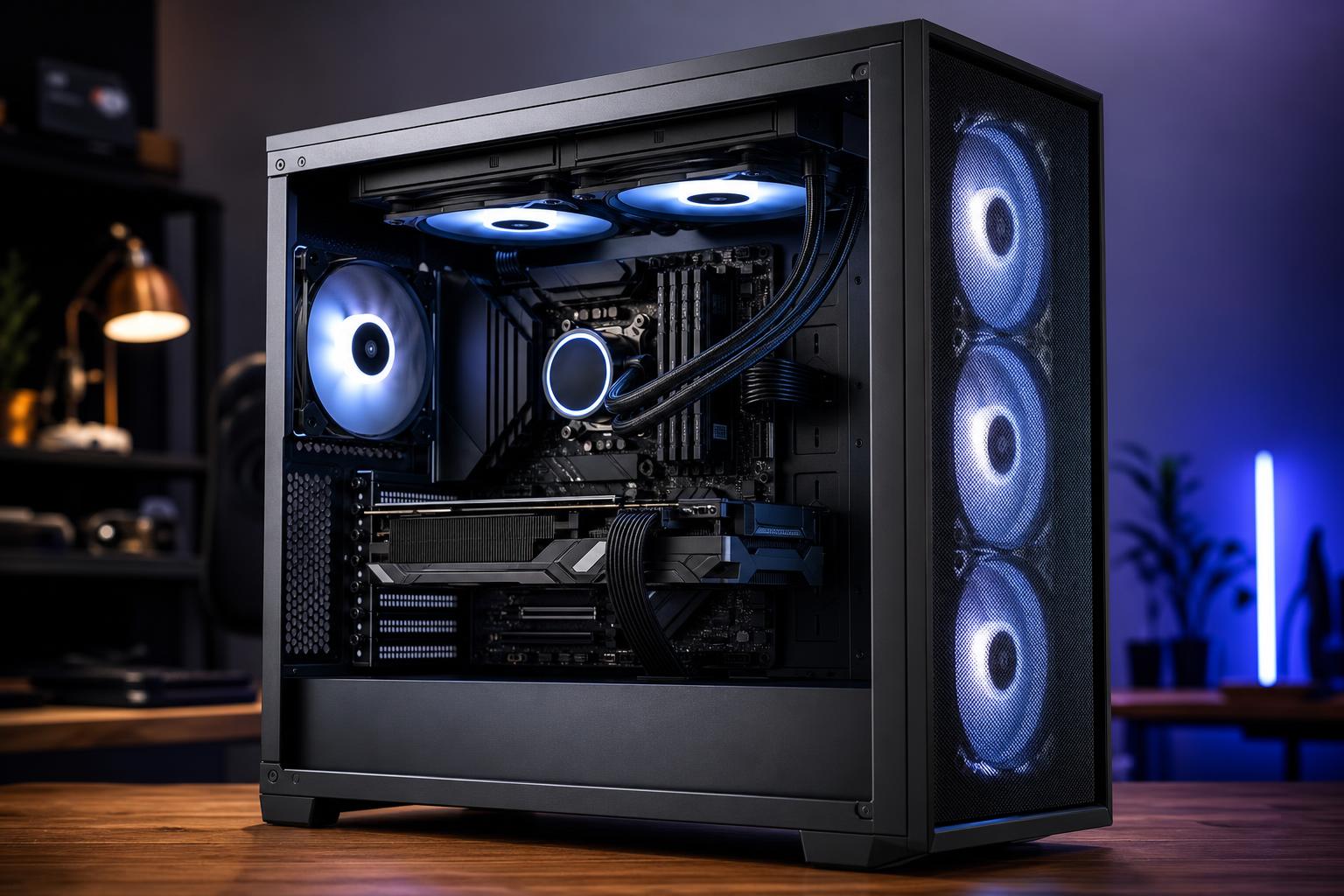
Case fans are one of the easiest parts to overspend on. It’s tempting to fill every open mounting position with matching RGB fans, but more fans do not automatically mean a cooler or better PC. A well-planned four-fan setup can outperform a crowded case with poor airflow direction, restrictive panels, or badly tuned fan curves.
For most modern gaming PCs and professional workstations, the practical answer is three to five quality case fans. The right number depends on the case layout, the heat produced by the CPU and graphics card, and whether the system uses air cooling or a liquid cooler.
The goal is simple: bring cool air to the components that need it, give hot air a clear way out, and do it without making the PC sound like it is preparing for takeoff.
A PC case needs a deliberate path for air to travel. In most tower cases, cool air should enter from the front, bottom, or side, then leave through the rear and top. This follows a useful physical rule: hot air tends to rise, but more importantly, fans and component coolers need a clear, consistent direction of airflow.
The most reliable layout for the majority of systems is:
Don’t mix directions randomly. A top fan configured as intake, for example, can fight the natural front-to-back flow and feed warm air back toward the CPU cooler. There are unusual cases where a different layout makes sense, but they should be based on testing rather than guesswork.
A system with a midrange graphics card and a sensible CPU cooler usually works very well with:
This is the baseline arrangement we’d recommend for most builds. It supplies the GPU with fresh air and pulls CPU heat out of the back of the case. If the case has a solid front panel with narrow vents, adding fans will not fully solve the restriction. A better airflow case is the real fix.
For a powerful gaming system with a high-end graphics card, especially one used for long 1440p or 4K sessions, a four- or five-fan layout is a strong target:
The extra intake fan is helpful when the GPU is producing most of the system heat, which is common in gaming. The top-rear exhaust fan improves removal of heat around the CPU socket and voltage regulation hardware without disrupting the main airflow path.
Long renders, code compiles, simulations, video exports, and AI workloads can keep the CPU and GPU under load for hours. These systems benefit from additional airflow, but the layout still matters more than the raw count.
A practical workstation arrangement may include three front or bottom intakes, one rear exhaust, and one or two top exhaust fans. If the CPU uses a top-mounted liquid-cooling radiator, its radiator fans generally serve as the top exhaust. You usually do not need separate fans directly beside a fully populated top radiator.
Seven fans can be justified in a large case with a hot CPU, a powerful GPU, and several storage drives. Beyond that point, gains are often small unless the chassis is unusually large or the system uses custom liquid cooling.
Most PCs work best with slightly more intake capacity than exhaust capacity. This is called positive pressure. It does not mean every intake fan must run faster; it means the system brings in a bit more air than it actively exhausts.
Positive pressure helps reduce dust entering through unfiltered gaps in the case. Air is more likely to exit through those gaps instead of pulling dust inward. It also ensures the graphics card has a good supply of cool air.
A useful starting point is two or three intake fans paired with one or two exhaust fans. Keep in mind that fan size, radiator restrictions, dust filters, and fan speed all change the real balance. Three 140 mm intake fans running slowly can move substantially more air than two 120 mm exhaust fans running quickly.
If your case supports both sizes, 140 mm fans are usually the better choice. Their larger blades can move the same amount of air at lower speed, which typically means less noise. That matters in a premium PC meant to sit on a desk rather than under it.
That said, a good 120 mm fan is still excellent, and many cases only support 120 mm positions in certain locations. Don’t replace a complete set of good 120 mm fans solely because 140 mm versions exist. The difference is real, but it is not magic.
Prioritize a sensible layout, a case with proper vents and dust filters, and fans with reliable bearings before worrying about the last few millimeters of fan diameter.
Fan specifications can be confusing because manufacturers often advertise both airflow and static pressure. In plain English:
For a front intake behind a fine dust filter, a pressure-capable fan is often the safer choice. For a CPU liquid-cooling radiator, use fans designed for radiator duty. The difference is less critical in a wide-open mesh case, but it becomes more noticeable when airflow has to pass through obstructions.
Adding fans has diminishing returns. The jump from one fan to three is often dramatic. Moving from three to five can be worthwhile in a high-performance system. Going from six to ten may change temperatures by only a few degrees while adding cost, cable clutter, and noise.
There is another issue: fans placed too close together or pointed against each other can create turbulence. Turbulence increases noise and may reduce the useful airflow reaching the GPU or CPU cooler.
Before buying more fans, check the basics:
A better fan curve often does more for everyday noise than adding another fan. Let the intake fans respond to GPU temperature when possible, since the GPU is usually the biggest heat source during gaming. For workstations, a curve based on the warmer of the CPU or GPU is ideal if the motherboard and software support it.
Before ordering fans, verify the supported fan sizes and mounting locations in the case specifications. Also check how many fan headers your motherboard provides. A powered PWM fan hub is a clean solution when several fans need to follow one control signal. Avoid overloading a motherboard header with too many fans unless the board documentation confirms the header’s current limit and the combined fan draw stays within it.
For control, four-pin PWM fans are generally the best choice. They offer precise speed adjustment and can run quietly at idle. Three-pin DC fans can still work well, but only if the motherboard header supports voltage-based control and is configured correctly.
RGB is a separate consideration. Make sure RGB connectors match the motherboard or controller: 5 V three-pin addressable RGB and 12 V four-pin RGB are not interchangeable. Forcing the wrong connector can damage the lighting hardware. The fans themselves will still cool the PC just fine without a light show, which is worth remembering when the budget is tight.
For most new gaming PCs, start with two front intake fans and one rear exhaust fan. Add a top-rear exhaust fan for a higher-power GPU or CPU. For demanding workstation loads or a large chassis, move to three intakes and two or three exhaust positions, including radiator fans where appropriate.
Buy quality PWM fans, use the largest size your case supports, and favor a mesh-front case with clean airflow over an expensive collection of fans trying to overcome a sealed front panel. Good cooling is mostly good planning.
If you’re configuring a new gaming PC or workstation and want the cooling, case, CPU, and graphics card to work as a balanced system, contact Overclock Computers. We can help specify a build that stays cool and quiet without spending money on parts that won’t meaningfully improve it.