AMD vs. Intel CPUs: Which Processor Should You Buy for a Gaming PC or Workstation?

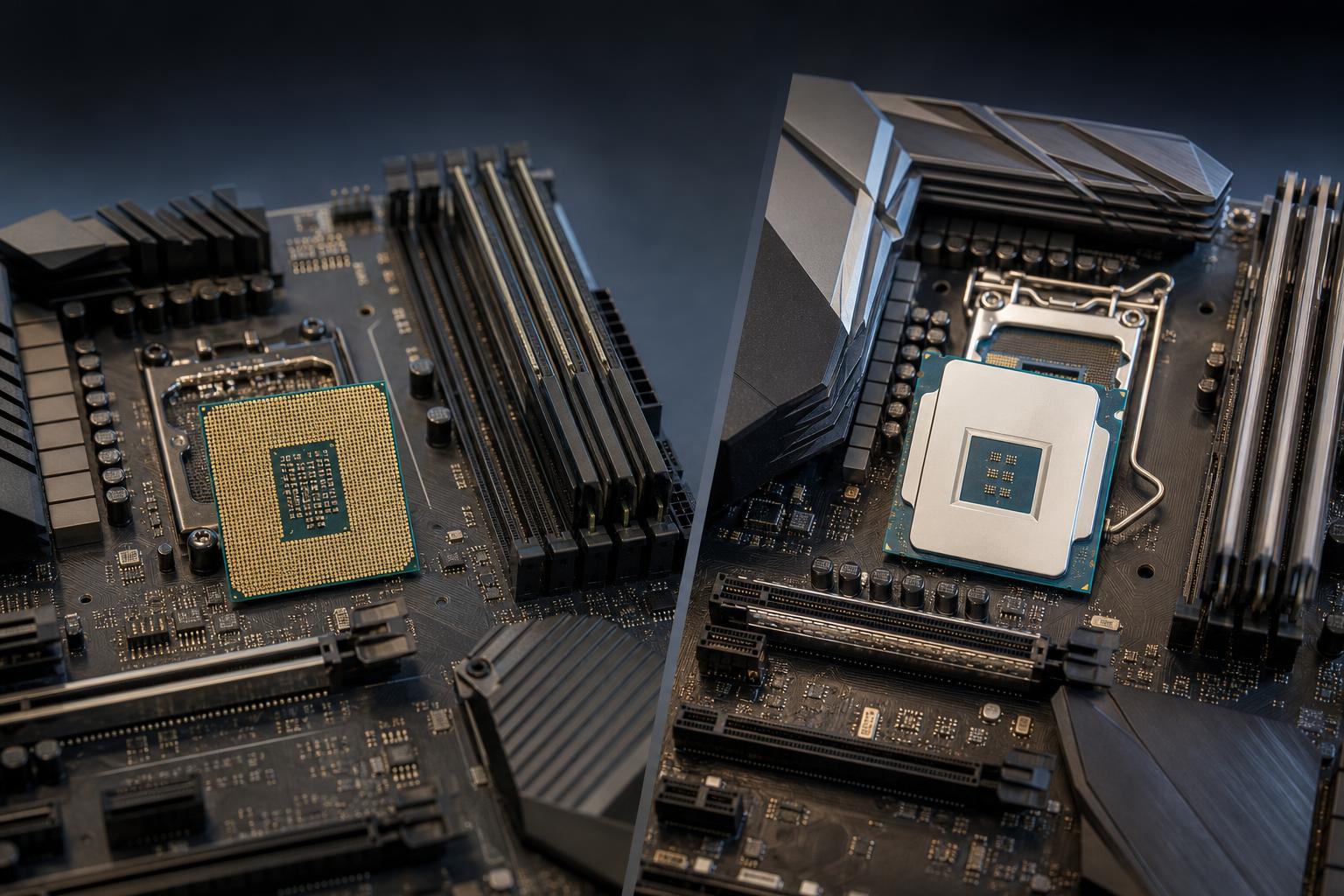
AMD versus Intel is one of the first decisions people make when planning a custom PC. It is also one of the easiest places to get distracted by brand loyalty, benchmark charts, and processor names that seem designed to confuse normal humans.
The practical answer is simple: both companies make excellent CPUs. The better choice depends on your software, graphics card, budget, cooling plan, and how long you expect to keep the platform.
For most gaming PCs, the graphics card has a larger effect on frame rate than the CPU. That does not make the processor unimportant. A poorly chosen CPU can limit high-refresh-rate gaming, slow down background tasks, or leave you on a platform with no sensible upgrade path. For professional workstations, the CPU can be the central performance decision.
Here is how we compare AMD vs. Intel CPUs when specifying a new system.
A CPU does not need to “win” every benchmark to be the right buy. It needs to perform well in the programs and games you use.
Before comparing processors, write down the software you use, monitor resolution and refresh rate, and the GPU tier you intend to buy. That short list prevents a lot of expensive overbuilding.
AMD’s Ryzen desktop processors are often strong choices for gaming systems, balanced enthusiast PCs, and workstations that benefit from many CPU cores. AMD has also earned a good reputation for platform longevity on several desktop socket generations, which can matter to buyers who plan to upgrade the processor later without replacing the motherboard and memory.
AMD’s cache-heavy gaming-focused processor variants can be particularly effective in games that respond well to large CPU cache. These chips are often excellent choices for buyers pairing a powerful graphics card with a 1440p high-refresh or 1080p esports monitor.
They are not automatically the best pick for every user. Some cache-focused models make more sense as gaming-first CPUs than as all-out productivity processors. If your PC spends as much time rendering, compiling, or editing as it does gaming, compare the relevant application benchmarks rather than assuming the gaming favorite is the universal winner.
For heavily threaded workloads, AMD’s higher-core-count desktop and workstation offerings can be compelling. Rendering, code compilation, simulation, virtualization, and some media workloads can use additional cores effectively. High-end AMD workstation platforms may also offer the memory capacity and PCIe expansion needed for multiple GPUs, high-speed storage, capture hardware, or specialized expansion cards.
That said, more cores only help when the software can use them. A CAD application that relies heavily on one or a few fast CPU threads may benefit more from strong per-core performance than from a huge core count.
Intel processors remain highly competitive for gaming and productivity. Many Intel desktop CPUs use a hybrid design with performance-focused cores alongside efficiency-focused cores. In a well-configured system with a current operating system, that design can offer strong performance across mixed workloads: gaming, browser tabs, communication apps, file compression, and background tasks running at the same time.
An Intel CPU can be a sensible fit for a PC that needs to do a little of everything. Buyers who game, edit photos or video, run development tools, and keep plenty of applications open may appreciate strong multi-threaded performance at a given price point.
For video editors, Intel processors with integrated graphics can offer useful media acceleration in certain applications and codec workflows. This should be treated as a workflow advantage, not a universal rule. A dedicated NVIDIA or AMD GPU may still be the main factor for effects, color work, timeline performance, and export speed.
Intel’s faster desktop processors can deliver excellent frame rates, particularly in CPU-limited games. They are worth considering for competitive players, sim racers, strategy gamers, and anyone chasing very high refresh rates.
The tradeoff is that some high-performance Intel chips can draw substantial power under sustained heavy loads. That does not mean they are a bad choice. It means cooling, motherboard power delivery, case airflow, and power supply selection need to be treated as part of the CPU purchase—not as afterthoughts.
Do not choose a processor based only on its sticker price. The total platform cost includes the motherboard, memory, CPU cooler, and sometimes a stronger power supply or larger case to support the heat output comfortably.
A modest CPU paired with an oversized cooler is not necessarily money wasted; lower temperatures can reduce fan noise and help the system sustain performance. But there is no prize for installing a large liquid cooler on a processor that a quality air cooler can handle quietly.
In general, look at sustained power behavior rather than a single advertised wattage figure. Reviewers may test different motherboard settings, and those settings can meaningfully change temperatures, noise, and performance. A properly built PC should be configured to deliver dependable performance without constantly running its fans like a small leaf blower.
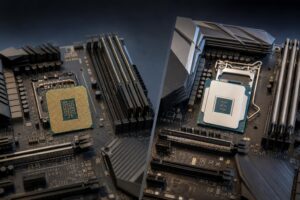
The CPU socket determines which motherboard you need, and the motherboard determines features you may care about for years: USB connectivity, M.2 SSD slots, networking, audio, PCIe expansion, and memory support.
AMD and Intel each change sockets over time. A platform with future CPU support can be valuable, but it should not outweigh current needs. Paying much more today for a theoretical upgrade path makes little sense if the system is underpowered for the work you need it to do now.
For most buyers, prioritize these motherboard basics:
Expensive motherboards can be worthwhile for specialized connectivity or serious expansion. They rarely improve gaming performance by themselves.
For a gaming-first PC, avoid overspending on the processor while compromising on the GPU. A balanced build with a sensible CPU and a stronger graphics card generally produces a better real-world gaming experience than an expensive CPU paired with a weaker GPU.
For a workstation, the balance shifts. If rendering, compiling, CPU simulation, virtual machines, or batch processing are billable parts of your week, a faster CPU can save meaningful time. It may be worth spending more—provided the application actually scales with additional cores or threads.
Memory is another common bottleneck. A content creator or engineer is often better served by a balanced CPU with 64GB of RAM than by a top-tier CPU constrained by 32GB. Likewise, a workstation handling large project files needs enough fast storage, not just a powerful processor.
Choose AMD if you want a gaming-focused system with excellent gaming performance, a potentially attractive platform upgrade path, or a higher-core-count workstation configured around threaded workloads. Choose Intel if you want a strong mixed-use desktop, your applications benefit from its media features, or a particular Intel processor offers the best performance and total platform cost for your intended work.
More importantly, do not turn this into a team sport. At a given budget, compare the complete system: CPU, motherboard, cooler, RAM, graphics card, storage, noise level, and future expansion. The best processor is the one that makes the entire PC make sense.
If you are planning a gaming PC or workstation and want a configuration built around your actual software and performance goals, contact Overclock Computers. We can help match the processor, GPU, cooling, memory, and platform to the work you expect the system to do.