Best PC for Microsoft Flight Simulator in 2026: Specs That Make Sense

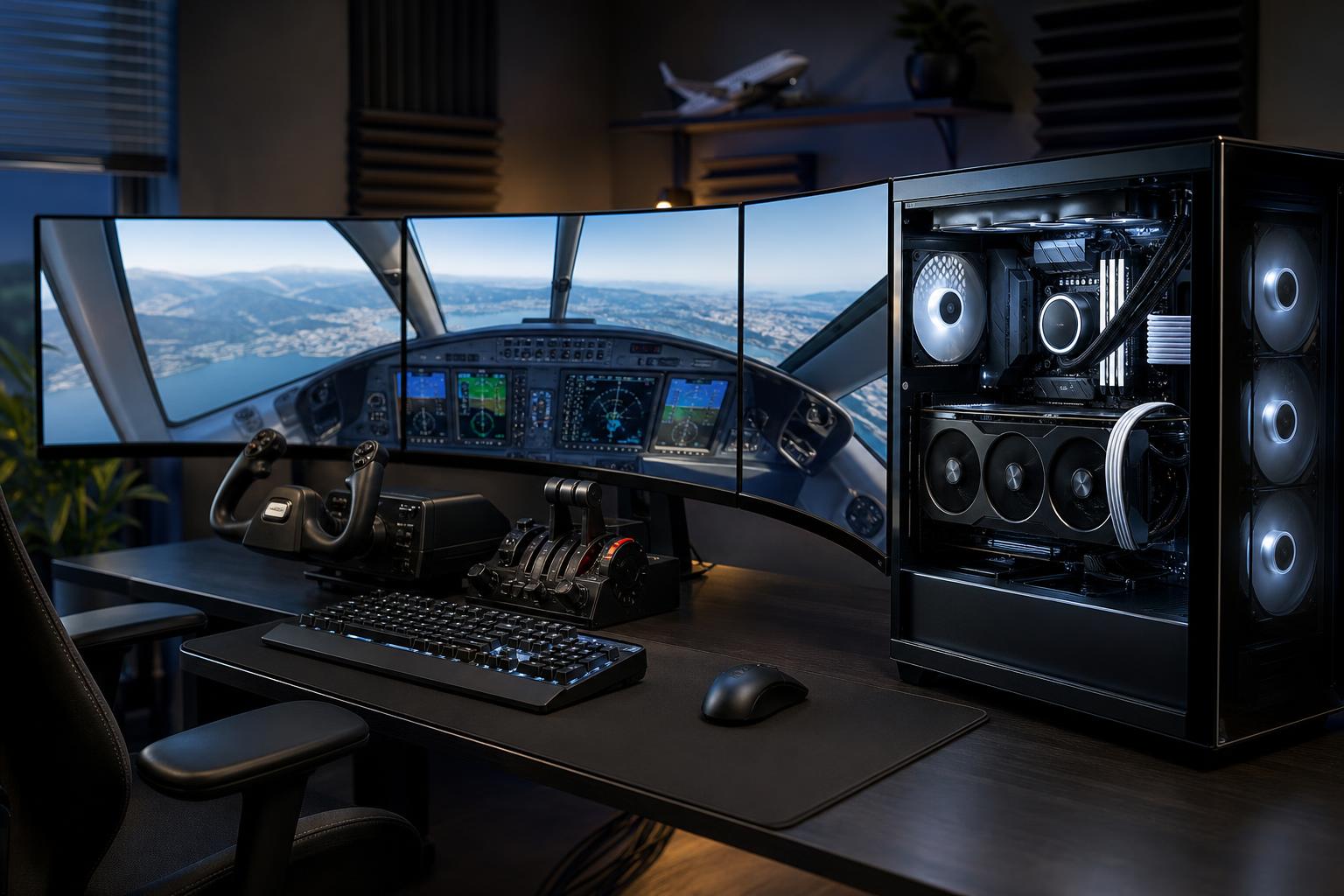
For most people buying a new PC for Microsoft Flight Simulator, the sensible target is a modern high-performance gaming CPU, a graphics card with at least 12GB of VRAM, 32GB of RAM, and a 2TB NVMe SSD. That is the sweet spot for enjoyable 1440p flying with detailed scenery, complex aircraft, and room to grow.
If you fly at 4K, use a large ultrawide display, add lots of scenery, or want virtual reality, move up to a more powerful GPU with 16GB or more of VRAM and consider 64GB of system memory. Flight Simulator can be unusually demanding because it asks the PC to render a detailed world while also simulating aircraft systems, weather, traffic, terrain, and a busy airport around you.
The best PC for Microsoft Flight Simulator is not simply the one with the most expensive graphics card. A balanced system matters. A weak CPU can hold back a premium GPU at major hubs, while too little RAM or SSD space can turn an otherwise capable simulator PC into a frustrating upgrade project.
This is where most buyers should start. At 1440p, spending intelligently on a capable GPU and a fast gaming CPU produces a much better experience than buying an extravagant motherboard or oversized power supply.
This is the right level for the buyer who wants a simulator PC that feels comfortable rather than merely adequate. You still may need to adjust settings around the most demanding airports and weather conditions. Flight simulation is one of the few genres where “ultra everything” can be an expensive habit with little practical payoff.
VR and multi-monitor flying are legitimate reasons to spend more. Both greatly increase the number of pixels the GPU must render. They also make inconsistent frame delivery more obvious, which is why cooling, power delivery, and sensible component selection matter just as much as the headline GPU model.
Many games are primarily limited by the graphics card, especially at 4K. Microsoft Flight Simulator is more complicated. The GPU renders the image, but the CPU must prepare scenery, manage simulation tasks, process aircraft and traffic behavior, and handle many background operations.
In quiet airspace, a powerful GPU may be the limiting factor. On approach to a detailed airport with live weather, AI traffic, a complex airliner, and third-party scenery installed, CPU performance can become the deciding factor. This is why a system built around a top-tier graphics card and a mediocre processor can disappoint.
Prioritize a current CPU known for strong gaming performance, especially per-core speed and cache behavior, rather than selecting solely by core count. More cores are useful for streaming, video work, virtual machines, or running additional tools in the background. They do not automatically make Flight Simulator faster.
For a new Flight Simulator PC, 12GB of VRAM is a practical floor, not a luxury. Detailed terrain textures, high-resolution displays, complex aircraft, and third-party scenery can all increase graphics-memory use. A card with 16GB or more gives a more comfortable margin for 4K, ultrawide, VR, and long-term ownership.
Resolution should determine much of your GPU budget:
Upscaling and frame-generation features, when supported by your selected hardware and game settings, can improve the experience. They are useful tools, not substitutes for an appropriately powerful base system. If the CPU is already struggling at a crowded airport, generating extra frames will not fix the underlying simulation bottleneck.
32GB of RAM is the right starting point for a dedicated Flight Simulator gaming PC in 2026. It allows the simulator, Windows, background applications, browser tabs, navigation tools, and common add-ons to coexist without making memory management a daily concern.
64GB is worth it for serious add-on users, VR pilots, streamers, and anyone who regularly runs charts, mapping tools, voice applications, recording software, or editing software alongside the sim. It is also a sensible choice for a PC that will serve double duty as a creative workstation. For a straightforward simulator-only setup, 64GB is nice but not mandatory.
Storage fills faster than new buyers expect. The base simulator installation, world updates, cached data, aircraft, airports, liveries, and community content can consume a large amount of space over time. A 1TB SSD is workable, but a 2TB NVMe SSD is a better purchase for most systems. Choose 4TB if you maintain a substantial scenery collection or also store video captures locally.
Drive speed matters, but capacity matters more once you are shopping among quality NVMe drives. Do not sacrifice several terabytes of useful space just to chase a small theoretical advantage from the fastest available SSD.
A simulator PC benefits from quality supporting components, but there are limits.
A GPU recommendation means little without knowing the display. A PC for a 1440p 144Hz monitor is not configured the same way as one driving a 4K TV, a 49-inch ultrawide, or a VR headset. Decide what you will fly on before finalizing the graphics card.
It may launch and run, but 16GB leaves too little breathing room for a premium simulator setup. This is one of the least satisfying places to cut a new-build budget.
A very fast GPU deserves a CPU, cooler, memory kit, power supply, and case airflow that let it do its job. Flight Simulator exposes weak links quickly, especially in complex areas.
Flight controls add up: yokes, throttles, pedals, panels, head tracking, and VR equipment all need connections. Make sure the motherboard and case provide enough accessible USB ports. A powered hub can help, but it should not be your only plan.
Off-the-shelf gaming PCs can be good values, but inspect the full configuration. Some use a strong GPU beside minimal memory, a small SSD, limited cooling, or a proprietary case and power design that complicates upgrades. Those compromises may not show up in a short product title, but they matter over years of simulator use.
A properly configured custom PC lets you direct the budget toward the parts that affect your actual flying: the right CPU and GPU pairing, enough memory, storage for add-ons, quiet cooling, useful connectivity, and a non-proprietary platform that can be upgraded later.
Overclock Computers can help design a Flight Simulator PC around your display, preferred aircraft, add-on library, VR or multi-monitor plans, budget, and future upgrade goals. Bring us the way you want to fly, and we can help turn it into a balanced system rather than a generic parts list.