Air Cooling vs. Liquid Cooling: Which CPU Cooler Should You Buy?

The CPU cooler is easy to overlook when comparing processors and graphics cards, but it has a direct effect on performance, noise, and long-term reliability. A cooler that cannot remove heat quickly enough may cause the processor to lower its clock speed under sustained load. A poorly chosen cooler can also turn an otherwise excellent PC into a machine that sounds like it is preparing for takeoff.
For most new systems, the choice comes down to a quality tower-style air cooler or an all-in-one (AIO) liquid cooler. Both can be excellent. The better option depends on the processor, the work the PC will do, the case, and how much you value appearance versus simplicity.
A modern processor constantly monitors its temperature, power use, and electrical limits. When there is thermal and power headroom available, it can boost to higher clock speeds. When it reaches a limit, it reduces speed or power to protect itself.
The cooler’s job is to move heat away from the CPU and out of the case. Better cooling does not always transform a processor into a dramatically faster model, but it can help it sustain its intended performance for longer. This matters most during long gaming sessions, video exports, code compilation, rendering, simulation, and other workloads that keep the CPU busy for minutes or hours.
A good cooler also lets fans run at lower speeds. In practical terms, that often means a quieter computer.
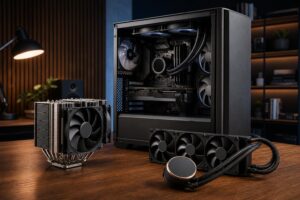
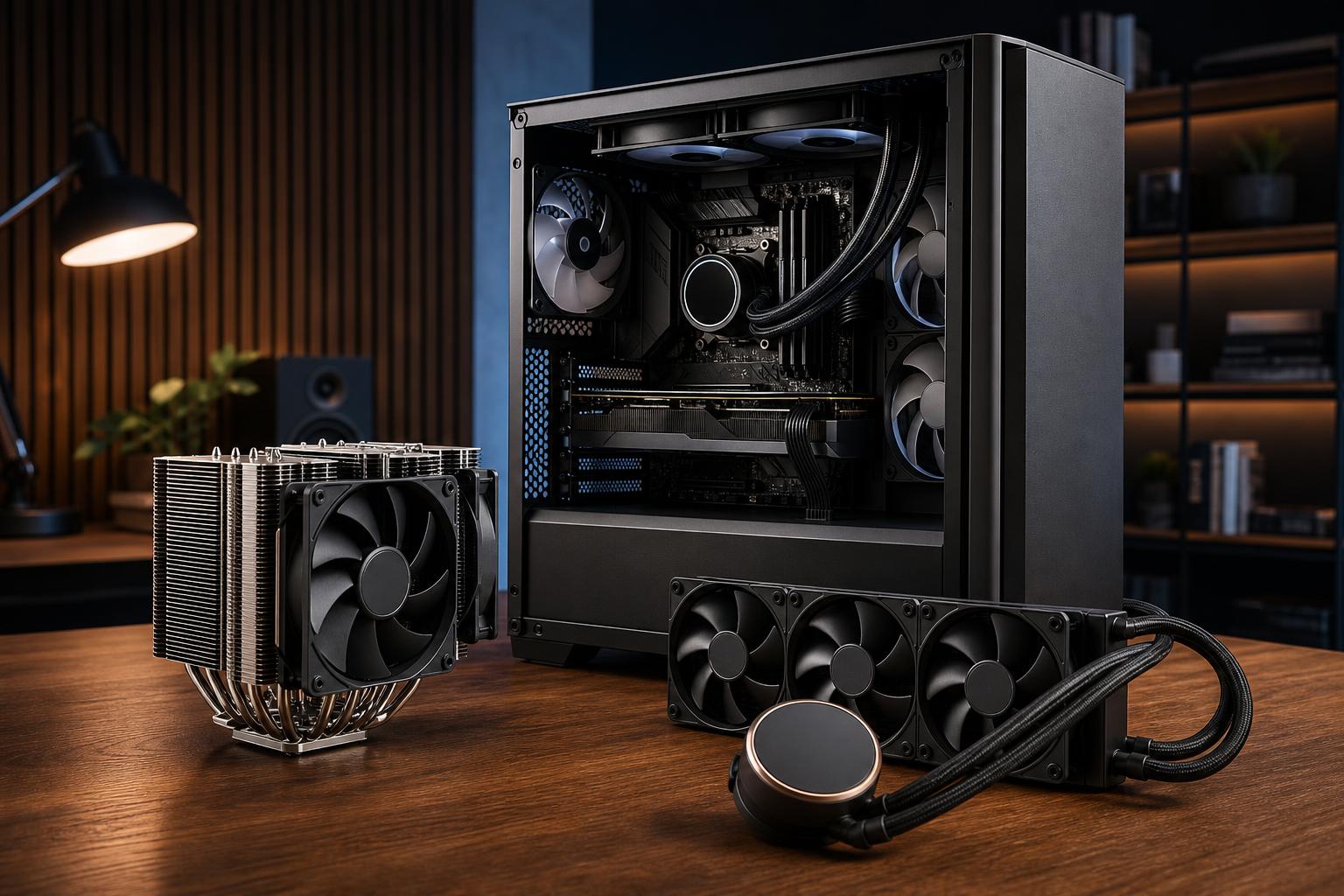
A tower air cooler uses a metal base plate, heat pipes, a stack of aluminum fins, and one or two fans. Heat travels from the CPU into the base and heat pipes, then dissipates through the fin stack as the fans push air across it.
There is nothing exotic about the design, and that is part of its appeal. A well-made dual-tower air cooler can handle a surprising amount of heat with few moving parts. The fans are usually the only components likely to need replacement, and standard fans are inexpensive and widely available.
For a sensible gaming build with a midrange or upper-midrange processor, a quality air cooler is usually the correct answer. It delivers strong temperatures and low noise without consuming budget that would have a greater impact elsewhere, such as the graphics card, storage capacity, or monitor.
Large air coolers need physical space. They can interfere with tall memory modules, and the case must support their height. They also place a fair amount of weight on the motherboard, though properly installed coolers are designed for this.
More importantly, air cooling has a practical ceiling. A large dual-tower model can cool many high-performance processors well, but the hottest CPUs running unrestricted power limits during long all-core work can overwhelm it or require fan speeds that are louder than most people want.
An AIO liquid cooler is a sealed loop containing a CPU pump block, tubing, a radiator, and fans. The liquid absorbs heat at the CPU block, travels to the radiator, and releases that heat as fans move air through the radiator.
AIOs are closed systems. Unlike a custom water-cooling loop, they are not meant to be filled, drained, or routinely rebuilt by the owner.
The main advantage is radiator surface area. A 280 mm or 360 mm radiator can spread heat across a larger area than a conventional CPU air cooler. This makes liquid cooling especially useful for processors that draw substantial power for extended periods.
For a high-end workstation or a top-tier CPU expected to run demanding all-core jobs regularly, liquid cooling is often a practical performance decision rather than a cosmetic one.
An AIO is not automatically quieter than air cooling. It has radiator fans plus a pump. A well-configured larger radiator can run its fans slowly and stay very quiet under load, but a small 120 mm or 240 mm unit paired with a hot CPU may need aggressive fan speeds. The pump also produces a subtle hum that some people notice more than fan noise.
There are more potential failure points as well. Quality AIOs are generally reliable, but pumps wear over time, and coolant slowly permeates through tubing over many years. A leak is uncommon with a reputable cooler installed correctly, yet it is not a risk an air cooler has.
That is why we would not choose a bargain AIO just to say a system has liquid cooling. A good air cooler is preferable to a cheap liquid cooler in most cases.
Radiator size matters, but bigger is not always necessary. The number refers broadly to the fan size and radiator length.
Do not select a radiator based on size alone. Case compatibility, radiator thickness, fan clearance, and mounting location all matter. A front-mounted radiator may feed the CPU cooler fresh air but slightly warmer air to the graphics card. A top-mounted radiator usually exhausts CPU heat directly from the case, often making it a balanced choice in a well-ventilated system.
Use a quality single-tower or dual-tower air cooler for most mainstream gaming processors. Gaming loads fluctuate, and the graphics card usually produces more heat than the CPU. Put the savings toward the GPU, a better display, or more storage unless you strongly prefer an AIO’s appearance.
A premium air cooler remains a good option for many builds. Consider a 280 mm or 360 mm AIO if the selected processor runs hot, the system will stream or encode alongside gaming, or low noise under sustained load is a priority.
For frequent video exports, CPU rendering, large compiles, engineering workloads, and other long all-core tasks, start by looking at a 280 mm or 360 mm AIO for high-power desktop CPUs. A large air cooler can still be a smart, reliable choice for moderate-power chips or users who prioritize serviceability over maximum sustained thermal capacity.
The best CPU cooler cannot work properly inside a case full of hot, stagnant air. A balanced setup typically uses front or side intake fans to bring in cool air and rear and top fans to exhaust heat. The exact layout depends on the case and radiator placement, but the basic goal is simple: give cool air a clear path through the system.
Fan curves matter too. A sensible curve avoids reacting wildly to split-second temperature spikes while still increasing airflow during a long workload. This is one of those small configuration details that separates a quiet, polished PC from one that constantly changes pitch at the desktop.
Buy a quality air cooler if you want excellent value, simple maintenance, and strong performance for a mainstream or moderately powerful CPU. It is the default recommendation for many gaming PCs.
Choose a quality 280 mm or 360 mm AIO when you are pairing a high-power CPU with sustained professional workloads, want the extra thermal headroom for a demanding build, or genuinely prefer the layout and appearance. Skip undersized or low-quality liquid coolers; they often provide the complexity of liquid cooling without enough benefit.
At Overclock Computers, we match cooling to the processor, case, intended workload, and noise expectations rather than treating liquid cooling as an automatic upgrade. If you are planning a gaming PC or workstation and are unsure which approach fits your build, contact us to discuss a configuration that stays cool, performs consistently, and makes sense for the way you work or play.