How to Future-Proof a Gaming PC Without Wasting Money

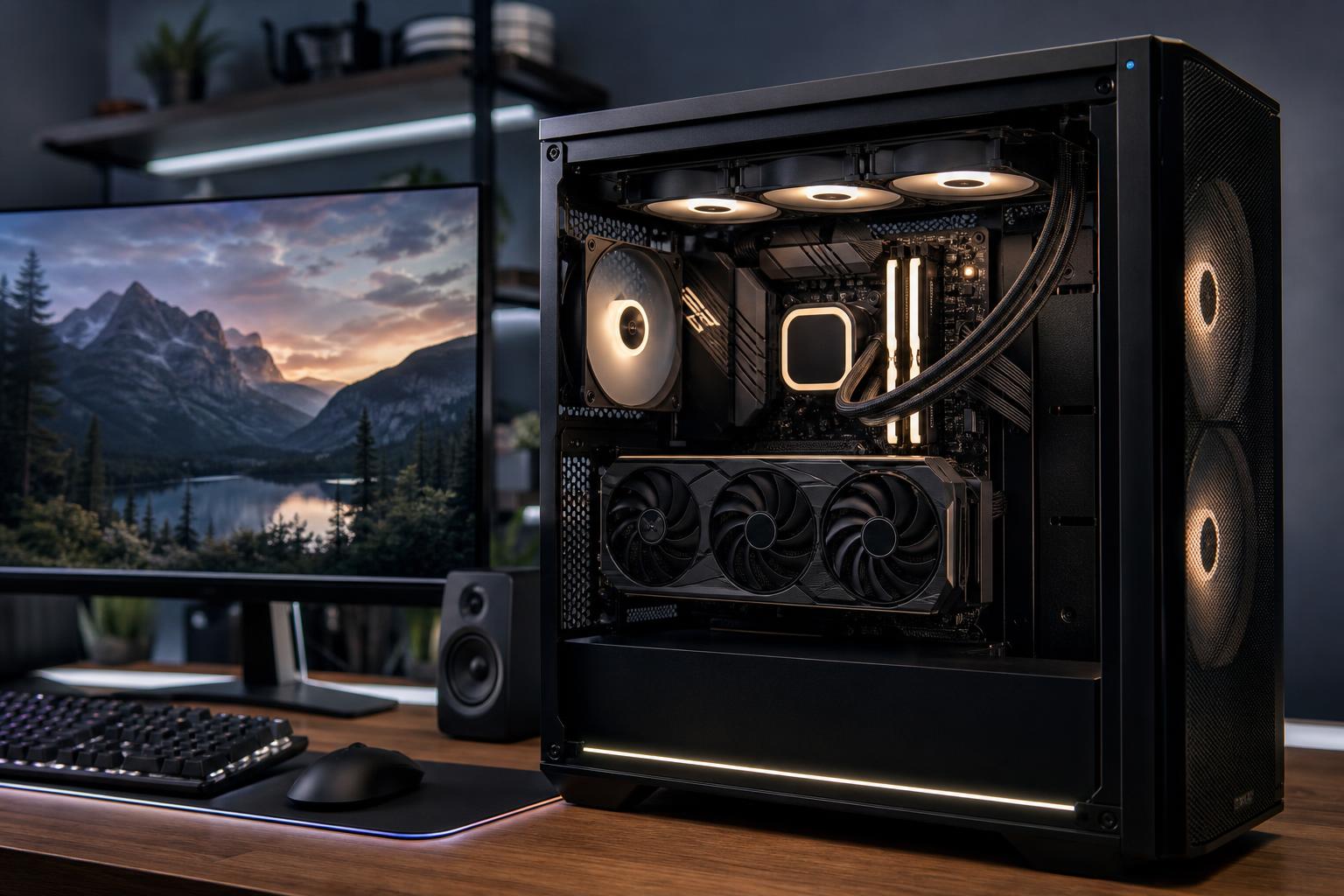
A future-proof gaming PC is not a computer that will run every new game at maximum settings forever. Hardware moves too quickly, and game requirements rarely stand still. The smarter goal is a system that performs well for your monitor today, remains enjoyable for several years, and can be upgraded without replacing half the machine.
That means spending carefully on the foundation: a capable graphics card, enough memory and storage, a quality power supply, good cooling, and a case that gives future parts room to breathe. It does not mean buying the most expensive component in every category.
The best way to future-proof a gaming PC is to define the target before selecting parts. Your monitor matters more than a vague desire for “high performance.” A PC for competitive 1080p gaming has very different priorities from one intended for cinematic 4K games on a large display.
It is reasonable to buy a little beyond today’s needs. Buying a GPU intended only for minimum acceptable performance, however, is not future-proofing. It is simply buying a PC that starts its life with little margin.
For most gaming PCs, the graphics card has the greatest effect on resolution, visual settings, ray tracing performance, and overall frame rate. It is usually the component worth stretching for—provided the rest of the system remains balanced.
A useful approach is to choose a GPU that handles your current games at your target resolution with room to spare, rather than one that barely reaches the frame rate you want in a favorable benchmark. That extra margin helps when newer games become more demanding, when you turn up settings, or when you move to a better monitor later.
Graphics memory is not the only measure of GPU performance, but it matters. Higher resolutions, detailed texture settings, ray tracing, mods, and some newer game engines can all increase VRAM use. When a game runs short of available graphics memory, lowering texture quality may help, but stuttering and inconsistent frame times can also become a problem.
For a system expected to serve 1440p or 4K gaming for several years, avoid treating VRAM capacity as an afterthought. Compare cards based on their whole package: performance, memory capacity, cooling design, power requirements, and the features that matter to the games you play.
A high-end CPU cannot compensate for an underpowered GPU in a 4K gaming build. Still, an overly modest processor can limit high-refresh gaming, background tasks, and the useful life of an otherwise excellent graphics card.
For a new gaming PC, a modern midrange-to-high-performance CPU with strong per-core performance is generally the right starting point. Move higher when you play CPU-heavy games, aim for very high frame rates, stream while gaming, run substantial background applications, or also use the PC for rendering, compiling, editing, or professional work.
Be careful with the “more cores is always better” trap. Extra cores are valuable in many creative and workstation applications, but games do not all scale equally well across a large number of cores. A balanced processor, graphics card, and cooling setup is more useful than an extreme CPU paired with a compromised GPU.
Memory upgrades are easier than replacing a graphics card, but RAM capacity still deserves attention in a future-proof gaming PC. Modern games, launchers, web browsers, voice chat, recording tools, and background applications can add up faster than people expect.
Use matched memory modules and a motherboard with enough slots for a practical upgrade path. In most cases, 32GB installed as two matched modules is a better starting point than filling every memory slot with smaller sticks.
These components may not add frames per second in a benchmark, but they have a large effect on ownership experience and upgrade options. This is where some mass-market systems cut corners.
A fast NVMe SSD makes the operating system, game loading, and everyday use feel responsive. But a small drive fills rapidly when modern games can occupy well over 100GB each. Running an SSD nearly full also makes storage management needlessly frustrating.
For many new gaming PCs, 2TB is a comfortable starting point. A smaller drive can work if the budget is tight, but make sure the motherboard and case support straightforward additional storage later. A second SSD is one of the cleanest upgrades available.
A power supply should be selected for reliability, protections, connector support, and sustained power delivery—not just a large wattage number on a listing. A quality unit with appropriate headroom can support a later GPU upgrade. An inexpensive unit that is already near its limits is false economy.
Choose a reputable, properly sized PSU with the connectors required by the graphics card you plan to use. If a future upgrade is likely, allow reasonable capacity above the current system’s expected load. There is no prize for running a power supply at the edge of its comfort zone.
Modern CPUs and GPUs adjust their clock speeds based partly on temperature and power limits. Poor cooling does not always cause a dramatic failure; more often, it creates extra noise, lower sustained performance, and less pleasant long-term ownership.
A well-ventilated case, correctly placed fans, and a CPU cooler appropriate for the processor are worthwhile investments. They also make future upgrades easier. Before buying a case, check graphics card clearance, radiator support if relevant, CPU cooler height, and room for cable routing. A beautiful compact case is not much fun if the next GPU physically will not fit.
Upgradeability matters, but it has limits. No motherboard socket or chipset stays current forever. The goal is not to predict every future standard; it is to avoid unnecessary dead ends.
Look for a motherboard that has the features you will use: enough M.2 storage slots, adequate USB connectivity, suitable networking, sufficient fan headers, and expansion capacity where needed. For most gaming builds, paying a premium for every possible feature is wasteful. Paying slightly more to avoid an undersized board with weak power delivery, limited storage expansion, or poor connectivity often makes sense.
Also remember that the graphics card is usually the most meaningful future gaming upgrade. Build around a case, PSU, and cooling arrangement that can accommodate it.
A well-planned gaming PC should give you excellent performance now, a few years of comfortable settings adjustments, and clear upgrade options when your needs change. In practice, that means buying the best GPU that makes sense for your monitor and budget, pairing it with a capable modern CPU, starting with 32GB of RAM for most premium builds, using enough fast SSD storage, and refusing to compromise on the power supply, cooling, and case.
If you are deciding between two configurations, the better long-term choice is usually the one with stronger graphics performance and a sturdier supporting foundation—not the one with the longest specification list.
Overclock Computers can help translate your games, monitor, budget, and upgrade plans into a balanced custom gaming PC. We can also account for streaming, creative applications, or professional software so the system fits the work you actually do rather than a generic parts checklist.