Gaming PC Buying Guide: How to Choose the Right Specs for Your Games

The best gaming PC is not the one with the longest parts list. It is the one that delivers the frame rates, image quality, and quiet, reliable operation you expect in the games you actually play.
That starts with a few honest questions: What monitor are you using? Which games take up most of your time? Do you care more about ultra settings, competitive frame rates, ray tracing, streaming, or a reasonable upgrade path? Answer those first, and the component choices become much clearer.
This gaming PC buying guide explains where your budget matters most, which specifications are worth paying for, and where spending extra may not improve your experience.
Your monitor sets the performance target. A graphics card that feels excellent at 1080p may struggle to maintain the same settings at 4K because 4K renders four times as many pixels. Refresh rate matters too: a 60Hz display cannot show more than 60 unique frames per second, while a 165Hz or 240Hz monitor can make fast motion feel substantially smoother when the PC can keep up.
Also consider the types of games you play. Competitive titles often reward very high frame rates and low input latency. Large open-world games, simulators, and heavily modded games can be demanding on both the CPU and GPU. Strategy games and simulation games may lean harder on processor performance as the map, unit count, or save file grows.
For most gaming PCs, the graphics card has the biggest effect on resolution, visual settings, and frame rate. If your main goal is a better-looking or smoother game, the GPU is normally the part that deserves the largest share of the budget.
A common mistake is buying a very expensive processor while settling for a graphics card that does not suit the monitor. That can produce an impressive-looking specification sheet but disappointing 1440p or 4K performance. For a gaming-first build, it is usually better to choose the GPU for the target resolution first, then pair it with a capable CPU rather than the most expensive CPU available.
Gaming does not always need the highest core-count processor. Many games benefit most from strong per-core performance, good memory latency, and enough modern cores to handle the game, background applications, voice chat, and the operating system without contention.
For a dedicated gaming PC, a current midrange or upper-midrange CPU is often the sensible choice. Move to a faster gaming-focused processor when you are pursuing very high frame rates, using a powerful GPU, playing CPU-heavy simulation or strategy titles, or running demanding background tasks while gaming.
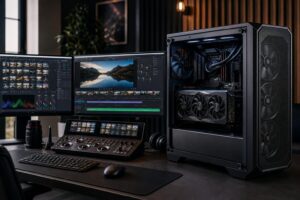
More cores become easier to justify if the same machine is also used for video editing, software development, 3D rendering, or CPU-based streaming. Otherwise, that money may deliver more visible benefit when directed toward the GPU, monitor, storage capacity, or a better cooling and power solution.
Memory and storage rarely make the headline, but they determine how pleasant a system feels to own.
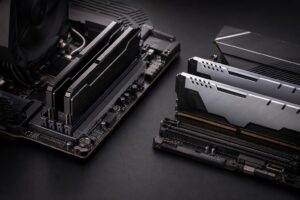
Use matched memory modules in the configuration recommended for the chosen platform. Capacity comes first, but memory speed and settings should also be selected thoughtfully. A quality custom build verifies that the system is stable at its intended memory configuration rather than assuming every combination will behave perfectly.
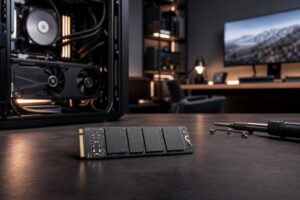
For storage, make an NVMe SSD the primary drive. A 1TB drive is workable, but game libraries have grown large enough that 2TB is often the more comfortable starting point for a new gaming PC. Consider a second SSD if you install many large games, store recordings, or want to keep work files separate from the operating system.
Two systems can use similar headline components and still feel very different in daily use. Cooling, airflow, motherboard quality, and power delivery affect noise, sustained performance, stability, and the ability to upgrade later.
A high-power CPU or GPU needs a case that can move fresh air through the system and a cooler sized for sustained load. An oversized liquid cooler is not required for every processor; a well-chosen air cooler can be quieter, simpler, and entirely sufficient for many gaming builds. On the other hand, placing a hot CPU and GPU in a restrictive case is a reliable way to create unnecessary fan noise and thermal throttling.
The power supply deserves similar care. Choose a reputable unit with enough capacity for the complete configuration, sensible headroom for transient power demands, and the correct native connections for the graphics card. It is not the component to buy based on the lowest price. A quality PSU supports stable operation and protects the expensive parts connected to it.
Future-proofing is often misunderstood. No PC remains top-tier forever, and buying the most expensive component today is not always the best protection against tomorrow’s games. A more practical approach is to buy enough GPU performance and VRAM for your display target, use a modern platform with reasonable upgrade options, install sufficient RAM and storage, and avoid compromises in cooling or power delivery.
That produces a system that performs well now and can be updated intelligently later. In many cases, replacing the graphics card after several years makes more sense than paying a large premium today for performance you cannot yet use.
A good gaming PC buying decision comes down to matching the hardware to the monitor, games, settings, and frame-rate target that matter to you. If you also stream, edit video, develop software, or use professional applications, those needs should shape the configuration from the start rather than become an afterthought.
Overclock Computers can help design and build a balanced custom gaming PC around your preferred games, display, performance goals, and budget. The goal is not to sell you the most hardware; it is to build the right machine and make sure the supporting parts are worthy of the components inside.