Gen 4 vs. Gen 5 SSD: Which NVMe Drive Should You Buy?

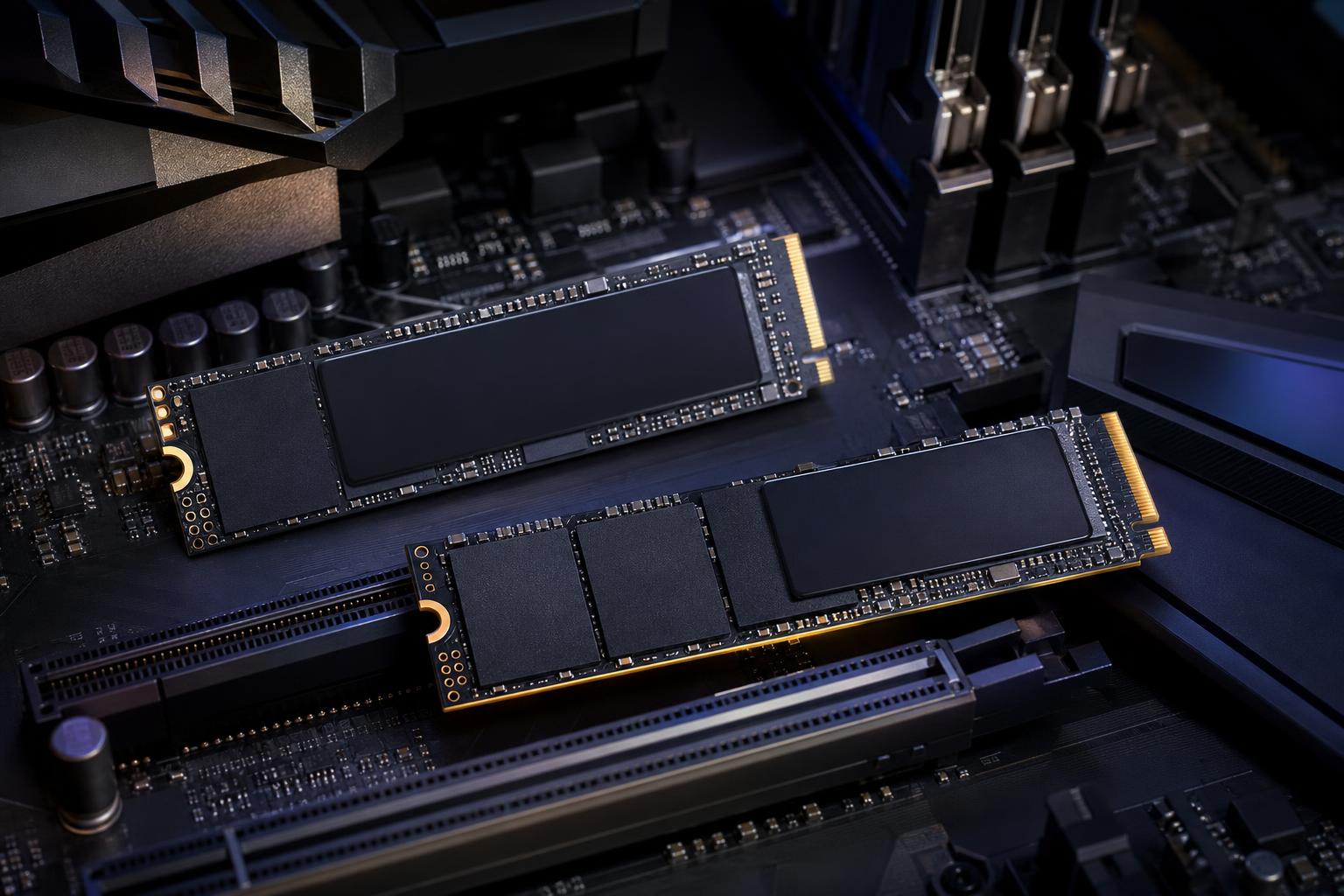
PCIe Gen 5 SSDs can advertise sequential read speeds well above 10,000 MB/s. That is an impressive number, especially beside a strong PCIe Gen 4 drive rated around 7,000 MB/s. But benchmark speed is not the same thing as a faster-feeling PC.
For most gaming PCs, a quality Gen 4 NVMe SSD remains the sensible choice. It is already extremely quick, widely compatible, easier to cool, and usually offers better value per terabyte. Gen 5 becomes worthwhile when your work involves moving or processing very large files often enough that storage speed is genuinely holding you back.
The short version: buy a good Gen 4 drive for gaming and general use; consider Gen 5 for high-end production workstations with a compatible platform and a specific reason to need it.
Gen 4 and Gen 5 refer to generations of PCI Express, the connection used by modern NVMe M.2 SSDs. A typical NVMe SSD uses four PCIe lanes. Each newer PCIe generation doubles the available bandwidth per lane.
Those figures describe sustained sequential transfers: reading or writing a large, contiguous block of data. Copying a large video file is a good example. Opening a web browser, launching an application, loading a game level, or compiling code involves a more mixed set of small and random reads and writes. In those jobs, the gap between good drives is often much smaller.
Usually, no. A Gen 5 SSD can improve some load times, but it is rarely a dramatic upgrade from a quality Gen 4 drive. Games do not simply read one enormous file at maximum SSD speed. They read many small assets, decompress data, prepare shaders, and wait on CPU and game-engine tasks.
That means a fast Gen 4 drive already removes storage as the main bottleneck in most gaming systems. A graphics card upgrade, a CPU upgrade in a CPU-limited game, or moving from a hard drive or older SATA SSD to any quality NVMe drive will be far more noticeable.
DirectStorage and similar technologies can help games use fast NVMe storage more effectively, but support remains inconsistent. It is reasonable to expect fast storage to matter more over time. It is not reasonable to buy Gen 5 today solely on the assumption that every future game will need it.
For a new gaming PC, choose a reputable 1TB, 2TB, or larger Gen 4 TLC NVMe SSD with a proper heatsink or motherboard M.2 heat spreader. Spend the money saved on GPU performance, enough system memory, or more storage capacity. A full 2TB Gen 4 drive is normally more useful than a smaller Gen 5 drive with spectacular benchmark results.
Gen 5 storage is not a gimmick. It is simply specialized hardware whose strongest advantage appears in specialized workloads.
A Gen 5 SSD can be a good investment if you regularly do work such as:
Even here, context matters. If footage comes from a slower external drive, a network share, or an SD card, the incoming connection may be the limit. If your application is mostly waiting for CPU rendering or GPU compute, a faster SSD will not transform that job. Storage should be selected as part of the whole workstation, not as a standalone benchmark contest.
The fastest Gen 5 drives produce significantly more heat than typical Gen 4 models. Many use a substantial heatsink, and some early high-speed designs used active cooling. Modern Gen 5 drives are improving, but cooling is still not optional.
When an SSD gets too hot, it protects itself by reducing speed, known as thermal throttling. A drive that posts excellent numbers for a short test but throttles during a long file transfer is less impressive in real work. Make sure the motherboard includes a capable M.2 heat spreader, or select a drive with a heatsink that fits your case and motherboard layout.
Compatibility also deserves a close look. A Gen 5 SSD will work in a Gen 4 M.2 slot, but it will operate at Gen 4 speeds. Conversely, a Gen 4 drive works perfectly in a Gen 5 slot. You only get Gen 5 performance when the SSD, CPU, motherboard, and the specific M.2 slot all support PCIe Gen 5.
On some platforms, enabling a particular Gen 5 M.2 slot can share CPU PCIe lanes with a graphics-card slot. Depending on the board design, that may reduce the GPU link from x16 to x8. Modern GPUs often show little performance loss from this, but it is still a design detail worth understanding before buying. A well-planned motherboard avoids unpleasant surprises.
Sequential read speed is easy to advertise, so it dominates SSD product pages. It is not the only thing that determines whether a drive is a good buy.
For a primary gaming or workstation drive, we generally prefer TLC NAND over QLC NAND when the budget allows. TLC drives tend to offer stronger sustained write performance and better endurance. QLC can still be a reasonable choice for affordable bulk storage, game libraries, or read-heavy use, especially at higher capacities. It just should not be chosen because one short burst-speed number looks impressive.
Capacity affects performance, too. Larger versions of the same SSD model often write faster and have higher endurance ratings because they contain more NAND chips that can work in parallel. A 2TB drive is often a comfortable sweet spot for a premium PC: enough room for Windows, applications, active projects, and several large games without keeping the drive nearly full.
Some SSDs include onboard DRAM, while others use a portion of system memory through Host Memory Buffer technology. Either design can work well, but DRAM-equipped drives often handle demanding and sustained workloads more gracefully.
Also look beyond the headline write speed. Many SSDs use a fast pseudo-SLC cache. They write quickly until that cache fills, then write speed can drop sharply during a very large transfer. That is not a concern for ordinary daily use, but it matters when copying hundreds of gigabytes of video, project assets, or backups.
SSD endurance is commonly listed as TBW, or terabytes written. It is most relevant to professionals who write large amounts of data every day. Most gamers will not wear out a reputable drive under normal use, but creators using a drive for editing caches or scratch files should choose a model with appropriate endurance and a solid manufacturer warranty.
Buy a 2TB Gen 4 TLC NVMe SSD from a reputable manufacturer. Install it in an M.2 slot with a heatsink. This is the best balance of responsiveness, capacity, cost, and simplicity for most systems.
A Gen 5 SSD is reasonable if the platform supports it cleanly and the price premium is modest. It will not hurt anything when cooled properly, and it provides excellent peak transfer performance. Just do not sacrifice GPU tier, RAM capacity, or total storage capacity to fit one into the budget.
Consider a Gen 5 drive for an active project drive, scratch drive, or high-speed local workspace if your applications regularly read and write large files. Pair it with sufficient memory, a capable CPU, and a second drive or network storage for backups and archives. One very fast SSD is not a backup plan.
Do not replace a good Gen 4 SSD with Gen 5 unless you have identified a storage-related bottleneck and are also upgrading to a platform with Gen 5 support. A larger Gen 4 drive, better backup storage, or an upgrade elsewhere in the PC is usually the better use of the budget.
The Gen 4 vs. Gen 5 SSD decision is not about buying the largest number on the box. Gen 4 NVMe storage is already excellent for gaming, everyday computing, and many professional applications. Gen 5 earns its place in systems where heavy sequential transfers and demanding storage workflows happen often enough to save real time.
A balanced PC is always more satisfying than one built around a single flashy specification. If you are planning a gaming PC or workstation and want the storage, cooling, motherboard, and overall component mix to make sense together, contact Overclock Computers. We can help design a system around the work you actually do.