How Long Will a Gaming PC Last? A Practical Guide Before You Buy

One of the most common questions from gaming PC buyers is also one of the hardest to answer with a single number: how long will a gaming PC last?
For most people, a thoughtfully configured desktop gaming PC remains very capable for five to seven years. That does not mean it will run every new game at maximum settings, at 4K, at 200 frames per second for that entire period. It means the system should continue to deliver a good gaming experience with sensible settings adjustments and, often, one strategic graphics card upgrade.
A cheap, poorly balanced PC may feel dated in two or three years. A sensible midrange or high-end gaming computer can stay satisfying far longer. The difference is not simply spending the most money. It is spending money in the right places.
A gaming PC does not suddenly expire. Its useful life changes gradually as newer games ask more of the hardware and your expectations change.
Someone playing esports titles at 1080p may be happy with a system for seven years or more. Those games are built to run well on a wide range of hardware, and lowering a few settings is rarely a major sacrifice. A player who wants demanding new single-player games at 4K with ray tracing and high refresh rates will reach the limits of the same PC much sooner.
When deciding how long you need a gaming PC to last, define these four things first:
There is nothing wrong with wanting the best image quality. Just be honest about the target. A PC selected for smooth 1440p gaming will usually age more gracefully than one bought at the absolute minimum needed for 4K.
For most modern games, the graphics card is the component that has the biggest effect on image quality and frame rate. It is also the part most likely to need upgrading first.
Buy enough GPU for your monitor, not just enough to launch today’s games. A graphics card that is barely adequate now leaves little room for more demanding game releases, higher-resolution texture packs, or a monitor upgrade later.
Video memory, or VRAM, stores textures, geometry, frame buffers, and other graphics data close to the GPU. As game assets become more detailed, insufficient VRAM can lead to texture pop-in, stutters, or settings that need to be reduced.
More VRAM is valuable for 1440p, 4K, ray tracing, mods, and games with high-resolution texture options. However, VRAM capacity alone does not make a graphics card fast. The GPU’s overall processing performance, memory bandwidth, and the game’s engine still matter. Treat VRAM as an important part of a balanced graphics card, not a one-number shopping shortcut.
Modern upscaling technologies can help a GPU produce higher frame rates by rendering internally at a lower resolution and reconstructing the image. They are useful tools, especially at 1440p and 4K. They should not be an excuse to buy a card that is undersized for your goals from day one.
A good rule is simple: buy a GPU that performs well at your target resolution using reasonable native or quality-upscaled settings today. Then treat upscaling as extra headroom for future games, not as the foundation of the purchase.
The CPU handles game logic, simulation, draw-call preparation, background tasks, and much more. It becomes particularly important when you want high frame rates, play CPU-heavy games, or use the PC for streaming and other work alongside gaming.
Strategy games, simulation games, large multiplayer matches, open-world titles, and games with complex physics can all expose a weak CPU. So can a 240Hz monitor. At that refresh rate, the system needs to prepare frames extremely quickly, even when the graphics card is more than capable.
For a gaming-focused build intended to last, we generally favor a modern CPU with strong per-core gaming performance rather than paying for an enormous core count you will not use. More cores can be worthwhile for video production, 3D work, compiling software, or serious multitasking. For gaming alone, a balanced current-generation processor is usually the smarter long-term investment.
Buyers naturally focus on the CPU and GPU. Those parts deserve attention, but the supporting hardware determines whether a future upgrade is easy, quiet, and reliable.
A quality power supply should have enough capacity for the installed components plus sensible room for transient power spikes and a future graphics card upgrade. It should also be from a reputable platform with the proper connectors for the hardware in the system.
Oversizing a power supply by a huge margin is unnecessary. Buying the bare minimum is worse. A modest amount of headroom is practical insurance against having to replace a perfectly good power supply during a later GPU upgrade.
A powerful PC that runs hot and loud is not a premium experience. Proper CPU cooling and a case with unrestricted airflow help components maintain performance during long gaming sessions while reducing fan noise.
Good cooling does not require a flashy liquid-cooling loop in every build. Many systems are well served by a quality air cooler or a properly selected all-in-one liquid cooler. What matters is matching the cooler, case, fan layout, and CPU power level as a complete system.
For a new gaming PC, 32GB of RAM is a comfortable baseline for many buyers. It gives modern games, background applications, browsers, voice chat, and launchers room to operate without turning memory capacity into an early limitation. Heavy modding, content creation, and multitasking may justify 64GB.
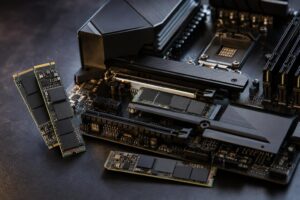
Storage is also easy to underestimate. Modern games can be very large, and SSD space fills faster than expected. A fast NVMe SSD makes the entire system feel responsive, but capacity matters more than chasing tiny benchmark differences. A 2TB starting drive is a practical choice for many gaming libraries, with room to add another drive later.
Exact component choices and prices move constantly, but the broad ownership pattern is consistent.
The sweet spot for longevity is usually not the least expensive PC and not necessarily the most expensive one. It is a configuration with a strong graphics card for the intended display, a CPU that will not hold back future GPUs too quickly, 32GB of memory, quality cooling, and a power supply selected with upgrades in mind.
Good hardware selection is the starting point. A few practical habits can add useful life without spending another dollar.
A high-end gaming PC is worth the investment when it solves a real requirement: high-refresh 4K gaming, an ultrawide display, demanding simulation software, VR, heavy streaming, or a desire to keep premium visual settings for several years.
It is not worth buying purely because the specifications look impressive on a product page. Spending heavily on a top-tier GPU while pairing it with a basic monitor, limited storage, weak airflow, or a low-quality power supply is not a premium build. It is an unbalanced one.
The best gaming PC is the one designed around the games you play, the display you own or plan to buy, and the length of time you want it to remain capable. At Overclock Computers, we build custom gaming PCs around those real-world goals, with component balance, thermals, power delivery, and future upgrades considered from the start. If you are planning your next system, contact our team and we can help configure a gaming PC that makes sense for the way you actually play.