Best Gaming PC for Streaming: Specs That Make Sense for Gaming and Broadcast Quality

The best gaming PC for streaming is usually a balanced single-PC build with a strong graphics card, a modern CPU with enough cores for multitasking, 32GB of RAM, and reliable NVMe storage. For most people streaming to Twitch or YouTube while playing at 1440p, the smartest place to spend extra money is the GPU—not an extreme CPU.
Modern GPU hardware encoders have made single-PC streaming practical and very good-looking. You no longer need a second computer simply to broadcast gameplay. A second PC still has a place in specialized production setups, but it is not the sensible starting point for most streamers.
Start with the resolution and frame rate you want to play, not the resolution you plan to send to viewers. Many successful streams are delivered at 1080p or lower while the game runs at 1440p. The gaming workload is what determines how much graphics performance you need.
This tier suits someone playing esports titles, lighter games, or mainstream AAA games with sensible settings. Look for a current midrange-to-upper-midrange GPU with a quality hardware encoder, a current six- or eight-core CPU, 32GB of DDR5 memory, and a 1TB or larger NVMe SSD.
This is a good place to begin if streaming is a serious hobby but not your full-time production workflow. Do not reduce the system to 16GB of memory just to afford prettier case lighting. Discord, browser sources, chat tools, capture software, music, and the game can make 16GB feel cramped surprisingly quickly.
For high-quality 1440p gaming, demanding new releases, ray tracing, or a high-refresh monitor, choose a faster upper-tier GPU, a strong modern eight-core-class CPU or a gaming-focused CPU with excellent per-core performance, 32GB of RAM, and at least a 2TB NVMe SSD.
This is the sweet spot for people who want a polished stream and a genuinely premium gaming experience. It leaves enough headroom for scenes, browser overlays, voice chat, recording, and occasional video editing without turning every background task into a compromise.
Spend at this level when you play at 4K, use a high-end ultrawide display, run GPU-heavy ray tracing, record high-bitrate local footage, edit regularly, or stream while running CPU-intensive production tools. Prioritize a high-end GPU with generous VRAM, 64GB of RAM, fast 2TB to 4TB storage, and a CPU platform that fits your mix of gaming and creative work.
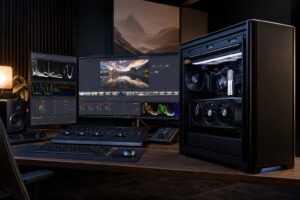
This tier makes sense for a creator whose computer is also an editing, recording, and production workstation. It is not automatically necessary for someone streaming a few evenings a week. Expensive hardware is enjoyable, but the audience cannot see your component list.
Gaming is usually limited by the graphics card, especially at 1440p and 4K. Streaming adds an encoding job: compressing the video into a format that can be sent efficiently to a streaming platform. A GPU with a capable dedicated hardware encoder can handle that job with a very small effect on in-game performance.
When comparing graphics cards for streaming, do not look only at average game frame rates. Consider encoder support, VRAM capacity, display outputs, and performance in the games you actually play. Current hardware encoders generally support formats such as H.264, and some platforms and workflows can use newer codecs such as AV1. AV1 can improve image quality at a given bitrate where the platform and your viewers’ playback devices support it. H.264 remains widely compatible and is still commonly used.
VRAM matters because modern games, high-resolution textures, ray tracing, multiple displays, and GPU-accelerated creative applications all consume graphics memory. If a card is short on VRAM for a game at your chosen settings, lowering texture quality is often more effective than buying an unnecessarily expensive CPU.
For most gaming streamers, use the GPU hardware encoder. It is efficient, reliable, and preserves CPU resources for the game, operating system, browser sources, and other tasks. This is the default recommendation for a single-PC setup.
CPU encoding can still be useful in particular workflows, but it asks the processor to do significant extra work while you play. That may be reasonable when your game is light on the CPU, you have a very high-core-count processor, and you are pursuing a particular encoding workflow. It is usually not the best reason to overspend on a CPU before buying a GPU that meets your gaming target.
Put simply: a well-chosen GPU encoder makes a better streaming PC than a lopsided build with an extreme processor and a modest graphics card.
A current six-core processor can run many game-and-stream setups well. An eight-core or stronger option is a more comfortable recommendation when you play CPU-heavy games, run lots of applications in the background, use a virtual camera, compile code, edit video, or want additional longevity.
Processor architecture and per-core speed still matter a great deal for gaming. Simulation games, large multiplayer matches, strategy titles, and games with busy worlds can be particularly CPU-sensitive. For these games, it is worth prioritizing a strong gaming CPU rather than assuming that any processor with a large core count will be faster.
Move to a workstation-class CPU only when your income-producing work actually benefits from it, such as frequent CPU rendering, extensive compiling, or professional media processing. For gaming and hardware-encoded streaming, that money often produces a more visible improvement when applied to the GPU, monitor, storage, or RAM.
For a new streaming PC, we recommend 32GB of RAM. It gives the system room for a game, streaming software, browser sources, voice chat, plugins, and normal desktop multitasking. Choose 64GB if you regularly edit substantial projects, work with large Adobe or DaVinci Resolve timelines, keep many applications open, or use the same PC for professional work.
Memory speed and stability matter, but capacity comes first. A stable 32GB kit is more useful than a smaller, aggressively tuned kit that saves a few dollars on paper and causes problems later.
A 1TB NVMe SSD is the minimum we would consider for a gaming-and-streaming build, but 2TB is much easier to live with. Modern games are large, and local recordings can fill a drive with alarming speed.
If you record long sessions or edit regularly, add a second SSD for recordings and active projects. Keeping recordings separate from the operating system and game library can make file management easier and helps prevent one full drive from disrupting everything. High-capacity hard drives still have a role for archives, but they are not ideal as the primary location for active editing files or games.
Streaming is often a long, sustained workload. A system that looks fine during a ten-minute benchmark can become loud or warm several hours into a broadcast. Choose a case with unobstructed airflow, a CPU cooler sized for the processor, and quality case fans. The goal is not maximum fan speed; it is stable temperatures without a microphone picking up a small wind tunnel beside your desk.
Use a reputable power supply with enough capacity and the correct connectors for the selected GPU. Leave sensible headroom rather than choosing the bare minimum. A quality power supply is a reliability component, not a place for mystery-brand cost cutting.
For live streaming, wired Ethernet is strongly preferred. Wi-Fi can work, particularly with a good modern access point nearby, but Ethernet is more consistent and avoids unnecessary interference. Your upload connection matters too. Before spending heavily on hardware, verify that your internet service can sustain the bitrate you intend to use while other people in the home or office are online.
Consider a separate streaming PC only if you have a specific reason: competitive play where every bit of gaming-system overhead matters, complex multi-camera production, capture from consoles or multiple sources, or an existing powerful computer that can be repurposed. A dual-PC setup adds cost, cabling, capture hardware, audio-routing complexity, and more things to troubleshoot.
For most people, one properly configured PC is quieter, simpler, and easier to maintain. Start there. Add complexity only when your production needs prove it is necessary.
The right streaming PC changes based on the games you play, your monitor, whether you record locally, your editing workload, and the peripherals you need to connect. A competitive 1080p streamer needs a different balance than someone playing cinematic 4K games while recording footage for a YouTube channel.
Overclock Computers can help design a gaming and streaming PC around your real budget, games, production software, display target, preferred appearance, and future upgrade plans. The result should be a balanced machine that performs well on stream—not simply a parts list with the largest numbers attached.