Air Cooling vs. AIO Liquid Cooling: Which CPU Cooler Should You Buy?

Choosing a CPU cooler is one of those PC-buying decisions that can become strangely emotional. One person swears by a large dual-tower air cooler; another won’t build a premium system without a liquid AIO. Both can be right. The better choice comes down to your processor’s heat output, your case, your noise goals, and how you use the computer.
For most well-balanced gaming PCs, a quality air cooler is enough. For high-power processors, sustained professional workloads, or builds where appearance and motherboard clearance matter, an all-in-one liquid cooler can be the better fit. The key is buying enough cooling for the job without spending heavily on hardware that will not improve your actual experience.
Choose a quality air cooler if:
Choose an AIO liquid cooler if:
AIO stands for all-in-one liquid cooler. It is a sealed unit with a pump, tubing, cold plate, radiator, and fans. Unlike a custom liquid-cooling loop, an AIO is not intended to be opened, filled, or routinely serviced by the owner.
Both types start in the same place: a metal cold plate sits against the CPU’s heat spreader, with thermal paste filling microscopic gaps between the two surfaces. From there, the designs differ.
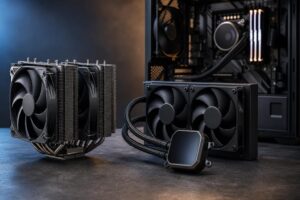
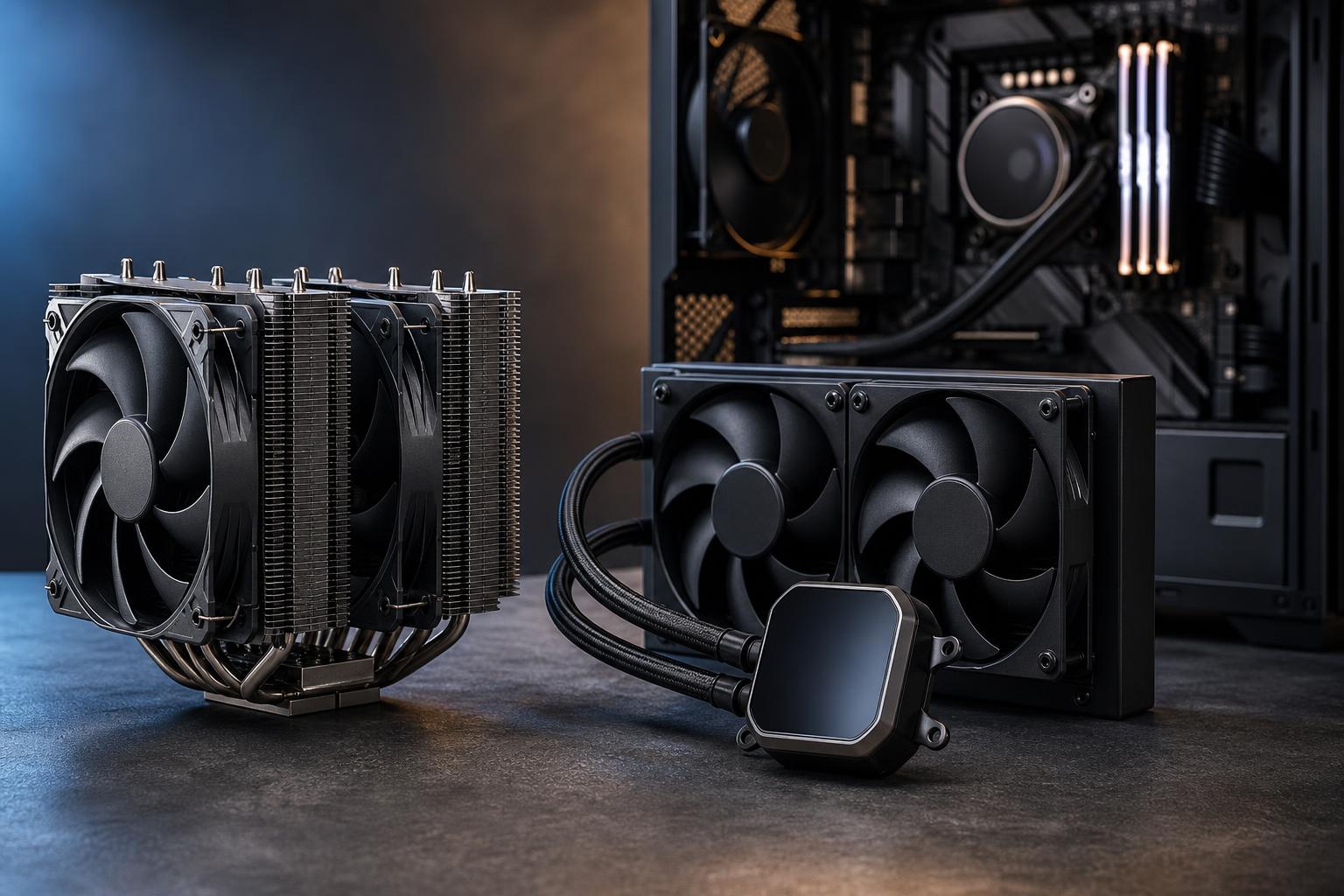
An air cooler transfers heat from the CPU into a base plate and heat pipes. Those heat pipes carry heat to a large fin stack, where one or more fans push air through the fins and into the case. The case fans then exhaust that warm air.
Good tower air coolers have a lot of surface area and can handle far more heat than their simple appearance suggests. A large dual-tower model with two 120 mm or 140 mm fans can cool many high-performance CPUs very effectively.
An AIO transfers heat into liquid at the CPU block. A small pump moves that warmed liquid to a radiator mounted in the case. Fans pull or push air through the radiator, and cooled liquid returns to the CPU block.
Liquid does not magically make heat disappear. It simply transports heat to a larger radiator that can be positioned at the top, front, or side of the case. Radiator size, fan quality, pump design, and case airflow determine the final result.
Cooling performance should be judged under the workload you actually run, not by a single benchmark screenshot. A CPU that spikes to high temperatures for a few seconds while loading a game is a different challenge from a processor rendering video for two hours.
A good 120 mm or 140 mm tower air cooler is usually appropriate for efficient mainstream CPUs. Larger single-tower and dual-tower coolers can handle powerful gaming processors and many workstation CPUs, especially when the system has good airflow.
For an AIO, radiator size matters more than the fact that it uses liquid:
For gaming alone, spending extra on a 360 mm AIO rarely produces a dramatic frame-rate increase. A cooler can help a CPU sustain boost clocks when it is otherwise temperature- or power-limited, but the difference is often modest. Your graphics card, game settings, resolution, and processor choice typically matter more.
In sustained production work, cooling can matter more. A processor held under a long, all-core workload may maintain higher clocks with a capable cooler. That can reduce render times or compile times, although it is still wise to compare the cost of the cooling upgrade against the cost of stepping up to a faster CPU.
A large radiator can dissipate heat at lower fan speeds, which can make a well-configured 280 mm or 360 mm AIO very quiet under load. But an AIO also has a pump. Pump noise is usually subtle, but it can be noticeable in a quiet room, particularly if the pump runs at full speed all the time.
Large air coolers can also be remarkably quiet because they use big fin stacks and often run slow, low-pitched fans. Their sound is simpler: mostly airflow and fan noise, without a pump.
What matters most is the entire cooling system, not the label on the box. A properly ventilated case, quality fans, sensible fan curves, and a CPU configured with appropriate power limits are often more important than choosing air over liquid.
Air coolers win on simplicity. The heatsink itself has no meaningful wear item. If a fan eventually becomes noisy or fails, it can generally be replaced inexpensively. A quality air cooler can remain useful through several PC upgrades if mounting hardware is available for the new CPU socket.
An AIO is still reliable when purchased from a reputable manufacturer and installed correctly, but it has more potential failure points. The pump runs constantly, the liquid permeates very slowly over many years, and the unit cannot usually be repaired in a practical way if the pump fails. Leaks are uncommon with a good modern AIO, but they are not the main concern; pump wear and gradual performance decline are more realistic long-term considerations.
Neither option requires much routine maintenance. Periodically remove dust from the radiator or heatsink, clean filters, and make sure fans are working. A dust-clogged 360 mm radiator is not a premium cooling solution. It is just an expensive lint collection device.
Check compatibility before choosing a cooler. For air cooling, the critical number is the case’s maximum CPU cooler height. Large dual-tower models are often around 155 to 165 mm tall, and some cases cannot accommodate them.
For AIOs, confirm the supported radiator location and thickness. A case may technically support a 360 mm radiator but leave little room for motherboard heatsinks, tall RAM, or a graphics card when fans and radiator thickness are included.
Radiator placement also affects system behavior:
With any AIO, avoid mounting the radiator lower than the pump when possible. The goal is to keep any small air pocket in the radiator rather than at the pump, which helps reduce noise and unnecessary pump wear.
Start with a capable air cooler. It is usually the sensible choice for a midrange or upper-midrange gaming processor. Put the savings toward the graphics card, a larger SSD, or a better monitor if those areas are not already covered. Choose a 240 mm or 280 mm AIO if you prefer its appearance, need the RAM clearance, or have selected a CPU known to run hot under boost.
A large air cooler or 280 mm AIO is often the sweet spot. A 360 mm AIO is reasonable when using a high-power CPU, especially if streaming, recording, encoding, and background applications create sustained CPU load. It is not mandatory simply because the system has an expensive graphics card.
For regular long renders, video exports, code compiles, simulations, or CPU-based processing, prioritize sustained cooling capacity. A 280 mm or 360 mm AIO is often a practical match for high-core-count desktop processors. A premium dual-tower air cooler can still be an excellent choice if the CPU power target and case airflow are appropriate.
Let the case determine the cooler. Some compact cases are designed around low-profile air coolers, while others are built specifically for a 240 mm AIO. Do not force a hot CPU into a small case with inadequate cooling simply because the component list looked good on paper.
Air cooling is the value, reliability, and simplicity champion. AIO liquid cooling offers more placement flexibility, can provide greater sustained cooling capacity with a large radiator, and is often the cleaner-looking option in a showcase build.
For most buyers, we recommend choosing the smallest cooler that can handle the processor quietly under the workloads that matter. Overspending on cooling is easy. Under-cooling a high-power workstation is also easy. A balanced build lands in the useful middle.
If you are planning a gaming PC or workstation and are unsure how much cooling your CPU actually needs, contact Overclock Computers. We can help match the processor, case, airflow layout, and cooler to the work you expect the system to do.