ATX vs. Micro ATX: Which Motherboard Size Should You Buy?

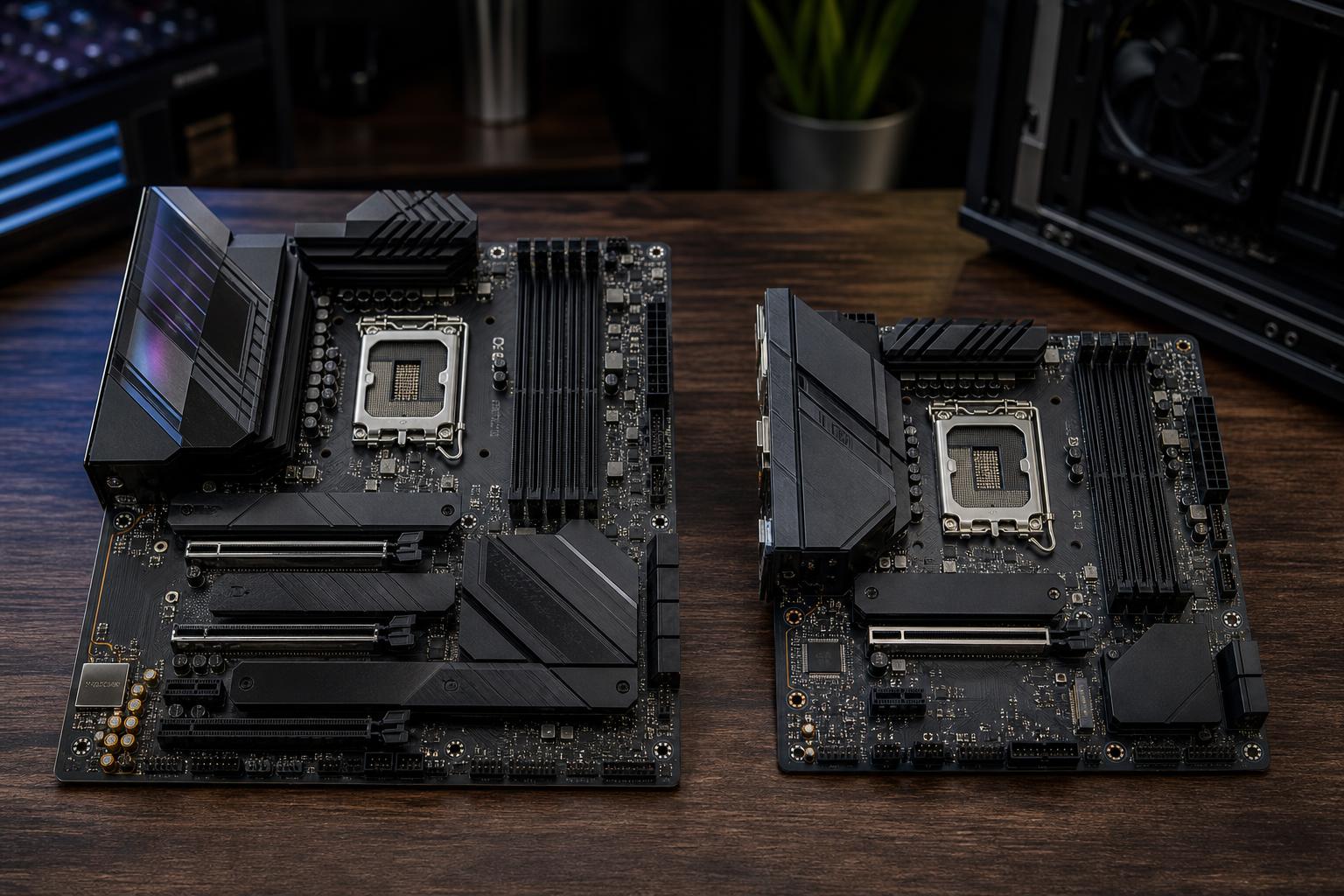
ATX vs. Micro ATX is one of the first decisions people make when planning a custom PC, and it is often misunderstood. A larger ATX motherboard does not make a CPU or graphics card inherently faster. A well-built Micro ATX system can be every bit as quick in games, rendering, editing, or development.
The practical difference is space: space for expansion slots, storage, fan headers, ports, large coolers, and future upgrades. Motherboard size also determines which cases you can use. The right choice comes down to how much hardware you need now, what you may add later, and how compact you want the finished system to be.
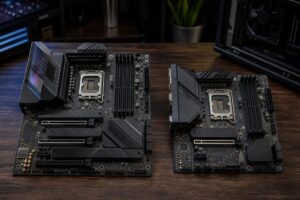
ATX is the standard full-size desktop motherboard format. It measures up to 12 by 9.6 inches. Micro ATX, often written as mATX or µATX, is shorter at up to 9.6 by 9.6 inches. Both use the same common desktop CPUs, DDR5 memory, M.2 NVMe SSDs, and graphics cards when they share the same processor socket and chipset family.
Think of motherboard size as a capacity and layout decision, not a performance tier. There are excellent premium Micro ATX boards and bargain-basement ATX boards. The chipset, power delivery, ports, BIOS support, and overall board design matter more than the outline of the PCB.
ATX is usually our recommendation for a high-end gaming PC, a professional workstation, or any build where expandability is a priority. It gives the builder more physical room to work with, and that room tends to turn into useful connectivity.
Nearly every gaming PC needs one full-length PCIe slot for its graphics card. If that is the only expansion card you will ever use, Micro ATX is often enough. But ATX becomes the safer choice when you may need a capture card, high-speed networking card, professional audio interface card, storage controller, or additional expansion later.
There is an important catch: modern graphics cards are physically large. A thick three- or four-slot GPU can block adjacent slots on either board size. ATX still gives you a better chance of retaining a usable lower slot, but check the exact board layout and GPU thickness before buying. The specification sheet may say a board has several slots; that does not guarantee they will remain accessible.
Many ATX boards include four or more M.2 slots, more SATA ports, additional USB headers, more rear USB ports, and more fan or pump headers. Those features matter in systems with several NVMe drives, large SATA storage arrays, multiple front-panel USB devices, or extensive cooling.
For example, a workstation with a boot drive, active-project drive, scratch drive, archive drives, a 10GbE card, and a capture card can outgrow a typical Micro ATX layout quickly. An ATX board is not automatically required, but it prevents a lot of awkward compromises.
ATX remains the most common enthusiast desktop format, so it has the largest selection of boards and cases at every price level. This is particularly useful if you care about a specific rear I/O feature, robust CPU power delivery, onboard 10GbE networking, several high-speed USB ports, or a particular visual style.
A larger ATX case also generally makes cable routing, radiator placement, and future upgrades easier. That is a quality-of-life advantage, especially for systems that will be opened and upgraded over several years.
Micro ATX is not a compromise by default. For a great many gaming PCs and practical workstations, it is the sweet spot between a roomy full tower and a small-form-factor build that demands careful parts selection.
A Micro ATX case can save meaningful desk or floor space while still accepting standard ATX power supplies, full-size graphics cards, tower air coolers, and capable liquid coolers. This is very different from an ultra-compact Mini-ITX system, where GPU length, power supply format, cable flexibility, and cooler height can become major constraints.
For many buyers, Micro ATX delivers the compact look they want while preserving a straightforward building and service experience.
A typical gaming system has a GPU, one or two M.2 SSDs, 32GB or 64GB of memory, and perhaps a couple of SATA drives. A well-chosen Micro ATX board handles that comfortably. Streaming does not automatically require a capture card, either; many streamers use GPU encoding and do not need an add-in card at all.
If you do not foresee adding specialized PCIe hardware, paying more for an ATX board and larger case may buy capacity that simply sits empty.
Comparable Micro ATX boards are often less expensive than ATX versions, though feature-rich compact boards can still carry premium pricing. Savings can be redirected toward a faster GPU, a larger SSD, more memory, or a higher-quality power supply. Those upgrades usually have a more noticeable effect on the everyday experience than empty PCIe slots.
Not automatically. Cooling is primarily determined by the case, fan layout, CPU cooler, graphics card design, room temperature, and sensible component choices. A good Micro ATX airflow case with properly placed intake and exhaust fans can cool a powerful gaming PC extremely well.
That said, larger ATX cases often support more fans, larger radiators, and more space around components. They can make it easier to cool a high-wattage CPU and flagship GPU quietly. The key word is easier, not guaranteed. A large case with poor front ventilation is still a poor airflow case.
For a high-end workstation that may run CPU rendering, simulation, compilation, or GPU compute loads for hours, we favor a case with generous airflow and room for a substantial cooler. It may be ATX or Micro ATX, but the thermal plan should come before the desire for the smallest possible chassis.
After choosing ATX or Micro ATX, compare the actual motherboard specifications. Two boards of the same size can be dramatically different.
Choose Micro ATX for most single-GPU gaming PCs, mainstream creator systems, and buyers who want a smaller, tidy desktop without sacrificing normal upgrade options. Look for a board with the M.2 storage, USB-C header, networking, and fan headers you need from day one.
Choose ATX if you are building around a top-tier CPU and GPU, expect to add PCIe cards, need several drives, require specialized connectivity, or simply want the easiest path for future changes. It is also a sensible default for demanding workstations, where expansion needs often grow after the machine is deployed.
Do not choose ATX just because it sounds more serious, and do not choose Micro ATX solely to make the case smaller. Start with the parts and connections your work or games require, then select the board size and case that support them cleanly.
A motherboard is the foundation that determines what the rest of the system can become. If you are deciding between a compact Micro ATX gaming PC and an expansion-friendly ATX workstation, contact Overclock Computers. We can help match the platform, cooling, storage, graphics, and case to the way you will actually use the machine.