NVIDIA vs. AMD GPUs: Which Graphics Card Should You Buy for Gaming or Creative Work?

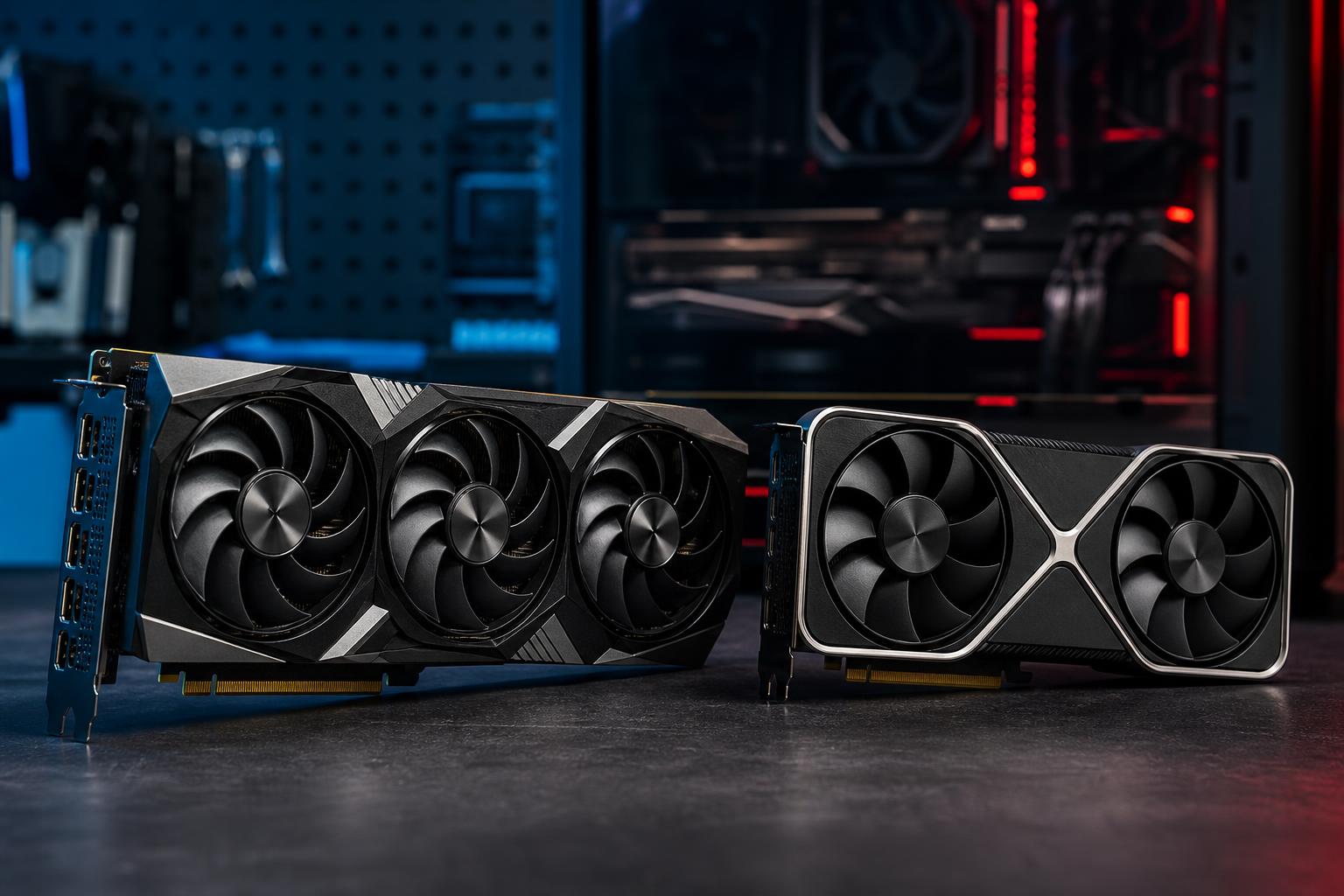
The NVIDIA vs. AMD GPU decision is one of the biggest choices in a new gaming PC or workstation. Both companies make excellent graphics cards, and neither is automatically the right answer for every buyer.
The useful question is not “Which brand is best?” It is: which card delivers the performance and features your actual games or applications need at a sensible price? A graphics card is not just a frame-rate machine. It also affects image quality settings, ray tracing performance, streaming quality, creative-software support, power draw, noise, and how long the system remains comfortable to use.
Here is how we approach the decision when configuring a custom system.
Before comparing individual GPUs, define the job.
Do not buy based on a single benchmark chart. Look for tests using the games, resolution, settings, and applications you expect to run. A card that wins at 1080p without ray tracing may not be the better card for 4K with ray tracing enabled.
AMD Radeon cards are often compelling for buyers who prioritize conventional gaming performance and generous VRAM for the money. In games rendered without heavy ray tracing, AMD can offer very competitive frame rates at a given price tier.
If your main goal is playing games at 1440p or 4K with high settings, but you do not consider ray tracing essential, an AMD GPU can be an excellent fit. Modern games still run very well without ray-traced effects, and a Radeon card may allow more of the budget to go toward a better monitor, larger SSD, faster CPU, or quieter cooling.
VRAM is the graphics card’s dedicated memory. Higher resolutions, high-resolution texture packs, mods, multiple displays, and creative workloads can all increase VRAM use. When a game exceeds available VRAM, performance can become inconsistent: texture quality may drop, frame times can spike, and stuttering can appear even when the average frame rate looks acceptable.
AMD has often offered more VRAM than similarly priced NVIDIA cards. That does not mean more VRAM automatically makes one card faster, but it can provide useful breathing room for demanding games at 1440p and 4K. It is especially worth considering if you keep GPUs for several years or enjoy heavily modded games.
Linux support has improved substantially across the PC hardware market, but AMD’s open-source driver approach remains attractive to many Linux users. For a gaming-focused Linux desktop, Radeon is frequently a straightforward option. Professional software requirements can change that recommendation, so verify the applications you rely on.
NVIDIA GPUs are usually the safer choice when you place a high value on ray tracing, broadly supported upscaling and frame-generation features, streaming tools, or GPU-accelerated creative and technical applications.
Ray tracing improves lighting, reflections, shadows, and ambient detail by more accurately simulating how light behaves. It can look excellent in games that implement it well, but it is demanding. NVIDIA has generally held the performance lead in ray-traced games, particularly at higher settings and resolutions.
If you are buying a GPU specifically to enjoy ray tracing at 1440p or 4K, NVIDIA is often worth the premium. This is not because AMD cannot run ray tracing; it can. The practical difference is how often you will need to reduce settings or rely more aggressively on upscaling to maintain your preferred frame rate.
Both companies offer technologies that render a game at a lower internal resolution and reconstruct a sharper image. Both also support frame-generation approaches in compatible games. These features can be genuinely useful, especially at 4K, but they should not be used to hide an underpowered GPU purchase.
Buy enough native performance for the games you play, then treat upscaling as a way to improve image quality settings or extend the useful life of the card. Frame generation can make motion look smoother, but it does not reduce input latency the way real rendered frames do. For fast competitive games, strong native performance remains the priority.
NVIDIA’s ecosystem has typically had wider game support and very strong image quality in supported titles. AMD’s alternatives can work across a broader range of hardware in some cases. For most buyers, the important step is checking whether the specific games you play support the features you want.
This is the clearest reason to choose NVIDIA for many workstations. A large number of professional applications and AI tools are built around NVIDIA’s CUDA platform or receive their best optimization there. That includes many GPU renderers, machine-learning frameworks, scientific tools, and effects pipelines.
For example, a developer running local AI models, a 3D artist using GPU rendering, or a video professional relying on GPU effects may save meaningful time with an NVIDIA card even if an AMD option offers better gaming value. Time spent waiting for renders or troubleshooting software support is rarely a bargain.
AMD can still be a sound workstation choice when the application supports it well and its VRAM capacity fits the workload. However, verify support from the software developer rather than assuming performance will match NVIDIA just because the cards have similar gaming benchmarks.
Both AMD and NVIDIA cards can record gameplay and accelerate video work. NVIDIA has long been favored by streamers because its hardware encoder is widely supported and delivers dependable results in popular streaming and recording applications.
For a gaming-and-streaming PC, NVIDIA is usually the lower-risk recommendation, particularly when you want to stream using GPU encoding while leaving the CPU available for the game and background tasks. For editing, the better choice depends on your software, codec, effects, and export workflow. Adobe Premiere Pro, DaVinci Resolve, and similar applications do not all use hardware in exactly the same way.
A GPU purchase can affect the rest of the build. Higher-performance cards can be physically large and require substantial power. Before choosing one, confirm:
Two cards using the same GPU chip can also behave differently. Cooler design, fan quality, power limits, and case airflow affect operating temperature and noise. Paying a little more for a well-cooled model can be sensible in a quiet, premium system. Paying a large premium for factory overclocks usually is not; the real-world frame-rate difference is often small.
For a pure gaming PC, compare actual cards in your budget rather than treating NVIDIA and AMD as fixed tiers. AMD often makes a strong case for value and VRAM, while NVIDIA commonly justifies its cost through ray tracing, software features, streaming, and professional application support.
For a workstation that earns its keep through rendering, AI, or specialized GPU acceleration, software compatibility should lead the decision. The fastest card on a gaming chart is not necessarily the card that finishes your project first.
If you are planning a new gaming PC or workstation, Overclock Computers can help match the GPU, CPU, power supply, cooling, and display target into a balanced system instead of simply selecting the most expensive part on the list.