Air Cooling vs. Liquid Cooling: Which CPU Cooler Should You Buy?

Choosing a CPU cooler is not just about chasing the lowest temperature on a benchmark chart. The right cooler affects sustained performance, fan noise, case compatibility, appearance, maintenance expectations, and sometimes even which CPU makes sense in the first place.
For most gaming PCs, a good tower-style air cooler is enough. For high-power desktop CPUs, long rendering workloads, or builds where a clean, open look matters, an all-in-one liquid cooler can be a better fit. Neither option is automatically superior. The useful question is: how much heat will your processor produce during the work you actually do, and what compromises are you willing to make?
A cooler needs to remove the heat the CPU produces under real load. That sounds obvious, but CPU power behavior is more complicated than the number printed on the box. Modern processors can boost well above their nominal power rating for short periods and, depending on motherboard settings, may sustain high power levels during demanding work.
A gaming load is usually much easier on the CPU than a full all-core render, code compilation, simulation, or video export. A processor that looks perfectly comfortable while gaming can become much hotter when every core is busy for 30 minutes.
Before selecting a cooler, consider these questions:
Those answers matter more than choosing a cooler based on its lighting or an impressive-looking radiator.
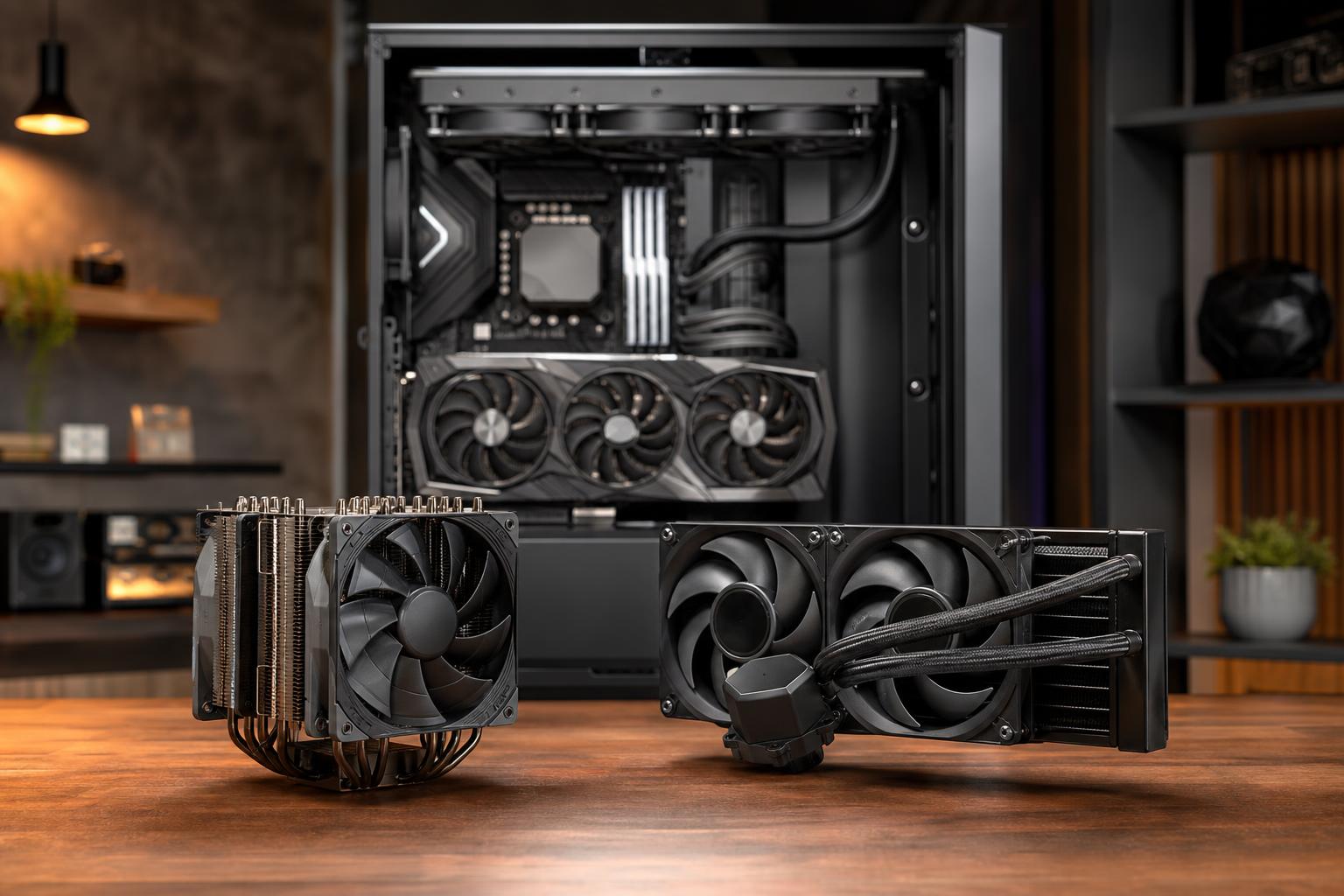
A tower air cooler uses a metal base plate, heat pipes, aluminum fins, and one or more fans. Heat moves from the CPU into the base, travels through the heat pipes, spreads across the fin stack, and is carried away by airflow.
It is a simple design, and that simplicity is its greatest strength. A quality dual-tower air cooler can handle a surprising amount of heat with very little to go wrong. Aside from fans, there are no pumps, liquid lines, or sealed loops to consider.
We generally recommend a capable air cooler for gaming PCs using efficient midrange or upper-midrange processors, as well as many productivity systems that do not spend their lives under maximum all-core load. A large dual-tower cooler is often enough for a powerful gaming CPU, especially in a case with good airflow.
Air cooling is particularly sensible when you value long-term reliability, straightforward service, and good performance per dollar. If a fan eventually wears out, replacing it is usually simple and inexpensive. The heatsink itself can often remain useful through several system upgrades, provided the manufacturer offers the right mounting hardware.
The main limitation is heat capacity and how quickly the cooler can move sustained heat away from the CPU. Large air coolers perform very well, but the highest-power desktop processors can overwhelm them in long all-core workloads.
Physical size also matters. A dual-tower cooler may interfere with tall memory modules, restrict access around the top of the motherboard, or exceed the case’s maximum CPU-cooler height. It can also make a motherboard look crowded. None of these issues make air cooling bad; they simply need to be checked before ordering parts.
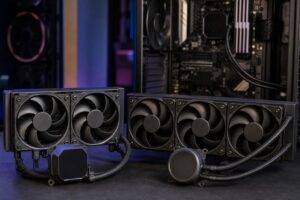
An all-in-one, or AIO, liquid cooler uses a pump and cold plate on the CPU, tubes, and a radiator with fans. The liquid carries heat from the CPU to the radiator, where the fans transfer it to the surrounding air.
An AIO is a sealed unit. Unlike a custom liquid loop, it is not meant to be routinely drained, refilled, or reconfigured by the owner. It offers a cleaner installation and lower maintenance than a custom loop, but it still adds a pump and more components than an air cooler.
Radiator size is the first specification to examine. Common sizes include 120 mm, 240 mm, 280 mm, 360 mm, and 420 mm. In broad terms, a larger radiator has more surface area and can dissipate more heat while allowing its fans to run at lower speeds. Fan quality, radiator thickness, pump design, and case airflow also matter, so the label alone is not the whole story.
A 240 mm or 280 mm AIO can be a good option for a higher-performance gaming system, particularly if the case layout favors radiator mounting or the buyer prefers the look. For genuinely high-power CPUs used in long rendering, encoding, simulation, or compiling workloads, a quality 360 mm AIO often provides useful thermal headroom.
That headroom can allow the CPU to maintain higher clocks under sustained load, rather than reaching its temperature limit and reducing performance. It can also reduce temperatures without forcing small fans to spin at annoying speeds. This is where liquid cooling earns its place: not as decoration, but as a practical solution for sustained heat output.
An AIO is not maintenance-free forever. Pumps can wear out, coolant slowly permeates through tubing over a long service life, and the unit has more possible failure points than a heatsink and fan. Failures are not guaranteed, and modern AIOs are generally dependable, but a pump is still a mechanical component that an air cooler does not need.
They also require careful installation. A radiator mounted poorly can trap air near the pump, which may increase noise and reduce pump longevity. Case compatibility is critical: a case may technically support a 360 mm radiator but lack room once motherboard heatsinks, memory, thick radiators, or a large graphics card are accounted for.
Finally, smaller AIOs are not automatically better than a good air cooler. A basic 120 mm AIO is often a poor value and can be noisier than a quality tower cooler. It is usually chosen for space constraints rather than performance.
Neither cooling type is inherently silent. Noise comes from fans, pump behavior, airflow restriction, and how aggressively the motherboard controls fan speed.
At light load, a good air cooler is often quieter because it has no pump noise. Under a long, heavy CPU load, a well-configured 280 mm or 360 mm AIO may be quieter because its larger radiator can use slower fan speeds. But a poorly tuned AIO with fans constantly ramping up and down can be more irritating than an air cooler that runs slightly warmer.
Good fan curves matter as much as expensive hardware. We prefer a curve that responds gradually to changing temperatures instead of treating every short CPU boost as a reason to launch the fans into orbit.
Choose a quality single-tower or dual-tower air cooler for most efficient gaming CPUs. It is reliable, quiet, and leaves more budget for the graphics card, which usually has a much larger effect on gaming performance.
A large air cooler remains a strong choice. Choose a 240 mm or 280 mm AIO if you prefer its appearance, need better socket-area clearance, or are using a processor that runs hotter during streaming and background tasks. Do not buy a large AIO expecting it to turn an unbalanced PC into a faster gaming machine.
For CPUs that regularly perform long all-core jobs, cooling capacity becomes a performance decision. A 280 mm or 360 mm AIO is often appropriate for high-power mainstream processors. Very high-core-count workstation platforms may call for a larger radiator, carefully planned case airflow, and a cooler specifically designed for the CPU socket.
Buy a good air cooler when you want dependable, quiet, cost-effective cooling for a gaming PC or moderately demanding desktop. Buy a properly sized AIO when your CPU runs sustained heavy workloads, when you need the extra thermal headroom, or when the case layout and appearance justify it.
Do not overspend on cooling while compromising the graphics card, storage capacity, or memory your work actually needs. On the other hand, do not pair a power-hungry CPU with the smallest cooler that physically fits and expect quiet, sustained performance. The cooler should match the processor, the case, and the workload as a complete system.
If you are planning a new gaming PC or workstation and are unsure how much cooling your workload calls for, contact Overclock Computers. We can help configure a balanced system that performs well without spending money on parts you do not need.