DDR4 vs. DDR5 RAM: Which Memory Should You Buy for a New PC or Upgrade?

Choosing RAM used to be fairly simple: buy enough capacity, install it as a matched pair, and move on. DDR4 versus DDR5 makes the decision a little more complicated because the two standards use different motherboards and processors. They are not interchangeable.
For most people building a new gaming PC or professional workstation, DDR5 is now the right starting point. It offers higher available speeds, better support for large-capacity kits, and a healthier upgrade path on current platforms. That does not make DDR4 obsolete, though. If you already own a capable DDR4 system, a sensible memory upgrade can still be much better value than replacing the motherboard, CPU, and RAM all at once.
The key is understanding what RAM affects, what it does not, and where spending more actually improves your experience.
DDR stands for Double Data Rate. Each generation increases available memory bandwidth, meaning the system can move more data between the processor and RAM in a given amount of time. DDR5 starts at higher data rates than mainstream DDR4 and scales much further.
That extra bandwidth helps most when the CPU is working with large or frequent sets of data. Examples include simulation, compiling large software projects, video work, professional 3D applications, scientific or engineering workloads, and some high-frame-rate games.
DDR5 also changes how the memory modules are organized. A DDR5 stick is divided into two smaller 32-bit subchannels rather than one 64-bit channel. In plain English, this helps the memory controller handle smaller requests more efficiently. DDR5 moves power management onto the module as well, rather than leaving all of it to the motherboard.
Those are useful architectural improvements, but they should not be mistaken for magic. RAM does not replace a faster GPU in a gaming PC, and it will not turn an entry-level processor into a workstation CPU.
At 1440p or 4K with demanding visual settings, the GPU is often doing most of the limiting. In that situation, switching from good DDR4 to good DDR5 may produce a small average frame-rate change. Your money is usually better directed toward the graphics card.
Memory speed matters more when a powerful GPU is paired with a CPU-limited game, especially at 1080p, lower settings, or refresh rates of 144Hz and above. Strategy games, simulation titles, competitive games, and poorly optimized open-world titles can also respond well to faster memory. DDR5 may improve the lower frame-rate dips that make a game feel uneven, even when the average FPS figure does not look dramatically different.
If you are building a premium gaming system from scratch, DDR5 is the sensible choice because it avoids beginning a new platform on older memory technology. Do not chase the highest advertised RAM speed just for a benchmark, however. A stable, well-matched DDR5 kit at a sensible speed is more valuable than a temperamental extreme-speed kit.
DDR5 has a clearer case in workstations. Applications that move large data sets, use many CPU cores, or run several demanding programs at once can benefit from the additional bandwidth. The benefit varies by application, but DDR5 also makes it easier to configure substantial amounts of RAM without leaning on aging platforms.
For example, an architect working with large models, a video editor handling high-resolution footage, or a developer running virtual machines may benefit more from moving to 64GB or 128GB of DDR5 than from buying a tiny ultra-fast kit. Capacity remains the first decision; memory speed refines the build after that.
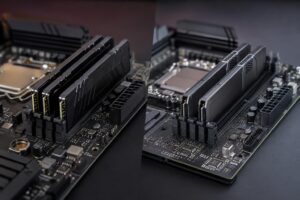
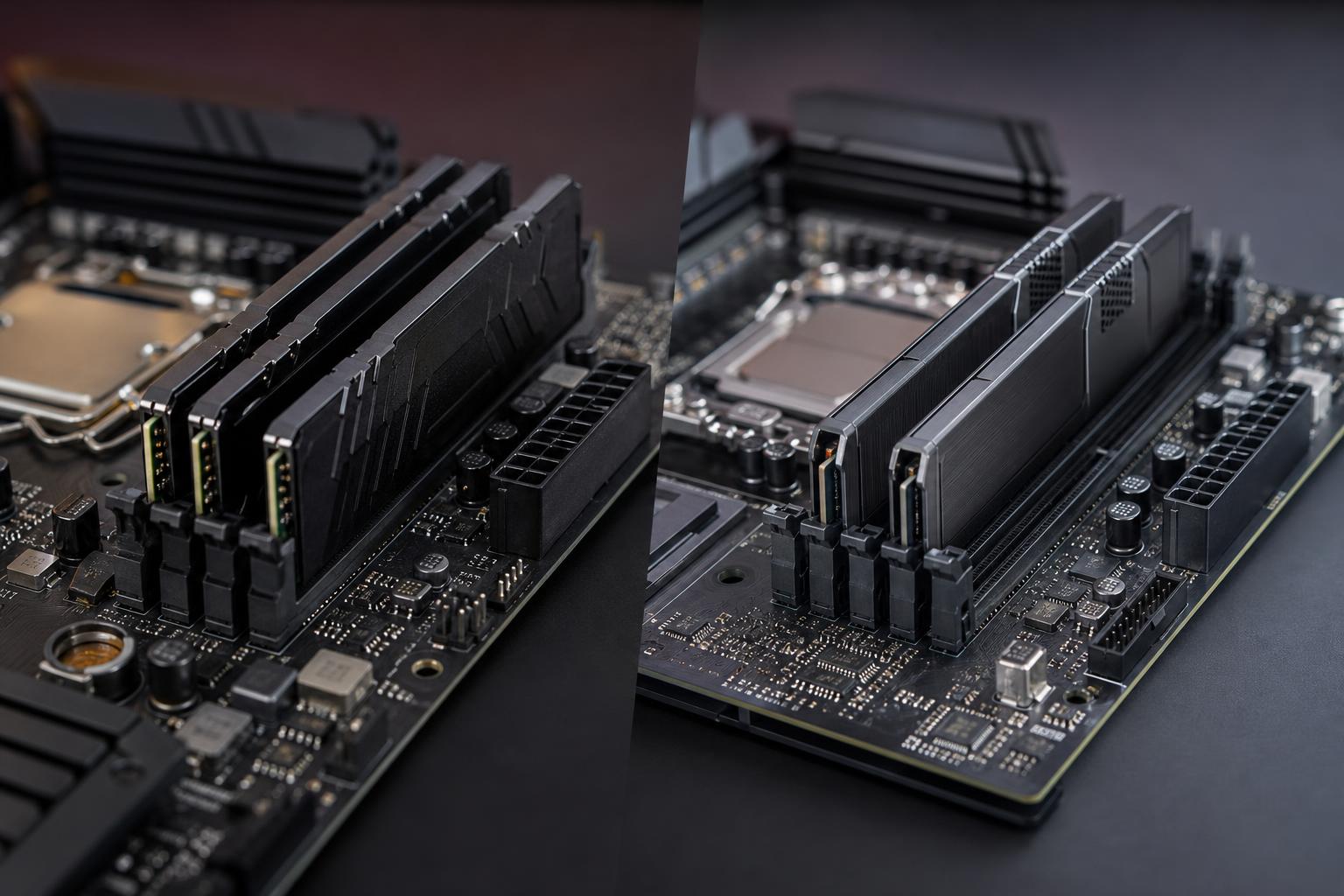
DDR4 and DDR5 use different physical slots, different electrical standards, and different memory controllers. A DDR4 module will not fit into a DDR5 motherboard slot, and the reverse is also true. There is no adapter worth considering for a normal desktop build.
Some processor generations supported motherboards built in either DDR4 or DDR5 versions. Even then, an individual board supports one memory type only. Check the motherboard specifications before ordering RAM, and do not assume that two boards with nearly identical names use the same memory standard.
For an upgrade, identify three things before buying anything:
Adding memory to an existing system can be effective, but combining separate kits is not always trouble-free. Even two kits with the same brand, speed, and capacity can use different memory chips or settings. For the best chance of stable operation, buy one matched kit at the capacity you need.
RAM is often sold with a data rate and a timing figure, such as DDR5-6000 CL30. The first number describes transfer speed. The CL number is CAS latency, a measure of timing delay expressed in clock cycles.
Higher transfer rates provide more bandwidth, while lower timings reduce latency. Neither number tells the whole story by itself. A faster kit may have higher timings, and comparing latency between DDR4 and DDR5 requires looking at the actual operating frequency as well as the timing value.
For most buyers, the practical rule is simple: choose a reputable kit at a well-supported speed for your CPU and motherboard, then enable its XMP or EXPO memory profile in the firmware. XMP is commonly associated with Intel-oriented profiles, while EXPO is designed for AMD platforms, though motherboard support is what ultimately matters.
It is worth verifying that the selected kit appears on the motherboard’s memory compatibility list when you are building a high-capacity system or aiming for unusually high speeds. That extra check can prevent an annoying stability problem later.
Use two matched modules where possible. A 2 x 16GB configuration for 32GB or 2 x 32GB configuration for 64GB typically gives the memory controller a clean, efficient setup and leaves room for a future upgrade on boards with four slots. Filling every slot can work, but very high memory speeds may be harder to maintain with four modules installed.
DDR4 remains a reasonable choice when you are extending the life of an existing machine. If a system has a capable processor but only 16GB of RAM, moving to a matched 32GB or 64GB DDR4 kit can make multitasking, creative work, and modern games feel substantially smoother.
It can also make sense in a tightly controlled budget build using a platform that only supports DDR4. But this is increasingly a narrow case. The savings must be meaningful enough to help fund a better GPU, more storage, or a higher-quality power supply. Saving a small amount on RAM only to begin with a platform that has limited upgrade options is usually false economy.
For a new gaming PC, start with 32GB of quality DDR5 in a matched two-stick kit. For a professional workstation, select DDR5 capacity around the workload first, then choose a stable, sensible speed supported by the platform. In both cases, avoid paying a large premium for the absolute fastest memory unless your applications have a proven reason to benefit from it.
If you own a DDR4 computer that otherwise meets your needs, do not replace it merely because DDR5 exists. Upgrade your DDR4 capacity if that is the actual constraint, and reserve a DDR5 move for the point when a new CPU and motherboard will deliver meaningful gains too.
Not sure whether a RAM upgrade or a full platform refresh makes better sense? Contact Overclock Computers with your current specifications and the applications or games you use. We can help map out a balanced upgrade or configure a system that puts the budget where it will matter most.