AMD vs. NVIDIA GPUs: Which Graphics Card Should You Buy?

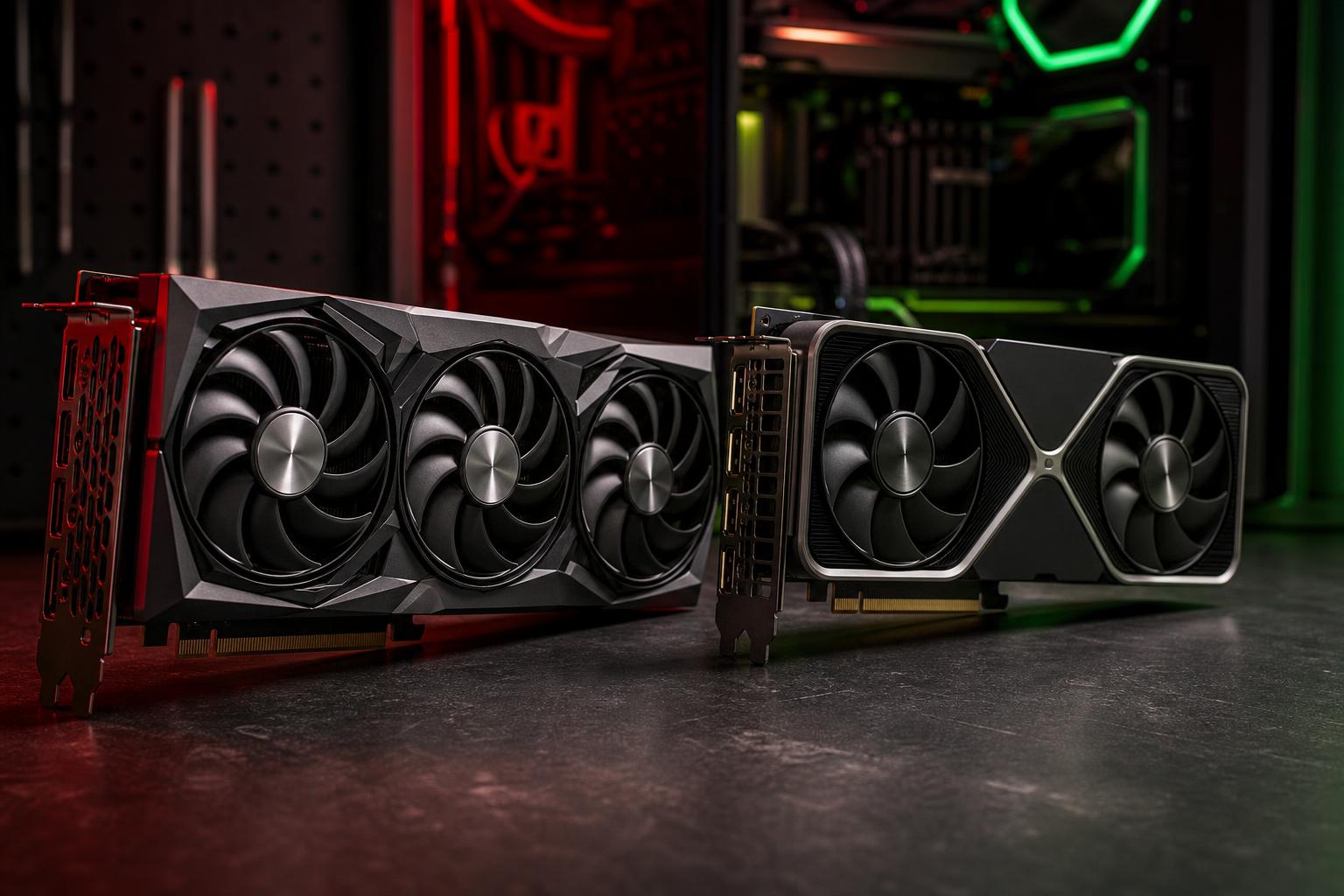
Choosing between an AMD Radeon and NVIDIA GeForce graphics card is no longer as simple as comparing average frame rates. Both companies make capable GPUs, and either can be the right choice. The better purchase comes down to what you play or create, the resolution of your monitor, the software you rely on, and which features you will genuinely use.
Our practical recommendation is straightforward: buy the card that delivers the performance you need in your actual workload, with enough video memory and a sensible total system budget. Don’t pay extra for a logo, but don’t ignore useful software support just to save a small amount either.
AMD Radeon is often the smart value choice for traditional gaming. When two cards are close in price, AMD frequently offers strong rasterized performance—the conventional rendering used in most games—and competitive VRAM capacity. This can make Radeon especially appealing for players focused on high-refresh 1440p gaming, or 4K gaming without making ray tracing the priority.
NVIDIA GeForce is often the safer all-around choice for ray tracing, streaming, many creative applications, and local AI work. NVIDIA’s hardware and software ecosystem is widely supported. Its cards commonly perform well in ray-traced games, offer mature upscaling and frame-generation options in supported titles, and are often the easier recommendation when CUDA acceleration is required.
Those are useful starting points, not rules. A specific Radeon card can beat a similarly priced GeForce card in a game you play, and a particular GeForce model can be poor value if it has too little VRAM for its price tier. Compare the exact models under consideration rather than choosing a team first.
Your display determines the performance target. A graphics card that feels excellent at 1080p may struggle to maintain the same settings and frame rates at 4K because 4K renders four times as many pixels.
Also consider the types of games you play. Competitive games such as Valorant, Rocket League, and similar esports titles place a different demand on a PC than a heavily modded open-world game, a new cinematic release with ray tracing, or a flight simulator. It would be silly to buy around benchmark results from games you never intend to play.
Rasterized performance is the baseline game rendering workload with ray tracing disabled. It remains the most useful measure for buyers who want strong performance across a broad game library without treating advanced lighting effects as a must-have.
Radeon cards are often very competitive here, particularly when comparing similar price levels. If an AMD GPU costs less, delivers comparable or better conventional frame rates, and includes more VRAM, it may be the better gaming purchase.
VRAM is not a magic performance number, but it is a real constraint. Modern games can use substantial graphics memory at 1440p and 4K when high-resolution textures, high-quality shadows, mods, or ray tracing are enabled. When a game needs more VRAM than the card has available, you may see texture pop-in, stutter, reduced texture settings, or inconsistent performance even when the GPU’s raw speed looks adequate.
For a new gaming PC intended to last several years, we would be cautious about paying premium money for a card with limited VRAM. The appropriate amount still depends on target resolution and settings, but extra capacity has practical value when you keep a GPU through several game releases.
Ray tracing can improve reflections, shadows, global lighting, and other visual effects. It can also impose a serious performance cost. The quality difference varies by game; occasionally it is striking, and occasionally you will need to pause and look for it.
NVIDIA has generally held an advantage in ray-traced gaming performance and supporting features. If you want to run demanding ray-traced settings at 1440p or 4K, especially in newer single-player games, GeForce is usually the more straightforward recommendation at a given performance class.
AMD supports ray tracing too, and Radeon can still provide an enjoyable experience with carefully chosen settings. But if ray tracing is a major reason you are spending more on a GPU, prioritize reviews of the exact games you play. Do not assume the rasterization result tells the whole story.
Modern games increasingly use upscaling. The GPU renders at a lower internal resolution, then uses an algorithm to produce an image closer to the monitor’s output resolution. This can deliver a substantial frame-rate improvement, particularly at 4K or with ray tracing enabled.
NVIDIA’s DLSS is available only on supported NVIDIA hardware. AMD’s FSR is supported on a wider range of hardware, including many competing GPUs. Intel XeSS is another option found in some games. Image quality and performance vary by game, preset, resolution, and implementation, so no upscaler wins every comparison.
Frame generation creates additional frames between traditionally rendered frames. It can make motion look smoother and raise the displayed frame-rate number, but it does not replace strong base performance. It can add latency and is best used when the game already has a reasonably responsive underlying frame rate. For a fast competitive shooter, chasing the highest native or upscaled frame rate is usually preferable. For a visually demanding single-player game, frame generation can be a very worthwhile option.
Feature support is a valid reason to choose NVIDIA, but it should not be your only reason. Check which features are available in the games you actually play and make sure the card’s base performance and VRAM are still appropriate.
Gaming benchmarks alone are not enough for a hybrid gaming-and-work PC. The software ecosystem matters.
Both AMD and NVIDIA GPUs include hardware video encoders, which can handle streaming and video exports without consuming large amounts of CPU performance. NVIDIA’s NVENC encoder has long had broad support and a strong reputation among streamers. Current AMD hardware encoding is also capable, including support for modern codecs on compatible cards and software.
For someone who streams regularly and wants the least complicated path through OBS, Discord, recording tools, and editing software, NVIDIA remains the conservative recommendation. For occasional streaming, either brand can work well when the software and codec settings are configured properly.
Adobe applications, DaVinci Resolve, Blender, CAD tools, and render engines do not all use the GPU in the same way. Some tasks run well on both brands through standard APIs. Others strongly favor NVIDIA because the application uses CUDA or has a more mature NVIDIA-optimized workflow.
For Blender GPU rendering, many GPU-accelerated renderers, and professional tools with documented CUDA requirements, buy NVIDIA unless your specific software vendor confirms that Radeon delivers the performance and features you need. A lower-priced card is not a bargain if it does not accelerate your main workload properly.
NVIDIA is usually the practical default for local AI, machine learning, and many GPU-accelerated development workflows. CUDA support is widespread across AI frameworks, libraries, tutorials, and prebuilt tools. AMD software support continues to improve, but compatibility can be more selective and setup may require more patience depending on the operating system and application.
If your goal is experimenting with local models, image generation, machine learning development, or AI-assisted creative tools, prioritize NVIDIA compatibility and VRAM. For these workloads, memory capacity can limit which models and project sizes are realistic.
A graphics card is not an isolated purchase. Before ordering, confirm that the rest of the system supports it.
Choose AMD when it offers clearly better conventional gaming performance or more useful VRAM for the money, and your work does not rely on NVIDIA-specific acceleration. Choose NVIDIA when ray tracing, streaming convenience, CUDA-dependent creative software, or local AI compatibility is central to the system’s purpose.
Neither choice is universally better. The best graphics card is the one that fits your monitor, workload, case, power budget, and expected ownership time without spending money on features you will never use. If you are planning a gaming PC or workstation and want help balancing the full parts list, contact Overclock Computers for a configuration built around the way you actually use your PC.