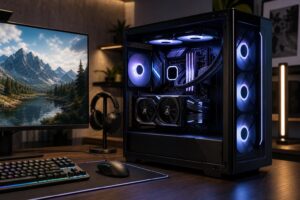
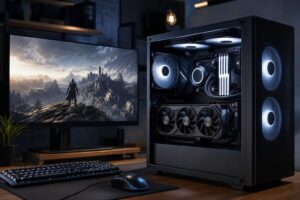
Best Gaming PC Under $2,000 in 2026: Where Your Money Should Go

A well-configured gaming PC under $2,000 should be a seriously capable 1440p machine. It should handle modern games at high settings, make good use of a 144Hz or 165Hz monitor, and leave room for streaming, Discord, background apps, and future upgrades.
The short answer: put the largest practical share of this budget toward the graphics card, pair it with a modern mid-to-upper-tier CPU, install 32GB of DDR5 memory, and avoid wasting money on cosmetic extras or an unnecessarily expensive motherboard. A balanced system in this range can also play many games at 4K, especially when sensible upscaling settings are used, but 1440p high refresh rate is where it delivers the best overall experience.
For most buyers, the best gaming PC under $2,000 has these broad specifications:
This is not the budget for a flagship CPU and a compromised graphics card. In most games, that is a very expensive way to get lower frame rates.
This budget should comfortably target high-quality 1440p gaming. It is particularly well suited to players using 1440p monitors at 144Hz to 180Hz, although the exact frame rate will still vary by game, graphics settings, ray tracing, and the use of upscaling.
Competitive games are generally easier to run and can take advantage of very high refresh rates. Large open-world games, heavily modded games, flight simulators, and new releases with demanding ray-traced effects place much heavier demands on the hardware. A PC should be chosen around the games you actually play, not just the least demanding title in your library.
At this level, you should also expect a system that can stream gameplay, capture video, run voice chat, and handle normal creative tasks without feeling strained. It is not automatically the right choice for heavy 3D rendering, local AI work, or professional 8K video editing; those workloads can justify more memory, more VRAM, additional storage, and a different CPU/GPU balance.
The graphics card has the largest effect on gaming performance at 1440p and 4K. It also determines how comfortable the PC will feel as games become more demanding over the next few years.
VRAM is the graphics card’s dedicated memory. Games use it for textures, geometry, rendering buffers, and other visual data. Insufficient VRAM does not always produce a tidy, predictable reduction in average frame rate. Instead, it can show up as texture compromises, uneven frame delivery, or settings that must be lowered sooner than expected.
For a new $2,000 system, we would favor a GPU with 16GB of VRAM when the pricing and performance trade-off is reasonable. That is especially true for buyers who use high-resolution texture packs, play newer single-player titles, enable ray tracing, or want to keep the PC for several years. A faster card with less memory can still be the better choice in some price situations, but it should be a deliberate decision rather than an overlooked line on a spec sheet.
A strong modern gaming CPU matters, particularly for high-refresh competitive games, simulation titles, strategy games, and busy multiplayer environments. But once the CPU is fast enough to keep the selected GPU busy, spending hundreds more on a top-tier processor often produces smaller gains than moving up one GPU class.
For this budget, a capable six- or eight-core CPU is usually the right call. Spend extra on a premium CPU only if you have a clear reason: you play CPU-heavy simulation or strategy games, regularly stream using CPU-based encoding, compile large software projects, or use the PC for productivity work that can use the extra cores.
Skip 16GB in a new system at this price. Modern games, web browsers, launchers, voice chat, recording software, and background applications can consume it quickly. A 32GB two-stick DDR5 kit gives the system much more breathing room and preserves normal dual-channel memory performance.
There is little reason to buy 64GB strictly for gaming. Put that money into the GPU, storage, or a better monitor unless you know you run memory-heavy mods, virtual machines, large creative projects, or demanding professional applications.
A 2TB NVMe SSD is an excellent target because modern games are large and SSDs perform best when they are not constantly near full. It also avoids the awkward routine of uninstalling one game every time you want to install another.
If the budget forces a choice between 1TB of quality storage and a materially faster graphics card, choose the stronger GPU and plan to add storage later. NVMe drives are among the simplest upgrades in a properly selected system. Just make sure the motherboard has an accessible spare M.2 slot or room for another drive.
These components do not appear in a benchmark chart, but they affect reliability, noise, and sustained performance. A cheap case with poor airflow can make a powerful PC run hotter and louder than necessary. A low-quality power supply is an even worse place to save money.
Look for a ventilated case, multiple properly placed fans, a CPU cooler sized for sustained gaming loads, and a quality power supply with adequate headroom. More wattage is not automatically better. Build quality, protections, cable support, and a realistic capacity for the finished system matter more than a giant number on the label.
Prioritize the strongest GPU that fits alongside a modern six- or eight-core CPU, 32GB of RAM, and 1TB to 2TB of SSD storage. This is the configuration we recommend to most people shopping in this range. It gives excellent image quality, strong frame rates, and a practical path to a better monitor or added storage later.
If your main games are esports titles, shooters, racing games, or CPU-sensitive simulations on a 240Hz monitor, use a stronger gaming CPU if the GPU remains appropriate for your resolution. At 1080p and lower graphics settings, the CPU can become the limit sooner. This is one of the few cases where CPU spending can be more noticeable than maxing out graphical settings.
For a 4K monitor, select the best GPU the budget allows, then avoid spending heavily on premium RGB, elaborate liquid cooling, or motherboard features you will not use. Expect to tune settings intelligently in demanding games. Native 4K with every ray-tracing option maxed out is a far tougher target than “4K gaming” makes it sound.
Mass-market prebuilts can be good value when their component list is clear and the supporting hardware is not compromised. The trouble is that a listing may advertise the CPU, GPU, and memory capacity while saying very little about the power supply, motherboard, cooling, SSD model, or case airflow.
A thoughtfully configured custom PC gives you more control over those details. It can also be designed around your specific monitor, favorite games, noise preference, storage needs, preferred look, and upgrade plans. That does not mean every custom PC is automatically better. It means the parts list should be judged as a complete system, not just by the two biggest names on the box.
The best gaming PC under $2,000 is a GPU-focused, 1440p-first system with a modern performance CPU, 32GB of DDR5 memory, fast NVMe storage, and quality cooling and power delivery. Buy enough supporting hardware to make the machine reliable and upgradeable, then put the remaining budget into the graphics card rather than cosmetic upgrades.
If you are planning a system in this range, Overclock Computers can help design and build one around your games, monitor resolution, streaming needs, aesthetic preferences, and future upgrade plans. A short conversation about how you actually use your PC is often worth more than another hour comparing generic spec sheets.