

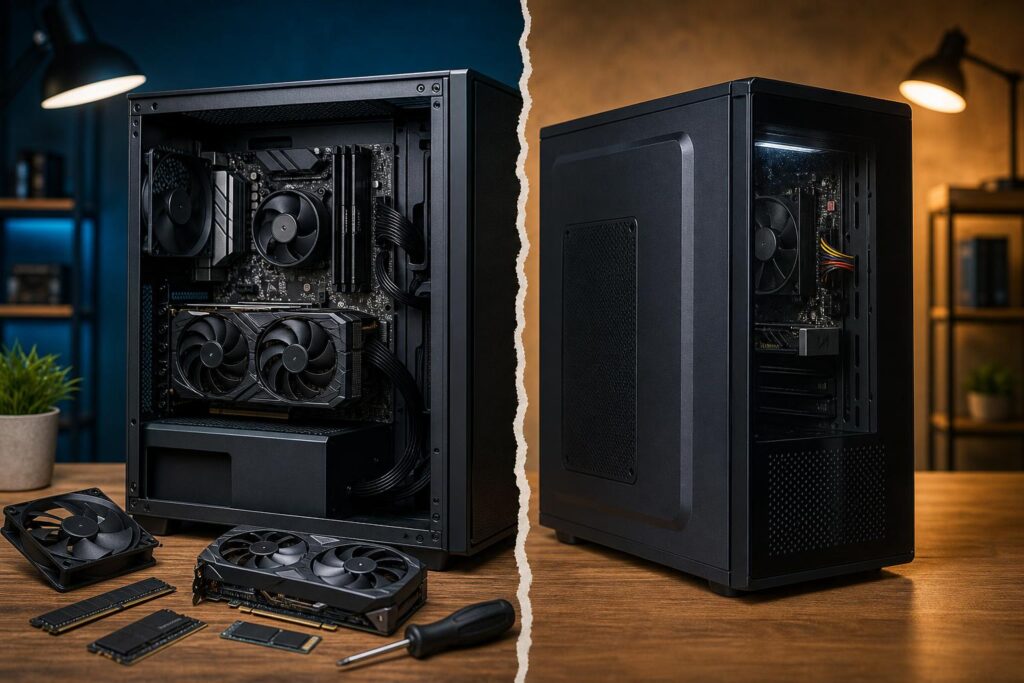
A prebuilt computer is not automatically a bad computer, and a custom-built PC is not automatically the right answer for every buyer. The useful question is simpler: does the system use the right parts, in the right balance, for the work you plan to do?
That distinction matters more than the badge on the case. Two PCs can advertise the same processor, graphics card, and memory capacity while delivering very different ownership experiences. One may run cool and quietly, have room for future upgrades, and use standard components. The other may use a restricted motherboard, a barely adequate power supply, a cramped case, and memory configured in a way that leaves performance on the table.
When comparing a custom-built PC vs prebuilt PC, look beyond the headline specifications. Here is what you are really paying for—and where spending more is worthwhile.
What a mass-market prebuilt PC does well
Large PC manufacturers can offer a straightforward buying experience. You choose a model, place the order, and receive a complete system with an operating system, warranty coverage, and a familiar support channel. For many people, that convenience has real value.
A mainstream prebuilt can be a sensible choice when your needs are modest and clear. For example, a PC for schoolwork, web browsing, office tasks, or light gaming does not need an exotic cooling setup or a 1,000-watt power supply. If the price is competitive and the system includes the ports, storage, and performance you need, buying off the shelf can be perfectly reasonable.
Major brands can also be attractive for organizations that need to buy a number of identical office desktops, particularly when their software requirements are light and long-term component upgrades are not a priority.
The issue begins when a system is marketed as high performance while its less-visible components are built to the lowest acceptable cost.
Where many prebuilt systems make compromises
Advertising tends to spotlight the CPU, GPU, total RAM, and SSD capacity. Those parts matter, but they are only part of the machine. In a high-performance gaming PC or workstation, the supporting hardware determines how well the system holds up under sustained use.
Power supply quality and capacity
The power supply is not an exciting line item, which is exactly why it is sometimes undersized or difficult to replace in mass-market systems. A quality unit provides stable power, supports the GPU and CPU during heavy loads, and leaves sensible headroom for transient spikes and future upgrades.
We do not recommend buying vastly more wattage than a system needs. But pairing a powerful graphics card with the minimum possible power supply is false economy. It can restrict upgrades and may force the system to run closer to its limits during demanding gaming or rendering workloads.
Cooling, airflow, and noise
Modern CPUs and GPUs are designed to boost higher when thermal and power limits allow. If a case has limited airflow or a processor has a small cooler, performance can drop during long gaming sessions, video exports, compilation jobs, or renders.
Heat is not only about peak benchmark numbers. It affects fan noise, component temperatures, and the consistency of performance after the first few minutes. A well-designed system uses a case with a clear airflow path, appropriately sized fans, and cooling matched to the processor’s actual power draw.
More fans are not always better. The goal is controlled airflow with reasonable noise, not turning the desk into a wind tunnel.
Motherboard features and standard parts
Some prebuilt manufacturers use proprietary motherboards, power connectors, cases, or cooling mounts. This can make a future repair or upgrade much more difficult than it needs to be. A standard ATX or microATX board, standard power supply connections, and a conventional case give you far more options later.
Motherboard quality also affects the ports, storage expansion, networking, memory support, and power delivery available to the CPU. A gamer may only need enough connectivity for a graphics card, several drives, and the desired USB ports. A workstation buyer may need more M.2 storage, faster networking, additional USB connections, or room for expansion cards. The right board is not necessarily the most expensive one; it is the one that supports the intended system without obvious restrictions.
Memory and storage configuration
“32GB RAM” sounds clear, but the configuration matters. Two memory modules generally allow dual-channel operation, which improves available memory bandwidth over a single module. Memory speed and stability can also affect performance, especially in CPU-limited games and certain production workloads.
Storage deserves the same scrutiny. A 1TB SSD may be enough for a general-purpose gaming PC, but modern game libraries can consume it surprisingly quickly. Video editors, 3D artists, and engineers working with large project files often benefit from separate storage: one drive for the operating system and applications, another for active projects or scratch files, and appropriate backup storage outside the PC.
What a good custom-built PC should provide
A properly specified custom system is not simply a pile of expensive parts. It is a balanced configuration assembled around a real workload.
For a 1440p gaming PC, the graphics card usually deserves the largest share of the budget, while the CPU needs to be strong enough to support the target frame rate. At 4K, the GPU matters even more in most games. For competitive gaming at very high refresh rates, CPU performance becomes increasingly important because the system must prepare far more frames each second.
Workstations shift the balance depending on the software. A CAD-focused machine may value strong single-core CPU performance, ample memory, reliable storage, and a GPU selected for the application and viewport demands. A GPU renderer, local AI system, or photogrammetry workflow may need substantially more graphics memory and GPU compute performance. Video editing can benefit from a capable CPU, hardware media engines, fast project storage, and enough RAM to keep large timelines responsive.
A custom builder should ask about the monitor, software, file sizes, target resolution, desired frame rate, current hardware, and upgrade plans. Those answers prevent common mistakes, such as buying a top-tier CPU for a GPU-limited 4K gaming build or installing an expensive GPU in a system with insufficient cooling and power delivery.
When paying for custom configuration is worth it
Custom configuration makes the most sense when you care about one or more of the following:
- A specific performance target: such as smooth 1440p high-refresh gaming, 4K gaming with visual settings turned up, or dependable performance in a named professional application.
- Sustained heavy workloads: long renders, engineering tasks, large code builds, video exports, simulation, or AI work put more pressure on cooling and power design than casual use.
- Low noise: careful cooler, fan, and case selection can make a powerful PC far more pleasant to use.
- Upgradeability: standard components, adequate power capacity, and room for drives or cards make later changes practical.
- Component transparency: you know the actual power supply, motherboard, cooler, memory kit, and storage model rather than receiving a vague specification.
- Build quality: cable routing, cooler installation, BIOS configuration, airflow planning, and system validation are details that matter after the box arrives.
It is also worth saying what custom does not mean. It does not mean every component must be premium tier. Spending heavily on an ultra-high-end motherboard, oversized liquid cooler, or elaborate lighting may add little if the money would make a bigger difference on the GPU, storage, or memory capacity. Good system design is about intentional tradeoffs.
When a prebuilt may be the better purchase
A prebuilt can be the right choice if the specifications are transparent, the price is favorable, and you do not need specialized configuration or future expansion. It can also work well if you find a model with standard components, sensible cooling, and a known-quality power supply.
Before purchasing, confirm the exact CPU model, GPU model, RAM arrangement, storage capacity, power supply rating, available drive bays or M.2 slots, and warranty terms. Look for photos of the interior rather than relying only on the product headline. If the manufacturer will not identify key components, assume there may be a reason.
A practical way to decide
- Start with the applications and games you actually use, not the most demanding title you might try once.
- Set a performance target: monitor resolution, refresh rate, project size, render engine, or desired export time.
- Put the largest portion of the budget toward the component that limits that target—usually the GPU for gaming, but not always for professional work.
- Choose enough RAM and storage for the next few years, not only for the first day.
- Make sure cooling, power supply capacity, and case airflow support the performance parts.
- Prefer standard, serviceable components when long-term ownership matters.
The best computer is not the one with the longest parts list. It is the one that performs the work you need without unnecessary compromises, excessive noise, or a dead end for upgrades.
Get a system designed around your workload
If you are comparing configurations and want a second opinion, Overclock Computers can help translate your games, software, monitor, and budget into a balanced custom gaming PC or professional workstation. Contact our team with what you use today and what you want the new system to handle, and we will help you identify the hardware that provides meaningful value.
