

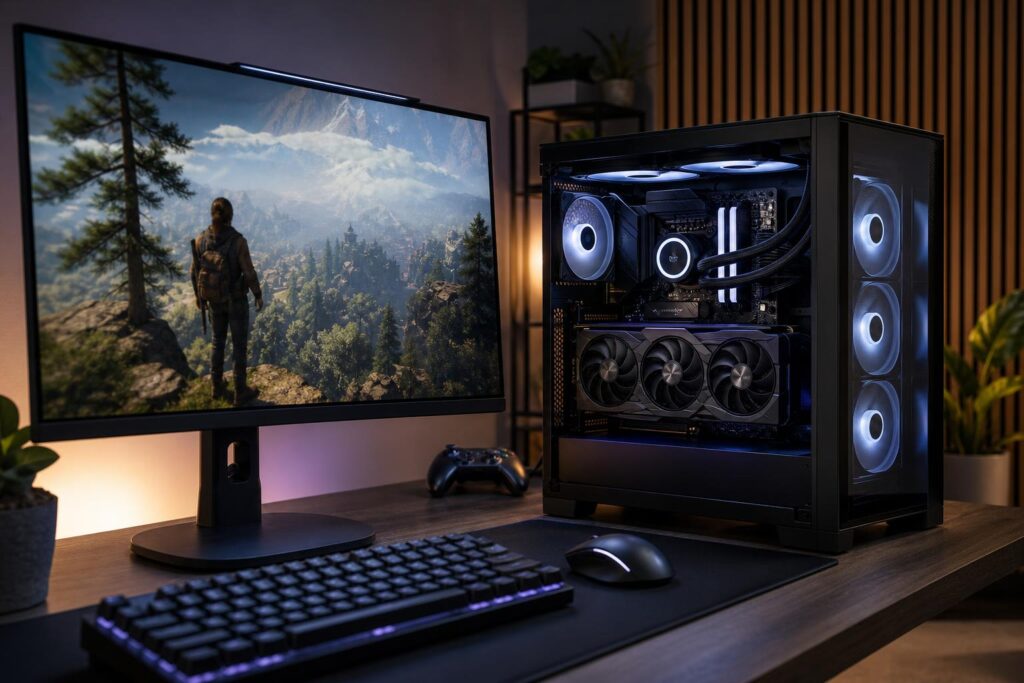
A gaming PC is not an isolated purchase. It works as part of a chain: the game creates the workload, the PC renders it, and the monitor displays the result. If one part of that chain is badly mismatched, money gets wasted.
The most useful starting point for choosing a gaming PC is your monitor’s resolution and refresh rate. A 1080p 144Hz display, a 1440p 165Hz display, and a 4K 120Hz OLED ask very different things of the graphics card and processor. The right system is not simply the most expensive one. It is the one that can deliver the experience your screen is built to show.
Start with resolution and refresh rate
Resolution is the number of pixels the graphics card must draw for every frame. More pixels mean more image detail, but also more GPU work.
- 1080p: 1,920 × 1,080 pixels. Still common for competitive gaming and value-focused systems.
- 1440p: 2,560 × 1,440 pixels. A strong all-around choice for a gaming PC, combining a noticeably sharper image with manageable hardware requirements.
- 4K: 3,840 × 2,160 pixels. Four times as many pixels as 1080p. It looks excellent on a suitable display but puts serious demand on the GPU.
- Ultrawide: Wider screens such as 3,440 × 1,440 add immersion and desktop space. Their performance demand usually falls between standard 1440p and 4K.
Refresh rate is how many times per second the monitor can update its image. A 60Hz monitor shows up to 60 frames per second, while a 165Hz monitor can show up to 165. Higher refresh rates make motion feel smoother and can reduce perceived input delay, especially in fast competitive games.
These two specifications work together. 4K at 60Hz is a very different target from 1440p at 240Hz. The first needs a graphics card that can render lots of pixels. The second places more pressure on both the GPU and CPU because the system must produce frames at a much faster pace.
What hardware makes sense at each monitor level?
1080p gaming: prioritize frame rate, not an oversized GPU
For standard 1080p gaming at 60Hz to 100Hz, a sensible midrange graphics card and a modern mainstream CPU are generally enough. Spending heavily on a top-tier GPU for this display often produces benchmark numbers rather than a dramatically better visible experience.
1080p changes character when paired with a 144Hz, 240Hz, or 360Hz monitor. In games such as Counter-Strike 2, Valorant, Fortnite, Call of Duty, Rocket League, and similar esports titles, a fast CPU becomes especially important. At lower resolutions, powerful graphics cards can finish rendering frames quickly enough that the processor becomes the limiting factor.
For competitive 1080p gaming, put budget toward a strong gaming CPU, fast but sensible memory, and a GPU appropriate for the games you play. Chasing maximum graphics settings in an esports title is usually less useful than maintaining consistently high frame rates.
1440p gaming: the practical sweet spot for many buyers
1440p is where many premium gaming PCs make the most sense. The image is clearly sharper than 1080p on a 27-inch display, and modern midrange-to-high-end graphics cards can provide strong performance at high settings.
A 1440p 144Hz or 165Hz monitor is an excellent target for people who play a mix of competitive games and visually demanding single-player titles. Build around a capable upper-midrange GPU and a current gaming-focused CPU. For most systems in this category, 32GB of RAM is the sensible baseline. It leaves room for modern games, background applications, voice chat, browser tabs, and occasional streaming without treating memory as an afterthought.
Do not expect every demanding new game to run at maximum settings, with ray tracing enabled, at a locked 165 frames per second. That is not a realistic target even for expensive hardware in every title. The better goal is smooth performance using settings that preserve image quality while avoiding the few options that consume a large amount of performance for a subtle visual gain.
4K gaming: buy GPU performance first
At 4K, the graphics card is normally the most important component by a wide margin. A capable CPU still matters, but shifting money from the GPU to an extreme processor rarely improves 4K performance as much as buyers expect.
For a 4K 120Hz or 144Hz monitor, a high-end GPU is justified if you want high detail settings in demanding games. This is also the tier where upscaling technologies can be genuinely useful. Features such as DLSS, FSR, and XeSS render the game internally at a lower resolution before reconstructing the image. Used in a quality-focused mode, they can often provide a substantial frame-rate improvement with a modest visual tradeoff.
Ray tracing is another reason to reserve more budget for the GPU. It can improve lighting, reflections, and shadows, but it is expensive to render. Treat it as a feature to tune by game, not a setting that must always be enabled at its highest option.
Ultrawide gaming: account for the extra pixels
Ultrawide monitors are easy to underestimate. A 3,440 × 1,440 display contains roughly 34 percent more pixels than standard 1440p. A GPU that is perfect for a conventional 1440p screen may still perform well on an ultrawide, but it will not achieve the same frame rates at identical settings.
For 1440p ultrawide, choose hardware as though you are shopping one performance tier above a standard 1440p build. For 5,120 × 1,440 super-ultrawide displays, think carefully about whether you want high settings, high refresh rates, or both. That resolution can be demanding enough to justify a high-end GPU.
CPU, RAM, storage, and cooling still matter
The GPU may set most of the gaming performance at high resolutions, but an unbalanced supporting configuration can spoil the experience.
Choose a CPU for consistent frame times
Average FPS gets attention because it is easy to quote. Consistent frame delivery matters just as much. A system that averages 120 FPS but regularly stutters can feel worse than one that holds a stable 90 FPS.
A modern six-core or eight-core CPU is appropriate for most gaming PCs. Buyers targeting very high refresh rates, streaming from the same machine, simulation games, or CPU-heavy titles may benefit from moving up to a faster gaming-oriented processor. More cores alone do not guarantee better gaming performance; architecture, cache, and per-core speed matter too.
Install enough memory from day one
For a new performance gaming PC, 32GB of RAM is a practical recommendation. 16GB can still run many games, but it leaves less breathing room as games, launchers, browsers, recording tools, and Windows itself use more memory. Moving to 64GB makes sense for users who edit video, run virtual machines, work with large creative projects, or simply keep a great deal open while gaming. It is not necessary solely for higher frame rates in most games.
Use a quality NVMe SSD
A 1TB NVMe SSD is a reasonable minimum for many new gaming systems, while 2TB is more comfortable if you install several large games. Fast storage improves boot times, game loading, updates, and general responsiveness. It does not usually increase FPS, so avoid sacrificing a meaningful amount of GPU performance just to buy the fastest benchmark-winning SSD.
Cooling and power supply are not glamour parts, but they are real parts
A powerful PC needs a case with usable airflow, cooling matched to the CPU, and a quality power supply with appropriate capacity and connectors. Good cooling helps the system sustain performance without excessive fan noise. A well-chosen power supply supports reliability and leaves room for sensible upgrades.
This is one area where generic configurations often cut corners. A build can technically turn on with a low-cost cooler, crowded case, or barely adequate power supply. That does not mean it is a good long-term configuration.
Common buying mistakes to avoid
- Buying by “Ultra settings” alone: A few maximum settings can have a large performance cost for a small visual difference. Balanced settings are not a compromise; they are often the smart choice.
- Overspending on the CPU at 4K: Put the larger share of the budget into the GPU unless your games or other workloads are unusually processor-heavy.
- Pairing a premium GPU with a basic monitor: If your display is 1080p at 60Hz, upgrading to a better monitor may improve your experience more than buying the fastest graphics card available.
- Ignoring game type: Strategy games, flight simulators, and large multiplayer games can be CPU-intensive. Cinematic single-player games often lean more heavily on the GPU.
- Buying only for today: A little extra storage capacity, memory headroom, cooling quality, and power capacity can make a system more pleasant to own for years.
A simple way to set your budget
Choose the monitor experience first, then allocate the largest sensible share of the gaming PC budget to the graphics card. For 1080p esports, spend more attention on CPU performance and display refresh rate. For 1440p, aim for balance. For 4K or demanding ultrawide gaming, prioritize the GPU and avoid false economies in cooling and power delivery.
If you have not selected a monitor yet, 1440p at 144Hz to 180Hz remains a particularly balanced place to start for many players. It gives modern games room to look good, makes desktop use more comfortable, and does not demand the same budget as a strong 4K setup.
Overclock Computers can help you build around the games you play, the monitor you own or plan to buy, and the performance level you actually want. Contact us with your display specifications, favorite games, and budget, and we can recommend a balanced custom gaming PC without padding the parts list with hardware you will not use.
