

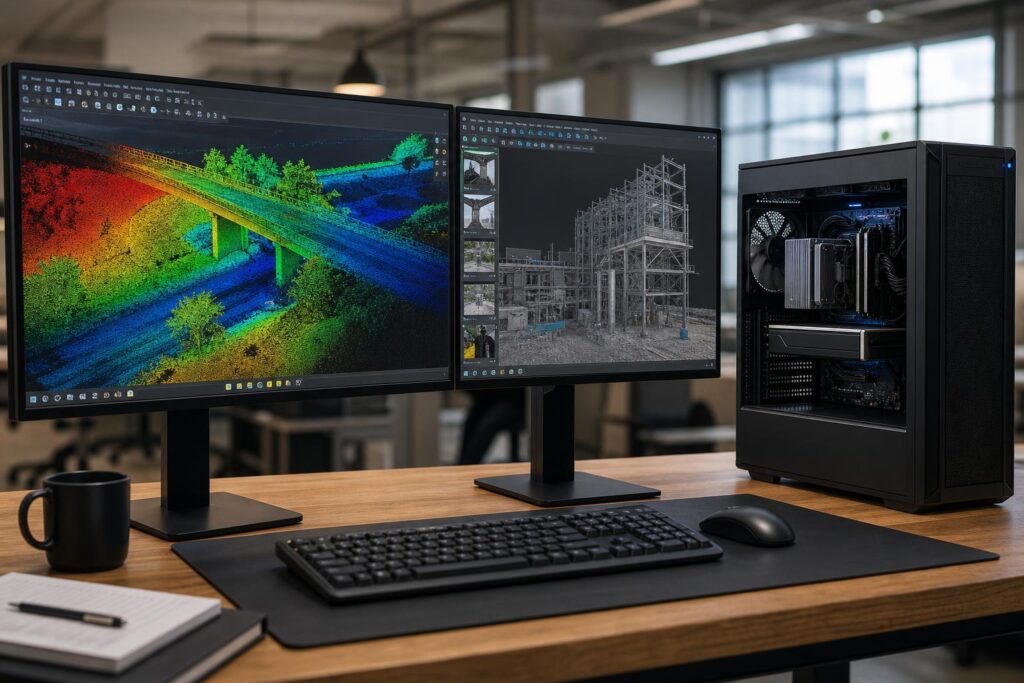
Point-cloud workstations are easy to overbuy in the wrong places. A massive CPU may do little for a workflow limited by available RAM. A powerful GPU can improve visualization but will not rescue a system that is constantly reading project data from a slow hard drive. The right workstation for LiDAR and point-cloud processing starts with the software you use, the size of your typical datasets, and the stages of work that consume the most time.
For surveying, civil engineering, GIS, architecture, reality capture, and 3D scanning teams, the goal is simple: keep large projects responsive, reduce waiting during processing, and leave enough headroom for the next few years of larger jobs. That usually means a balanced professional workstation with generous memory, fast NVMe storage, strong CPU performance, and a GPU selected for the application rather than its marketing tier.
What makes point-cloud processing demanding?
A point cloud can contain millions or billions of individual measurements. Software must load, index, classify, register, filter, display, and sometimes combine that data with imagery, meshes, CAD models, GIS layers, or reality-capture outputs. Different steps stress different hardware.
- Loading and navigating data often depend on system RAM, storage speed, CPU responsiveness, and GPU VRAM.
- Registration, classification, meshing, and reconstruction may use multiple CPU cores, GPU acceleration, or both, depending on the software and task.
- Exporting, importing, and creating derived files can be CPU- and storage-intensive.
- Working alongside CAD, GIS, or modeling software adds demand for memory and makes smooth single-threaded CPU performance more valuable.
This is why a good point cloud workstation is not simply a “rendering PC” or a gaming system with more RGB. It needs to sustain performance under long processing jobs while remaining responsive enough for normal project work.
Start with dataset size and workflow, not a parts list
Before choosing components, identify the largest project a user routinely opens, not just the average file. Also account for what happens at the same time: Is the operator reviewing scan data while running CAD and a web-based project platform? Are they processing photogrammetry data overnight? Are multiple project copies stored locally before transfer to a server?
Ask these practical questions:
- Which applications are used for registration, classification, visualization, CAD, GIS, or photogrammetry?
- What is the largest point cloud or combined project file likely to be active in the next two to three years?
- Does the software use GPU acceleration for the tasks that take the longest?
- Will the workstation need add-in cards, 10GbE networking, multiple GPUs, or high-capacity local storage?
- Is the system mainly interactive, mainly batch processing, or both?
Vendor documentation and current application guidance are useful starting points, but they tend to describe a minimum viable system. For a professional who loses time each week waiting for projects to load or process, minimum specifications are rarely a sensible purchasing target.
CPU: prioritize the work your software actually performs
CPU selection is a trade-off between fast individual cores and having many cores available for parallel processing. CAD-oriented workflows and interactive model work frequently benefit from strong single-threaded performance. Registration, reconstruction, classification, exports, and other compute-heavy operations may benefit from additional cores when the software can use them effectively.
For most point-cloud professionals
A current high-performance desktop CPU with excellent single-core speed and a sensible core count is often the best value. This suits surveyors, CAD technicians, GIS professionals, and engineers who spend much of the day in interactive applications and process moderate-to-large projects periodically.
When a workstation-class high-core-count platform makes sense
Move to a workstation-class platform such as AMD Threadripper when your work routinely involves very large datasets, lengthy CPU-based processing, multiple demanding applications, large memory requirements, or substantial expansion. These platforms can support more memory capacity and more PCIe connectivity than mainstream desktop systems, which matters when you need several NVMe drives, high-speed networking, capture hardware, or multiple GPUs.
More cores are not automatically faster. If a key application primarily uses a few threads, a lower-core processor with higher per-core performance can feel quicker in daily use. The best CPU is the one that fits the slowest and most important part of the workflow.
RAM: the component most often underestimated
System memory is where point-cloud workstations most commonly run out of room. When active project data exceeds available RAM, Windows begins relying more heavily on storage for virtual memory. Even with a fast NVMe drive, that is much slower than keeping data in RAM, and the workstation can become frustratingly sluggish.
Practical point cloud memory tiers
- 64GB: A reasonable starting point for smaller projects, field-office workflows, and lighter CAD or GIS work. It is not the comfortable long-term choice for frequent large point-cloud projects.
- 128GB: The practical sweet spot for many professional point-cloud workstations. It provides useful headroom for larger data, multiple applications, and background tasks.
- 256GB or more: Appropriate for very large, dense, or combined datasets; heavy registration and reconstruction workloads; demanding photogrammetry projects; or users who regularly hit memory limits.
Memory capacity matters more than extremely aggressive RAM speed once datasets become large. A stable 128GB or 256GB configuration is generally more valuable than a smaller, higher-clocked kit. ECC memory may also be worth considering for workflows where data integrity, very large memory capacities, and workstation-platform support are priorities. It is not mandatory for every point-cloud user, but it is a reasonable conversation for business-critical systems.
GPU: choose for visualization, VRAM, and application support
The GPU handles screen output and, in many applications, interactive 3D visualization. Some point-cloud, photogrammetry, and reconstruction tools also use the GPU to accelerate compute tasks. The important details are not only raw graphics performance but also VRAM capacity and how your specific software uses the GPU.
For many users, a capable single GPU with ample VRAM is the right answer. VRAM helps when viewing dense point clouds, large textures, complex models, high-resolution displays, and GPU-accelerated processing. A GPU that runs out of VRAM may force the application to reduce what it can hold or may slow dramatically, even if its processor is otherwise powerful.
Professional GPUs can make sense when a workflow needs their larger available memory configurations, specialized driver support, particular application validation, or business-oriented features. They are not universally faster than high-end consumer GPUs. A consumer GPU can offer excellent compute and visualization value when the application supports it and the available VRAM is sufficient. The right choice should be verified against the software vendor’s current guidance and the actual project workload.
Multi-GPU systems are a specialized purchase. Only consider them when the primary software demonstrably benefits from more than one GPU. Two graphics cards add heat, power requirements, cost, and configuration complexity; they should solve a measured workload problem, not merely fill empty PCIe slots.
Storage: use separate fast drives for active work
Large point-cloud files punish slow storage. A traditional hard drive remains useful for archive capacity, but it should not be the primary location for active processing. NVMe solid-state storage improves project loading, saving, caching, temporary-file operations, and the general feel of a workstation.
A sensible storage layout often includes:
- Operating system and applications: A dedicated NVMe SSD.
- Active projects and scratch/cache data: A separate high-capacity NVMe SSD, sized around real active-project needs.
- Archive and backup: Network storage, external storage, or high-capacity internal storage according to the organization’s data practices.
Separating the operating system from active project and cache work reduces contention when software is reading, writing, and generating temporary files. It also makes future upgrades and system recovery less disruptive. Storage speed cannot compensate for too little RAM, but it remains a major part of a responsive point cloud workstation.
Three sensible workstation configurations
Professional point-cloud workstation
Best for individual surveyors, CAD users, and GIS professionals handling small-to-medium projects. Prioritize a fast mainstream CPU, 64GB to 128GB of RAM, a capable GPU with appropriate VRAM, and at least two NVMe SSDs. This is the value-focused configuration that still avoids the common storage and memory bottlenecks.
High-performance LiDAR workstation
Best for frequent large scans, demanding office processing, and teams that combine point clouds with CAD, GIS, or modeling. Use a high-performance CPU with a balanced core count, 128GB of RAM, a stronger GPU with generous VRAM, and multiple high-capacity NVMe drives. Add 10GbE networking if active projects live on capable shared storage and file transfers are a regular pain point.
Large-dataset and reality-capture workstation
Best for extensive registration, photogrammetry, reconstruction, very large datasets, and users who need broad expansion. A workstation-class CPU platform, 256GB or more of RAM, a high-VRAM GPU selected for the application, substantial NVMe scratch storage, and room for networking or other expansion are justified here. This tier is about reducing bottlenecks and maintaining reliability during sustained, heavy work—not buying the most expensive parts by default.
Do not overlook cooling, power, and expansion
Long processing jobs expose weak cooling and low-quality power supplies quickly. A workstation that looks fast in a short benchmark but throttles after an hour is poorly configured for professional use. Quality air cooling or liquid cooling, a properly sized high-quality power supply, and a case with sensible airflow support sustained performance and easier maintenance.
Also plan for what the workstation may become. Extra M.2 slots, PCIe expansion, additional drive bays where needed, and room for a faster network card can extend useful life. For a business, that flexibility can be more valuable than saving a small amount on the initial configuration.
Build around the bottleneck, not the biggest specification
The best workstation specs for point cloud processing depend on the application, dataset size, and processing method. In most cases, the smart order of investment is enough RAM first, fast and well-organized NVMe storage second, then the CPU and GPU balance that matches the software. A high-end GPU does not replace memory. A high-core-count CPU does not fix slow project storage. A balanced system is what keeps work moving.
Overclock Computers can help configure a custom workstation around the applications you use, the size of your real projects, local versus networked storage, expansion needs, upgrade plans, and budget. Bring us the software names and a description of your typical workload, and we can help turn that into a practical professional workstation specification.
