How to Choose PC Case Fans: Airflow, Size, Static Pressure, and Setup Explained

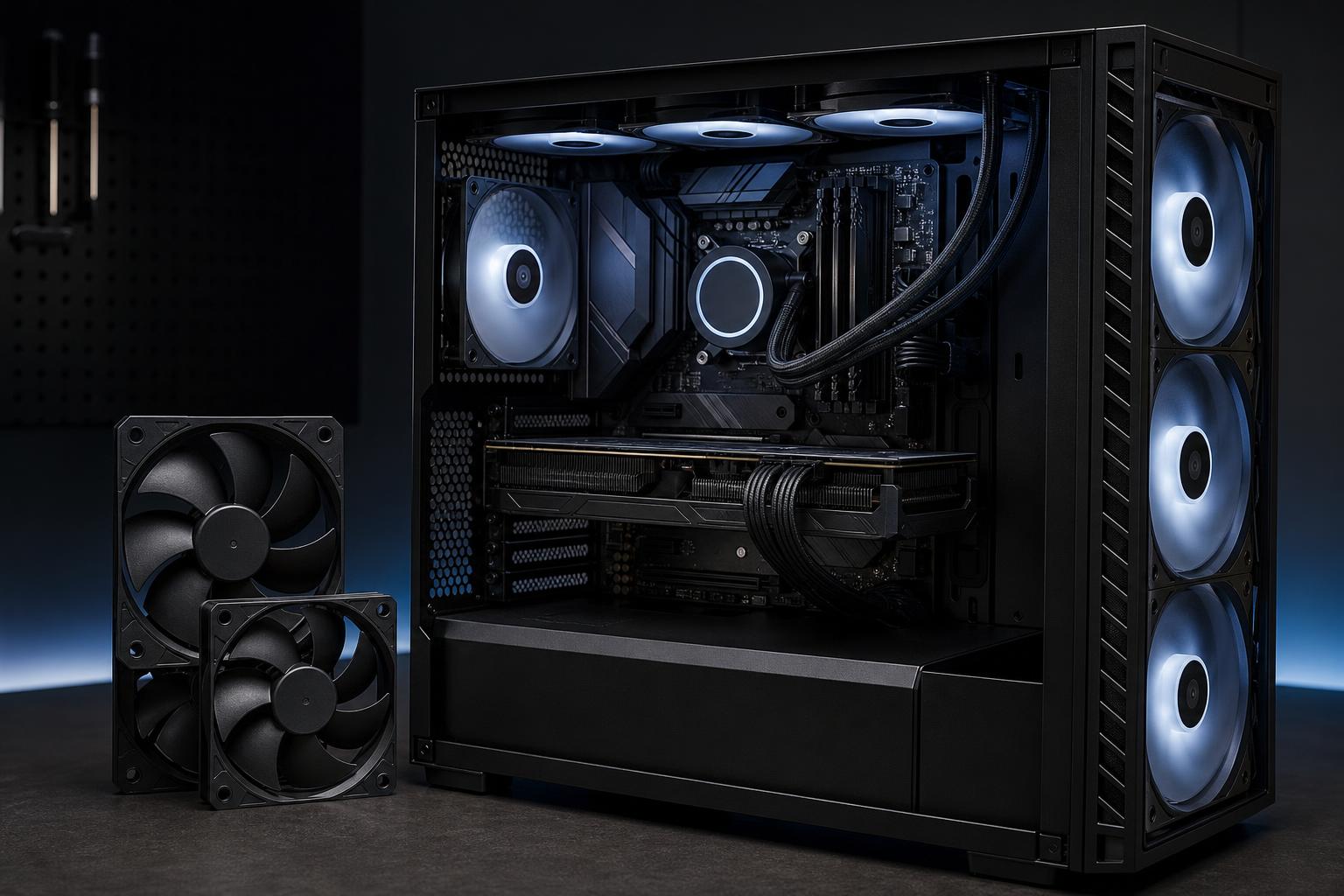
Case fans are easy to treat as an afterthought. That is a mistake, especially in a high-performance gaming PC or workstation. A powerful graphics card, a modern multi-core CPU, and fast storage all produce heat. If that heat has nowhere to go, component temperatures rise, fan noise increases, and performance can suffer during long gaming sessions, renders, or exports.
The good news is that good airflow does not require filling every mounting position with expensive fans. It requires choosing the right fan type, using a sensible intake-and-exhaust layout, and controlling fan speeds properly.
For most new systems, the best PC case fans are PWM models from a reputable manufacturer, sized to fit the case, with a layout that brings cool air in from the front or bottom and exhausts warm air through the rear and top. The details matter, though, particularly when a radiator, restrictive front panel, or demanding GPU enters the picture.
Before comparing airflow numbers or RGB options, check what your case can physically support. The product specifications should list supported fan sizes and locations, such as front, top, rear, side, or bottom mounts.
The common sizes are 120mm and 140mm. Some larger cases also support 160mm, 180mm, or 200mm fans, but these are less universal. Do not assume that a larger fan will fit just because the mounting area looks spacious. Radiators, tall RAM modules, motherboard heatsinks, and thick graphics cards can reduce available clearance.
Also consider what is already installed. Many cases include two or three usable fans. Replacing them is not automatically an upgrade. If the existing fans are quiet, PWM-controlled, and provide reasonable airflow, spending the budget on a better CPU cooler, larger SSD, or stronger GPU may make more sense.
For cases that support both, 140mm fans are usually the better choice. Their larger blades can move a similar amount of air at lower rotational speeds than a 120mm fan. Lower RPM generally means less noise and a less noticeable sound profile.
Fan thickness matters as well. Standard fans are typically 25mm thick. Thicker 30mm models can deliver stronger airflow or pressure, but they may interfere with radiators, cable routing, or front-panel hardware. They are best reserved for builds where clearance has been verified.
This distinction causes more confusion than it should. Fans are often described as either airflow-focused or static-pressure-focused, but the correct choice depends on what sits in front of or behind the fan.
Airflow fans work well when air has a relatively open path. They are a sensible choice for an unobstructed rear exhaust, a top exhaust mount with a light mesh panel, or an open side mount. Their blade design is intended to move a healthy volume of air without fighting much resistance.
Static-pressure fans are designed to push or pull air through restrictions. These restrictions include radiator fins, dense dust filters, solid or narrow front panels, and tightly packed drive cages. They are usually the better choice for:
Do not get too hung up on the label. A quality modern fan can perform well in either role, and manufacturer test methods are not always directly comparable. Still, if you are buying fans specifically for a radiator or restrictive intake, favor a pressure-oriented model.
For a new custom PC, we strongly prefer four-pin PWM fans. PWM, or pulse-width modulation, lets the motherboard control fan speed accurately across a broad range. At idle, the fans can run slowly and quietly. Under a long render or gaming load, they can ramp up as temperatures increase.
Three-pin DC fans can still work well, but control range depends on the motherboard and fan design. They are often fine for basic builds, yet PWM is the safer long-term choice for a system with several fans and a high-wattage GPU.
Check the available motherboard fan headers before buying a large fan kit. If you need more fans than headers, use a powered PWM hub or splitter that is rated for the combined load. A powered hub draws fan power from the power supply while allowing the motherboard to send a control signal. That is cleaner and safer than overloading a single header with too many fans.
More fans do not automatically mean a better PC. Once a case has a good path for cool air to enter and warm air to leave, adding more fans produces smaller gains. It can also add noise, cost, and more cables to manage.
These starting points work well for most systems:
A well-ventilated case with three good fans can outperform a restrictive case loaded with six or more. Case design sets the ceiling for airflow.
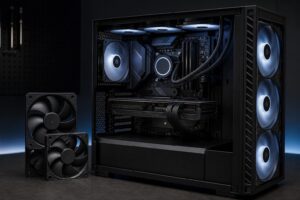
Cool air should enter near the front or bottom of the case, move across the graphics card and motherboard, then exit through the rear and top. This follows a basic physical reality: warm air tends to rise, and the components near the upper rear of the case often benefit from a clear exhaust path.
In most tower cases, a practical layout looks like this:
Fans generally pull air in through the open side and push it out through the side with the support struts and motor hub. Check the small directional arrows on the frame if present. It is surprisingly easy to install a fan backward, and every experienced builder has done it at least once.
A slightly positive-pressure setup means the case has a bit more intake airflow than exhaust airflow. This encourages air to leave through small gaps instead of pulling dusty, unfiltered air inward through those gaps.
Positive pressure is not an exact science. Fan RPM, filters, radiators, and panel restrictions all affect the real result. The practical approach is simple: use filtered front or bottom intakes, keep them running a little faster than exhaust fans, and clean the filters periodically.
Do not aim for extreme positive pressure. If exhaust airflow is too limited, heat can linger inside the case. The goal is steady movement of air, not turning the chassis into a balloon.
An AIO liquid cooler moves CPU heat to a radiator, but that heat still has to leave the case. Where the radiator sits changes which components receive the coolest air.
A front-mounted radiator as intake often gives the CPU excellent temperatures because it uses outside air. The trade-off is that the graphics card receives air that has already been warmed by the radiator. This can be completely acceptable in a balanced system, but it deserves attention when using a very powerful GPU.
A top-mounted radiator as exhaust usually gives the graphics card cooler fresh intake air from the front of the case. CPU temperatures may be slightly higher because the radiator uses case air, but this arrangement often creates an excellent overall balance for GPU-heavy gaming systems.
There is no universal winner. For a gaming PC where the GPU is the primary heat source, top exhaust radiator placement is often our first choice when the case supports it. For CPU-heavy production work, front intake radiator placement can make sense, provided the case still supplies the GPU with enough fresh air.
RGB lighting is a valid preference. It is your computer, and you should enjoy looking at it. But lighting should be the last filter, not the first. Confirm the fan size, connector type, bearing quality, noise range, and intended role before choosing a color or lighting ecosystem.
Also pay attention to the sound character, not only the quoted decibel figure. A fan that measures reasonably quiet can still produce an annoying hum, motor tone, or turbulent noise when mounted behind a restrictive grille. Quality fans with smooth PWM behavior are usually worth paying for in a premium system because they make the PC more pleasant every day.
For most modern gaming PCs and workstations, start with two or three quality PWM intake fans and one PWM rear exhaust fan. Add top exhaust only when the case, radiator arrangement, and component heat output justify it. Choose 140mm models where they fit, use pressure-focused fans on radiators and restrictive filtered intakes, and set a sensible fan curve rather than running everything at maximum speed.
Good airflow is not about collecting the highest fan count. It is about giving the CPU and GPU cool air, removing heat efficiently, and keeping the system quiet enough that you do not hear it over your work or game.
If you are planning a high-performance PC and want the cooling, case, CPU cooler, and graphics card selected as one balanced system, contact Overclok Computers. We can help configure a build around the performance you need without adding hardware that does not meaningfully improve the experience.