
How Much Should You Spend on a Gaming PC in 2026? A Practical Budget Guide

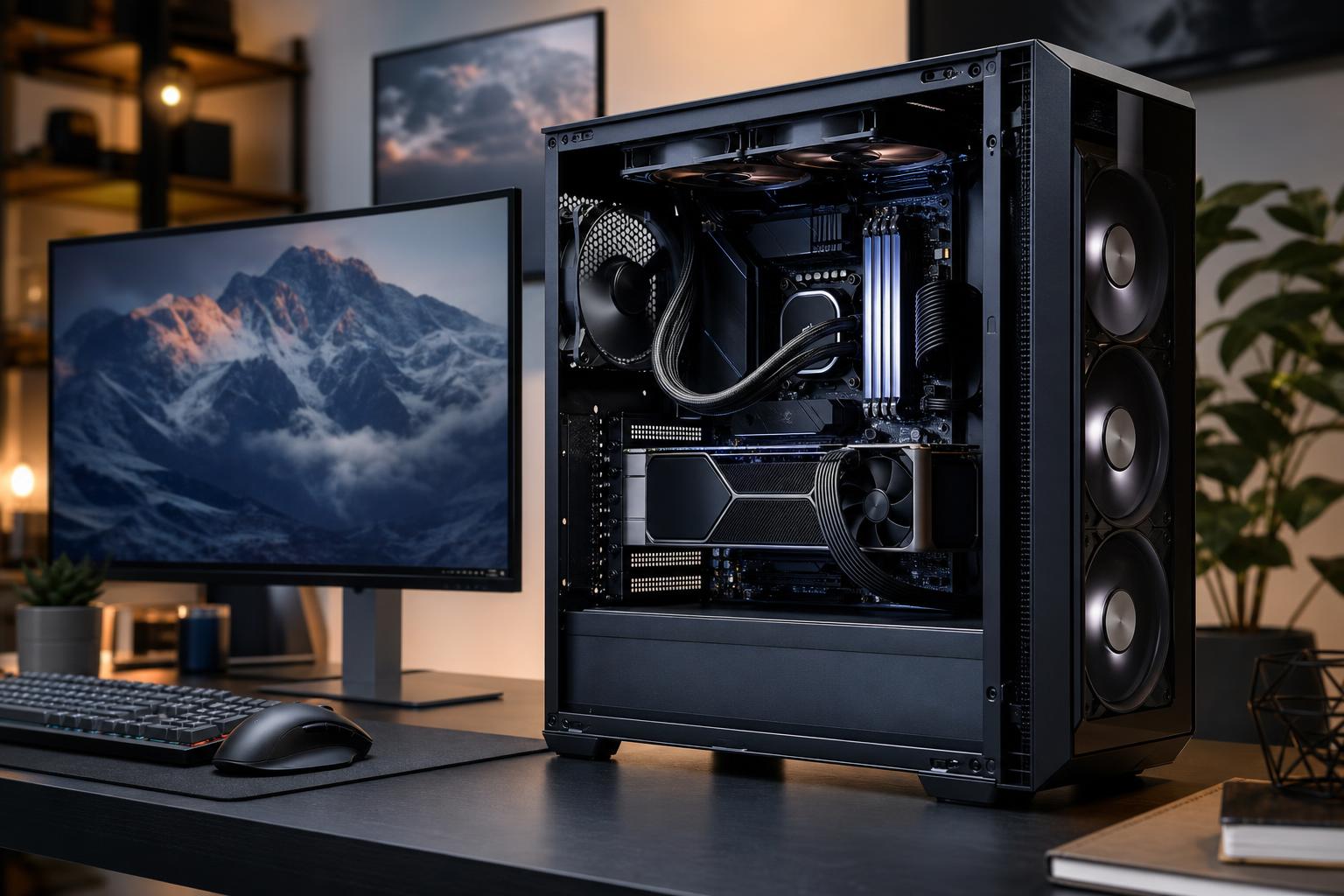
The right gaming PC budget is not the biggest number you can afford. It is the amount required to run the games you play at the resolution, frame rate, and visual settings you actually want—while leaving room for a quality power supply, proper cooling, and sensible future upgrades.
For most buyers, the graphics card should receive the largest share of the budget. But a good gaming PC is a balanced system. Pairing a powerful GPU with too little memory, a weak CPU, inadequate cooling, or a questionable power supply can make an expensive machine feel less polished than it should.
Start with your monitor. Its resolution and refresh rate determine far more about the PC you need than a vague goal such as “high-end gaming.” A 1080p 144Hz monitor, a 1440p 165Hz display, and a 4K OLED demand very different hardware.
A lower-cost gaming PC should be built around strong 1080p performance, not around chasing maximum settings in every new game. This is a sensible target for esports games, older AAA titles, indie games, and players using a 1080p monitor.
At this level, prioritize a current, capable midrange CPU, a dedicated graphics card with enough VRAM for the games you intend to play, 32GB of RAM when the total budget allows it, and a 1TB NVMe SSD. The GPU remains the priority, but do not save money by accepting a generic power supply or a case with poor airflow. Those shortcuts tend to show up later as noise, heat, instability, or limited upgrade options.
Be realistic with demanding new releases. You may need to use optimized settings rather than every option set to Ultra, and upscaling can be a useful tool rather than a defeat. A well-tuned High preset often looks nearly identical in motion while delivering noticeably smoother frame rates.
For many people, 1440p is where a custom gaming PC offers the best balance of image quality, frame rate, and cost. A properly balanced 1440p system can handle modern games at attractive settings and works especially well with the high-refresh monitors many players now use.
This is where spending more on the GPU usually brings an experience you can genuinely see: higher settings, smoother frame rates, better ray-tracing performance where supported, and more breathing room as games become more demanding. A stronger CPU also matters if you play competitive shooters, simulation games, large strategy titles, or games with busy open worlds.
A good 1440p-focused configuration commonly includes:
If you have room to increase the budget, this is often the tier where the extra money is best spent on a faster GPU, then on a better monitor. A great PC connected to an old, slow display is a bit like putting performance tires on a shopping cart.
A high-end gaming PC makes sense when you have a demanding target: 4K gaming, high-refresh 1440p with premium visual settings, substantial ray tracing, ultrawide gaming, VR, or a combination of gaming and heavy creative work.
The cost rises quickly because these goals place more pressure on the GPU. At 4K, a graphics card has to render four times as many pixels as at 1080p. That is why a system that feels excellent at 1440p may not deliver the same frame rates at 4K without adjusted settings or upscaling.
Spend more here when you will use the performance. If your monitor is limited to 60Hz and you do not plan to replace it, paying for hardware designed to chase very high frame rates may not be the best use of the budget. On the other hand, a high-refresh 4K or ultrawide monitor gives a powerful GPU a clear job to do.
There is no perfect percentage split for every build, but the graphics card should normally be the largest single expense in a gaming-focused machine. It has the greatest effect on resolution, visual settings, ray tracing, and frame rate in most modern games.
The CPU deserves more budget when your preferred games are CPU-heavy. Examples include competitive games played at very high frame rates, flight and driving simulators, city builders, strategy games, heavily modded games, and large multiplayer environments. A faster CPU can also improve frame-time consistency, which helps a game feel smooth even when the average FPS number looks similar.
Memory and storage are less glamorous, but they shape daily usability. For a new gaming PC, 32GB of RAM is a practical target. It gives modern games room to breathe while you keep a browser, voice chat, recording software, or background utilities open. An NVMe SSD is equally worthwhile for quick boot times, faster game loading, and a generally more responsive system.
Some upgrades are worthwhile only after the core performance parts are right.
When deciding how much to spend on a gaming PC, separate the tower budget from the complete setup budget. A monitor, keyboard, mouse, headset, controller, and desk can all affect the experience. The monitor is especially important because it is the part you look at every second you are playing.
If your total budget has to cover everything, it is often smarter to build a strong 1440p system and pair it with a good 1440p high-refresh monitor than to stretch for a 4K-capable tower while using a compromised display. Likewise, do not drain the entire budget on the GPU and leave no room for Windows, storage capacity, or a reliable power supply.
“Future-proof” is often used as an excuse to overspend. No PC stays top-tier forever, and the best approach is to buy enough headroom for the monitor and games you expect to use over the next few years.
Extra VRAM, 32GB of system memory, a quality power supply, a roomy airflow-focused case, and a motherboard with the expansion you actually need are practical forms of future planning. Buying the most expensive CPU or GPU available just in case is not always practical. Hardware changes quickly, and an upgrade later may be more efficient than paying a large premium now.
For most buyers, spend enough for a balanced 1440p gaming PC with 32GB of RAM, fast solid-state storage, reliable cooling, and the best GPU that fits after those essentials are covered. Move up to a high-end budget if you own—or are deliberately buying—a 4K, ultrawide, VR, or very high-refresh display and want to use demanding visual features without major compromises.
The best gaming PC is not defined by the highest parts list. It is the machine that fits your display, favorite games, desired settings, and upgrade plans without cutting corners on the components that keep it stable and enjoyable to own.
If you are planning a new system, Overclock Computers can help translate your games, monitor, performance goals, and budget into a thoughtfully balanced custom PC. The goal is not to sell you more hardware than you need; it is to build the right machine for the way you will use it.






