How to Choose a CPU for Gaming and Productivity: A Practical Buying Guide

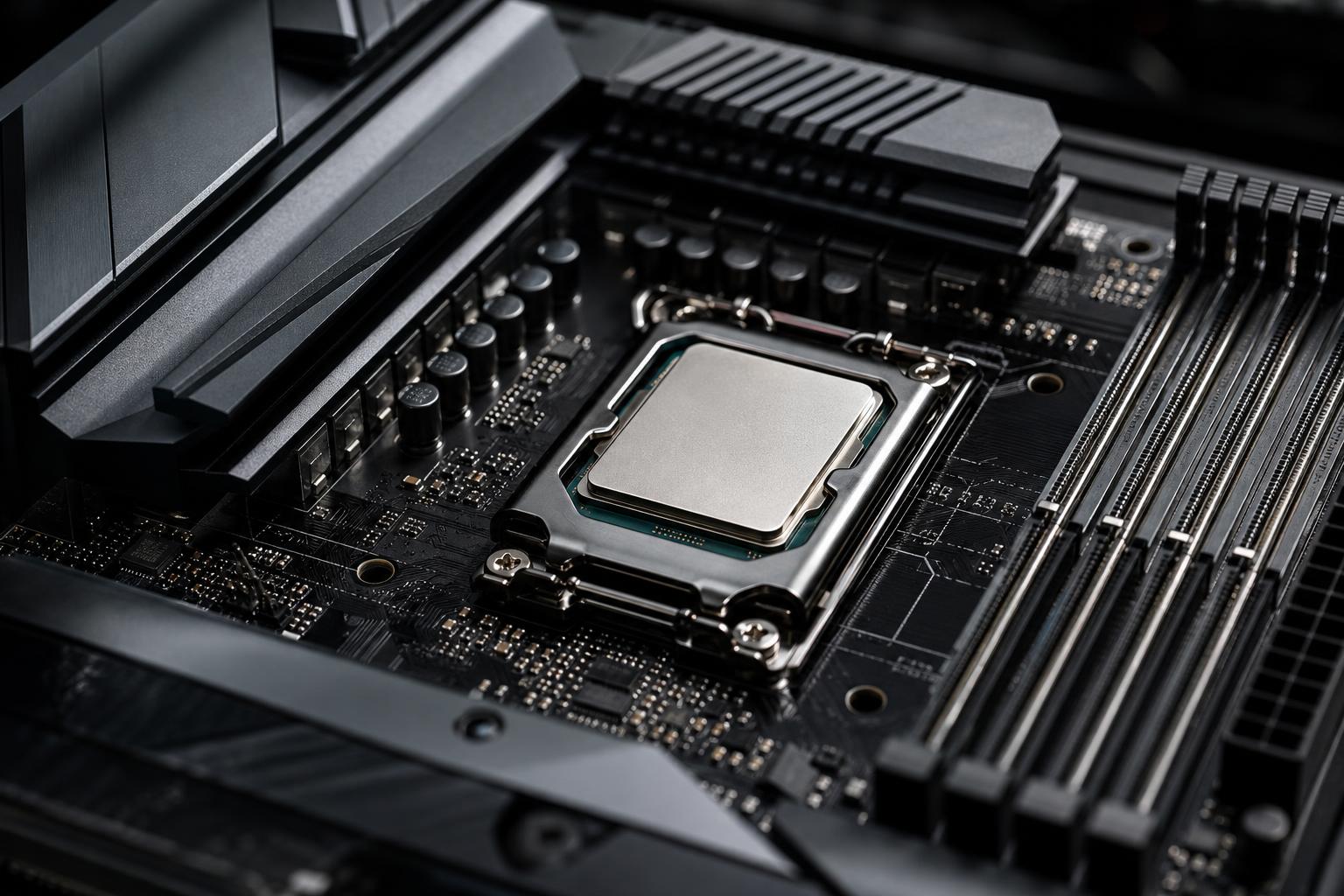
The CPU is the traffic manager of a PC. It prepares game data for the graphics card, runs applications, handles background tasks, compiles code, processes simulations, and keeps the operating system responsive. It matters in every build, but it is also one of the easiest components to overspend on.
The best CPU for gaming and productivity is not automatically the model with the most cores or the highest advertised clock speed. The right choice depends on what you run, the resolution and refresh rate of your monitor, the graphics card beside it, and how long you expect to keep the system.
Here is a practical way to make the decision without getting lost in benchmark charts.
Different programs use processors in different ways. Some tasks care most about the speed of one or a few CPU cores. Others can spread work across many cores and finish much faster with a larger processor.
Most games do not use every available CPU core equally. They benefit most from fast individual cores, low memory latency, and a modern architecture. A capable 8-core gaming CPU is often a smarter purchase than a 16-core workstation-oriented chip if the system’s main job is playing games.
At 1440p or 4K, the graphics card usually has the larger effect on frame rate because it is doing more rendering work. At 1080p, especially with a 240Hz or higher-refresh monitor, the CPU becomes much more important. Competitive games can also be unusually CPU-sensitive even at higher resolutions.
For a gaming-focused system, we generally prioritize a modern midrange-to-high-end CPU with excellent gaming results, then direct more of the budget toward the GPU. Buying an extreme desktop processor while pairing it with a modest graphics card is rarely a balanced move.
Video exporting, CPU-based 3D rendering, code compilation, virtual machines, simulation, and large batch-processing jobs can use many cores efficiently. In these workloads, moving from 8 cores to 12 or 16 cores may save meaningful time every week.
That does not mean every creator needs the largest CPU available. Adobe Photoshop and many everyday design tasks often feel more responsive with strong single-core performance than with a huge core count. Video editing is mixed: timeline playback, effects, codec support, system memory, storage speed, and GPU acceleration all matter alongside the CPU.
If your work produces income or regularly leaves your current PC busy for hours, calculate the cost of waiting. A more powerful processor makes sense when it reliably shortens renders, exports, builds, or calculations. It makes less sense when those jobs happen once a month.
Core count remains useful, but it is only one part of CPU performance. A newer 8-core processor can outperform an older processor with more cores in many games and lightly threaded programs. Still, these are sensible starting points for a new performance PC.
For most premium gaming builds, 8 strong modern cores are enough. For a mixed-use gaming and production machine, 12 to 16 cores can be worthwhile. A serious workstation should be configured around the actual application, because some professional software benefits from a faster mainstream CPU while others benefit greatly from a high-core-count platform.
A CPU’s boost clock is easy to compare, which is why it appears prominently on product pages. Unfortunately, a higher GHz number does not guarantee better performance. Clock speed only describes how quickly a chip cycles. It does not tell you how much work the CPU completes in each cycle, how much cache it has, or how effectively it manages power and heat.
Compare CPUs using independent testing in the games and applications you use. Look at average frame rates, but also pay attention to 1% low frame rates. Those lower figures are a useful clue to how smooth a game may feel during busy scenes.
For workstations, seek benchmarks using the specific program and type of project you run. A processor that wins a general rendering test may not be the best choice for CAD, compilation, or a particular video-editing codec.
CPU cache is very fast memory built into the processor. It stores data the CPU may need repeatedly, reducing trips to slower system RAM. Some CPU designs include a larger amount of cache specifically to improve gaming performance.
In the right games, extra cache can noticeably improve average frame rates and, more importantly, frame-time consistency. Simulation-heavy games, strategy titles, large multiplayer games, and open-world titles often benefit. The gains vary by game, so it is not magic, but a cache-focused CPU is often an excellent choice for someone building primarily for gaming.
The tradeoff is that a cache-focused model may not be the fastest option for every heavily threaded productivity task. If you spend equal time gaming and rendering, compare results in both categories rather than assuming one benchmark tells the whole story.
A CPU purchase also commits you to a motherboard, memory support, expansion options, and a potential upgrade path. This is where a low CPU price can become misleading.
Both AMD and Intel make excellent processors. The better choice changes by price range and workload, so brand loyalty is not a useful buying strategy.
For many buyers, a good motherboard with reliable power delivery, the right number of storage slots, and the needed rear I/O is enough. Paying extra for elaborate overclocking features makes sense only if you will use them. A board covered in decorative armor does not make games run faster.
Modern CPUs are designed to boost higher when power and temperatures allow. An undersized cooler can lead to more fan noise, lower sustained performance, or both. It can also make a powerful processor a poor experience in a compact case.
A quality tower air cooler is enough for many gaming CPUs and has the advantage of simple, long-term reliability. A well-built all-in-one liquid cooler can be useful for hotter processors, sustained production workloads, or builds where radiator placement works better than a tall air cooler.
Cooler selection should account for the CPU’s real power draw under long workloads, not just a marketing label. It should also match the case airflow plan. The best CPU cooler in a poorly ventilated case is still breathing warm air.
Gaming first: Choose a modern 8-core CPU with strong gaming performance, and spend the remaining budget on the best GPU that fits your monitor target. Consider a cache-focused model if gaming is clearly the priority.
Gaming, streaming, and content creation: An 8-core CPU remains capable, but 12 to 16 cores can provide more breathing room if you frequently edit video, compile projects, or run several demanding applications at once. Hardware video encoding on a compatible GPU can also reduce the CPU load while streaming.
Professional workstation: Select the CPU after identifying whether your main software is lightly threaded, heavily threaded, GPU-accelerated, or limited by system memory. A balanced workstation may need more RAM, faster storage, or a more capable GPU before it needs the biggest processor.
A processor should fit the complete system: graphics card, memory, cooling, case, power supply, monitor, and software. The goal is not to win a component-specification contest. It is to build a computer that feels fast, stays quiet enough, and puts the budget into the parts that improve your actual work or play.
If you are planning a gaming PC or workstation and are unsure where the CPU should sit in the budget, contact Overclock Computers. We can help match the processor, platform, cooling, and supporting hardware to the programs and performance targets that matter to you.