Air Cooling vs. Liquid Cooling: Which CPU Cooler Should You Buy?

Choosing between an air cooler and an all-in-one (AIO) liquid cooler is not just about looks. Your CPU cooler affects sustained performance, fan noise, component lifespan, case compatibility, and how pleasant the computer is to live with every day.
The good news is that neither option is automatically “better.” A properly selected dual-tower air cooler can handle many powerful gaming and productivity CPUs. A well-sized AIO can give high-wattage processors more thermal headroom and may fit a build better. The right choice comes down to the CPU, the work you do, the case, and your priorities.
Cooler marketing often focuses on a broad wattage rating, but those figures are not measured to one universal standard. A more useful question is: how much power will the processor draw during your actual workload?
Many gaming-focused CPUs draw a moderate amount of power in games, even when paired with a high-end graphics card. A quality tower air cooler is often entirely sufficient for these systems. On the other hand, high-core-count desktop CPUs can sustain much higher power limits during rendering, compiling code, video exports, simulation, or other long multicore tasks. Those chips benefit more clearly from a large 280 mm or 360 mm AIO.
Games usually place the heaviest load on the GPU, not every CPU core at once. That is why a massive liquid cooler is not a requirement for every gaming PC. If the processor stays within safe temperatures, maintains its intended clock speeds, and the system is not louder than you can tolerate, the cooler is doing its job.
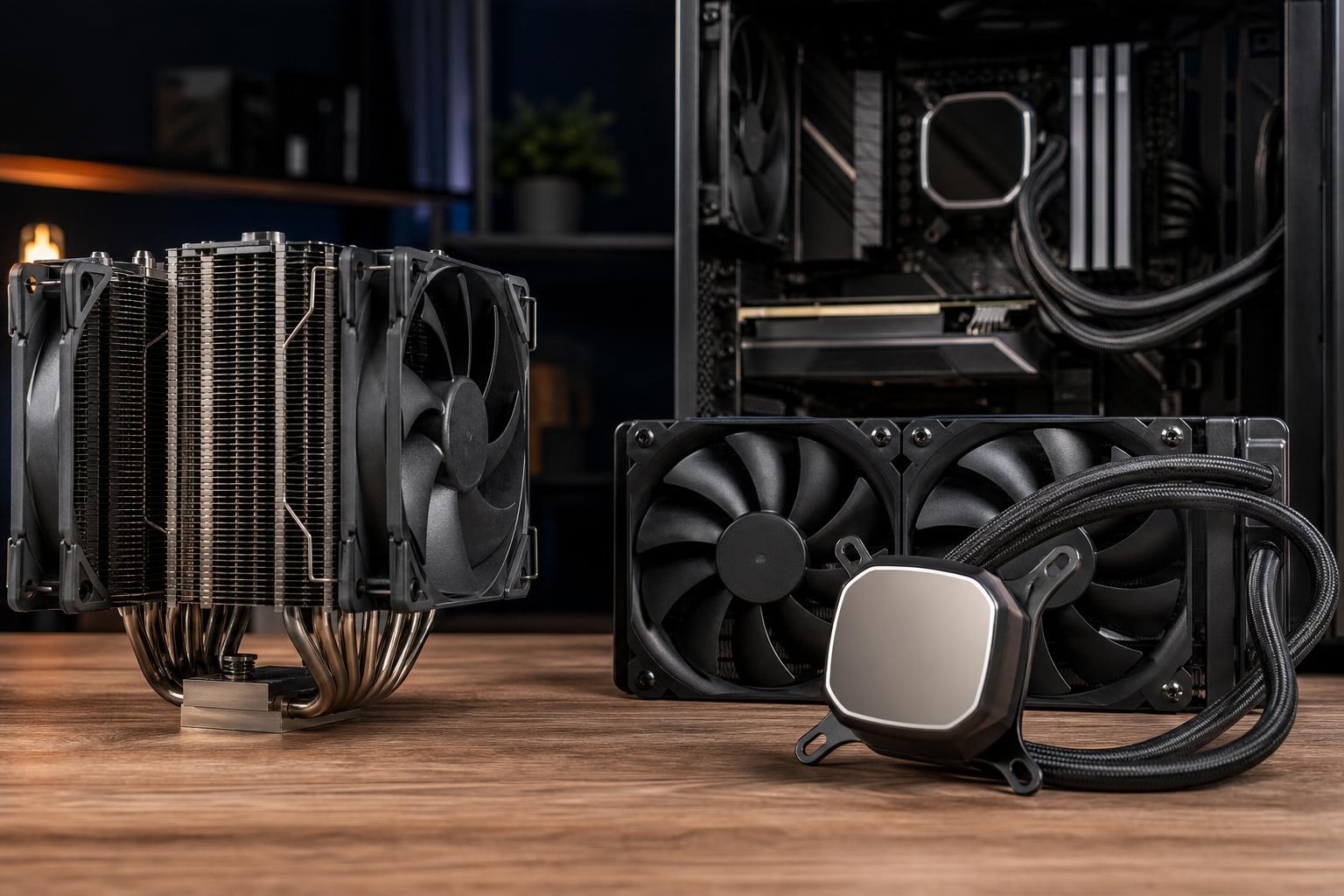
An air cooler moves heat from the CPU into a metal base, through heat pipes, and into a stack of thin aluminum fins. One or two fans then push air through those fins and into the case airflow path.
The best air coolers use a large fin stack, several heat pipes, a solid mounting system, and slow-moving fans. They are simple devices with very few possible failure points: essentially the fan or fans. If a fan eventually wears out, it can usually be replaced easily and inexpensively.
For a sensible midrange or upper-midrange gaming system, a quality air cooler is one of the best examples of spending enough rather than overspending. It can be quiet, reliable, and highly effective.
Air cooling still relies on the temperature inside the case. If a graphics card is dumping 300 watts or more into a cramped case with poor ventilation, the CPU cooler has warmer air to work with. A good case and sensible fan setup matter as much as the cooler itself.
Physical size is the other concern. Large dual-tower coolers can interfere with tall RGB memory modules, motherboard heatsinks, or a side panel. Cooler height and RAM clearance should always be checked before buying. A giant heatsink that does not fit is not a high-performance upgrade.
An AIO liquid cooler uses a small pump and cold plate on the CPU, flexible tubes, and a radiator mounted in the case. The liquid carries heat from the processor to the radiator, where fans exhaust it from the system or bring fresh air through it.
Because a radiator has a large surface area and can be placed at the top or front of a case, an AIO can move more heat than many air coolers. Larger radiators generally offer more cooling capacity, assuming the case has room and airflow is planned correctly.
An AIO is a sealed, self-contained unit, but it is more complex than an air cooler. It has fans plus a pump, and it will eventually wear out. Pump noise can also be noticeable in a quiet room, especially if the pump curve is poorly configured.
Modern AIOs from reputable manufacturers are generally reliable when installed properly, but they do not eliminate risk simply because they look tidy. They also cost more, and radiator placement can affect the temperature of other components.
For example, a front-mounted radiator used as an intake feeds the CPU cool external air, but the warmed air then enters the case and can raise GPU temperature slightly. A top-mounted radiator configured as exhaust usually removes CPU heat directly from the case, though it uses warmer internal air and may result in a somewhat higher CPU temperature. Neither arrangement is universally correct; the best choice depends on case layout and whether the CPU or GPU is the greater heat source.
For AIOs, radiator size is a practical specification. A 240 mm radiator uses two 120 mm fans. A 280 mm radiator uses two larger 140 mm fans, while a 360 mm radiator uses three 120 mm fans. More radiator area usually means the system can remove more heat at lower fan speeds.
A 240 mm AIO is often a reasonable fit for a mainstream CPU, but it is not automatically superior to a top-tier dual-tower air cooler. A 280 mm or 360 mm unit makes more sense when cooling a processor that will spend hours near its higher power limits. Avoid buying a 360 mm AIO just because it is popular if it forces you into a compromised case, obstructs airflow, or costs money that would improve the system elsewhere.
A premium cooler cannot overcome a case with restricted airflow, missing intake fans, or cables packed against every ventilation path. A balanced setup normally uses front or bottom intake fans to bring in cool air and top or rear exhaust fans to remove warm air. The exact arrangement varies by case, but the goal is simple: give heat a path out.
For an AIO, mount the radiator so air naturally collects away from the pump as much as the case allows. In practical terms, avoid placing the pump at the highest point of the loop. Follow the cooler manufacturer’s mounting instructions, use the correct socket hardware, and do not overtighten the CPU block.
For either cooler type, use a sensible fan curve rather than running every fan at full speed. Modern motherboards can adjust fan speed based on CPU and system temperatures. A thoughtful curve keeps the PC quiet at idle and lets it respond when the workload actually demands it.
For most gaming PCs, start with a good tower air cooler. It is cost-effective, dependable, and capable of cooling a wide range of current processors without turning the build into a wind tunnel.
Choose a 240 mm or 280 mm AIO when case clearance, appearance, or a higher-power CPU makes it the better fit. Step up to a 360 mm AIO for a genuinely demanding processor that will regularly run long multicore workloads, not merely because the system has a glass side panel.
Custom liquid cooling loops are a separate category. They can cool both the CPU and GPU effectively and look excellent, but they cost more and require maintenance planning. They are best for enthusiasts with a clear reason to build one, rather than a default recommendation for a new PC.
If you are planning a gaming PC or workstation and are unsure how much cooling you actually need, contact Overclock Computers. We can help match the cooler, case airflow, CPU, and workload so the finished system performs properly without paying for hardware that will not improve your experience.