Threadripper vs. Ryzen for Professional Workstations: Which Platform Do You Need?

A Ryzen-based workstation can be an excellent professional computer. A Threadripper workstation can be a substantially more capable one. The mistake is assuming that makes Threadripper the right answer for every engineer, designer, creator, or business.
The practical choice comes down to what slows your work down. If your day is spent in lightly threaded CAD modeling, documentation, email, and moderate multitasking, a fast Ryzen processor is usually the better-value platform. If you regularly render, simulate, compile large codebases, reconstruct reality-capture data, process large datasets, or need several high-bandwidth expansion devices, Threadripper becomes much easier to justify.
This guide explains where each platform fits and, just as importantly, where spending more will not improve the workday enough to be worthwhile.
CPU specifications only matter when they match how an application works. Many professional programs combine several types of work: interactive modeling, background calculations, exports, rendering, and file management. A workstation should be designed around the slowest and most frequent parts of that workflow.
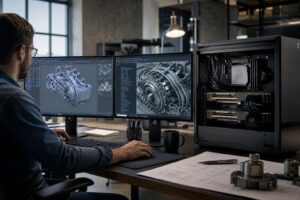
For example, many CAD and BIM tasks are still sensitive to fast performance from one or a few CPU cores. A processor with very high core counts does not automatically make sketching, model navigation, or everyday drawing work faster. In those situations, strong per-core performance, sufficient RAM, a capable GPU, and fast storage tend to matter more.
Other workloads can keep many CPU cores busy at once. CPU rendering, certain simulation and analysis workloads, video encoding, photogrammetry stages, software builds, and data processing can benefit greatly from a higher-core-count processor. That is Threadripper territory.
Mainstream Ryzen processors offer excellent single-thread performance and meaningful multi-threaded performance at a more sensible platform cost. For a large number of professionals, that is exactly the balance required.
A well-designed Ryzen system should not be treated as a budget compromise. With adequate memory, a fast NVMe drive, quality cooling, and the correct graphics card, it can be a very fast professional workstation. It also leaves more budget for parts that may have a greater effect on the application, such as additional RAM, more VRAM, or a larger project drive.
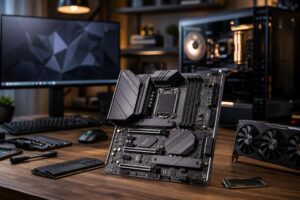
The limitation is not simply CPU speed. Mainstream desktop platforms have fewer PCIe lanes and fewer memory channels than workstation-class platforms. This can matter when a system must support multiple GPUs, several high-speed NVMe drives, a high-bandwidth network adapter, RAID or storage controllers, capture hardware, or specialty expansion cards without forcing devices to share limited connectivity.
Memory capacity is another dividing line. A Ryzen workstation can support plenty of RAM for normal professional use, but very large datasets, virtualization-heavy work, large simulation jobs, and certain point-cloud or data workflows may require capacities better served by a workstation-class memory platform.
Threadripper is not a magic button for every professional application. It is a platform built for users who need more processing resources, more memory bandwidth and capacity, and more expansion than a mainstream desktop platform is designed to provide.
Threadripper is especially compelling when the CPU is actively working for long stretches. A processor that finishes an overnight render, simulation, batch export, or compilation job faster can improve turnaround and free a workstation for the next task. For a business, that can be more valuable than a favorable benchmark-per-dollar comparison.
It is less compelling when the system spends most of its day in applications that are lightly threaded, waiting on user input, or limited by GPU performance. Buying 32 or more CPU cores to open drawings, answer email, and use a single-GPU viewport is an expensive way to accomplish very little.
Clock speed and core count are not opposing teams. A processor needs enough of both for the job. The key is identifying whether the task can use many cores at once.
For interactive CAD, general BIM modeling, and many design tasks, prioritize strong per-core performance. A Ryzen workstation often does this extremely well. For CPU rendering, software compilation, parallel simulations, and heavily multi-threaded processing, additional cores can reduce completion time significantly. Threadripper is the more appropriate tool.
Mixed workflows need a balanced decision. An architect who spends most of the day modeling but occasionally produces renders may benefit more from a fast Ryzen CPU and a strong GPU than from a CPU platform built around maximum core count. A visualization artist rendering every day, meanwhile, has a stronger reason to move to Threadripper.
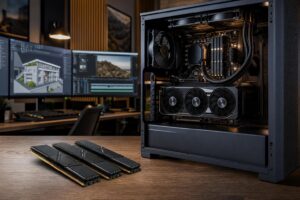
RAM capacity determines how much active data your workstation can hold before it must rely heavily on slower storage. Memory bandwidth affects how quickly the processor can move data to and from RAM. Threadripper-class platforms provide more memory channels, which can help bandwidth-hungry multi-core tasks and allow larger memory configurations.
More RAM is useful when it prevents slowdowns caused by running out of memory. It is not useful merely because the motherboard has empty slots. Before specifying 256GB or more, look at the size of typical projects, how many applications stay open, and whether the current system regularly approaches its installed memory capacity.
PCIe lanes are the connections that let the CPU communicate with GPUs, NVMe drives, network cards, and other add-in hardware. A conventional one-GPU workstation with one or two SSDs rarely needs a large number of lanes. A more complex system can.
Consider a workstation that needs two GPUs, four NVMe drives, 10GbE networking, and a specialized capture or storage card. On a platform with limited connectivity, some devices may share bandwidth or require tradeoffs. A Threadripper platform is designed to make these builds more practical.
This is also an upgradeability decision. If you know the system will eventually add storage, faster networking, or another GPU, selecting the right platform at the beginning may prevent a costly platform replacement later.
Threadripper PRO is intended for the most demanding workstation deployments, particularly where maximum memory capacity, broad PCIe expansion, and enterprise-oriented platform features are required. It can be an appropriate choice for large engineering datasets, advanced visualization, multiple-GPU compute, virtualization, research, and specialized technical workflows.
For most independent professionals and small businesses, standard Threadripper or Ryzen is the more proportionate choice. PRO should solve a defined requirement, not serve as an expensive badge on a specification sheet.
Choose this for CAD, BIM, single-GPU design, mainstream content creation, programming, and general technical work. Pair a high-performance Ryzen CPU with 64GB of RAM for many users, fast NVMe storage, and a GPU selected for the actual application. This is the sensible default for organizations that need capable, responsive systems without unnecessary platform cost.
Choose this for frequent CPU rendering, demanding computation, sizable datasets, heavy multitasking, extensive local storage, or a workflow that benefits from more cores and memory bandwidth. A balanced configuration usually includes substantial RAM, multiple purpose-built NVMe drives, robust cooling, and expansion headroom.
Choose this when extremely large memory requirements, multiple GPUs, extensive PCIe expansion, advanced networking, or specialized hardware are central to the job. This is for workloads with a clear technical case, not simply the biggest available configuration.
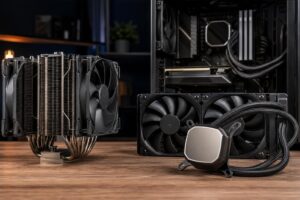
A workstation is only as useful as it is stable under real workloads. High-core-count CPUs and powerful GPUs can sustain heavy loads for hours, so cooling must be designed for continuous operation rather than short benchmark runs. A quality power supply, sensible airflow, and properly selected coolers are not decorative upgrades. They protect performance consistency and component longevity.
Storage planning matters just as much. Keep the operating system and applications on a fast primary NVMe drive, use a separate high-speed drive for active projects or scratch files where the workflow benefits, and plan reliable capacity for completed work. Large project files fill a single drive surprisingly quickly; no one enjoys discovering this during an export.
For most CAD, BIM, design, and single-GPU professional workflows, a carefully specified Ryzen workstation provides excellent performance and better value. Move to Threadripper when your work can actually use its additional cores, memory capability, and expansion capacity. Move to Threadripper PRO only when the most demanding memory and PCIe requirements make that platform necessary.
At Overclock Computers, we build custom workstation PCs around the software you use, the size of your typical projects, the hardware you need to add, and the time-sensitive parts of your workflow. If you are deciding between Ryzen and Threadripper, contact our team with your applications, datasets, and upgrade plans. We can help define a configuration that is fast where your work needs it to be, without paying for hardware that will sit idle.